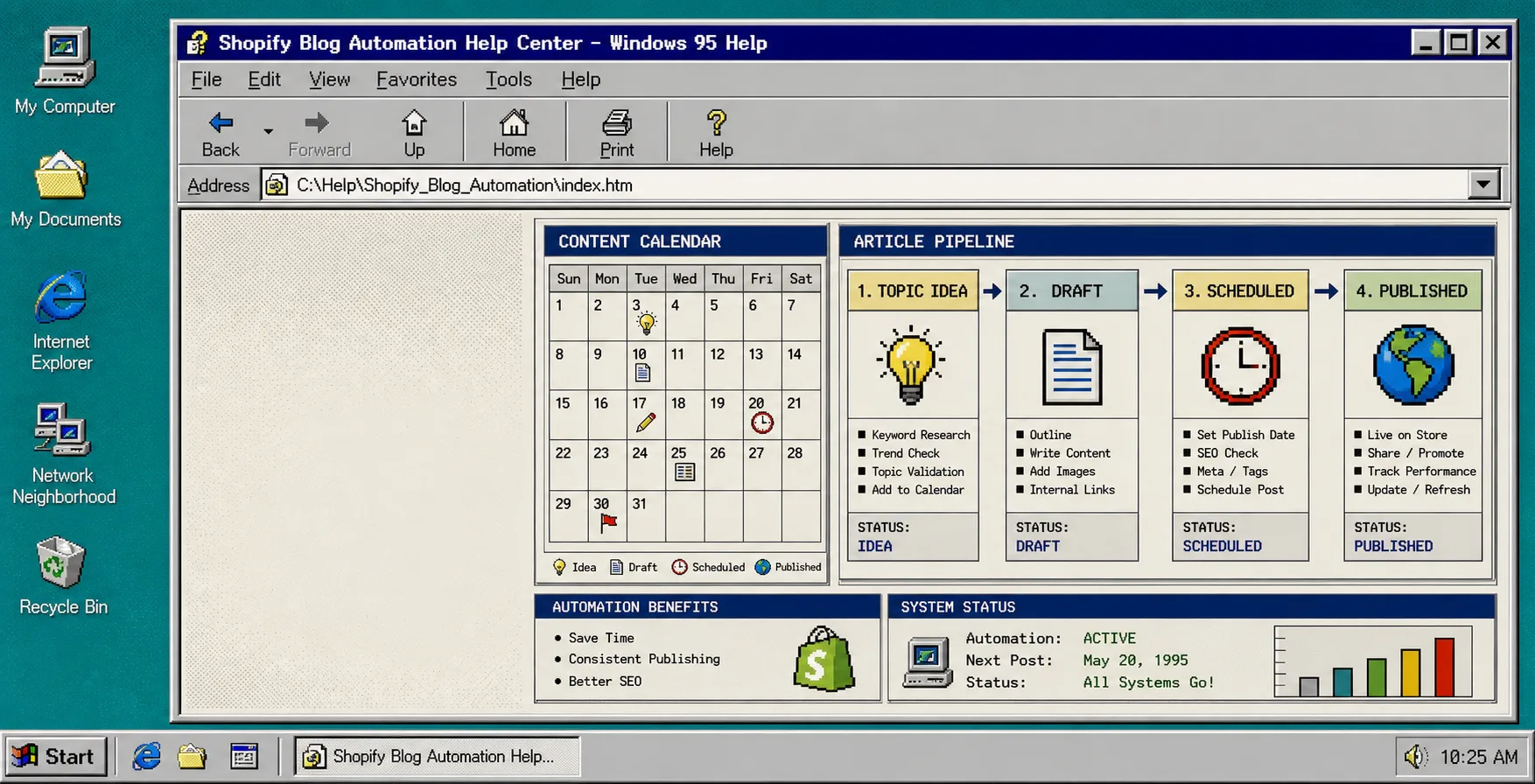
How to Set Up Shopify Blog Automation Without Generic AI Copy
If your Shopify blog only gets updated when you have time to babysit it, the problem is usually the workflow, not the writing. You can keep asking AI for another draft, but if the process is vague you still end up with generic copy, weak product references, and a post that does not help sales.
Supra Blog Automation is built to fix that loop. It is a Shopify app for generating, scheduling, optimizing, and publishing SEO-focused blog posts, and it gives you control over the parts that matter: topic, tone, product context, image style, internal links, and whether the post goes live immediately or sits as a draft first. The product page is Supra Blog Automation and the app listing is on the Shopify App Store.
This is the workflow I would use if I wanted steady publishing without letting the article quality collapse into generic AI output.
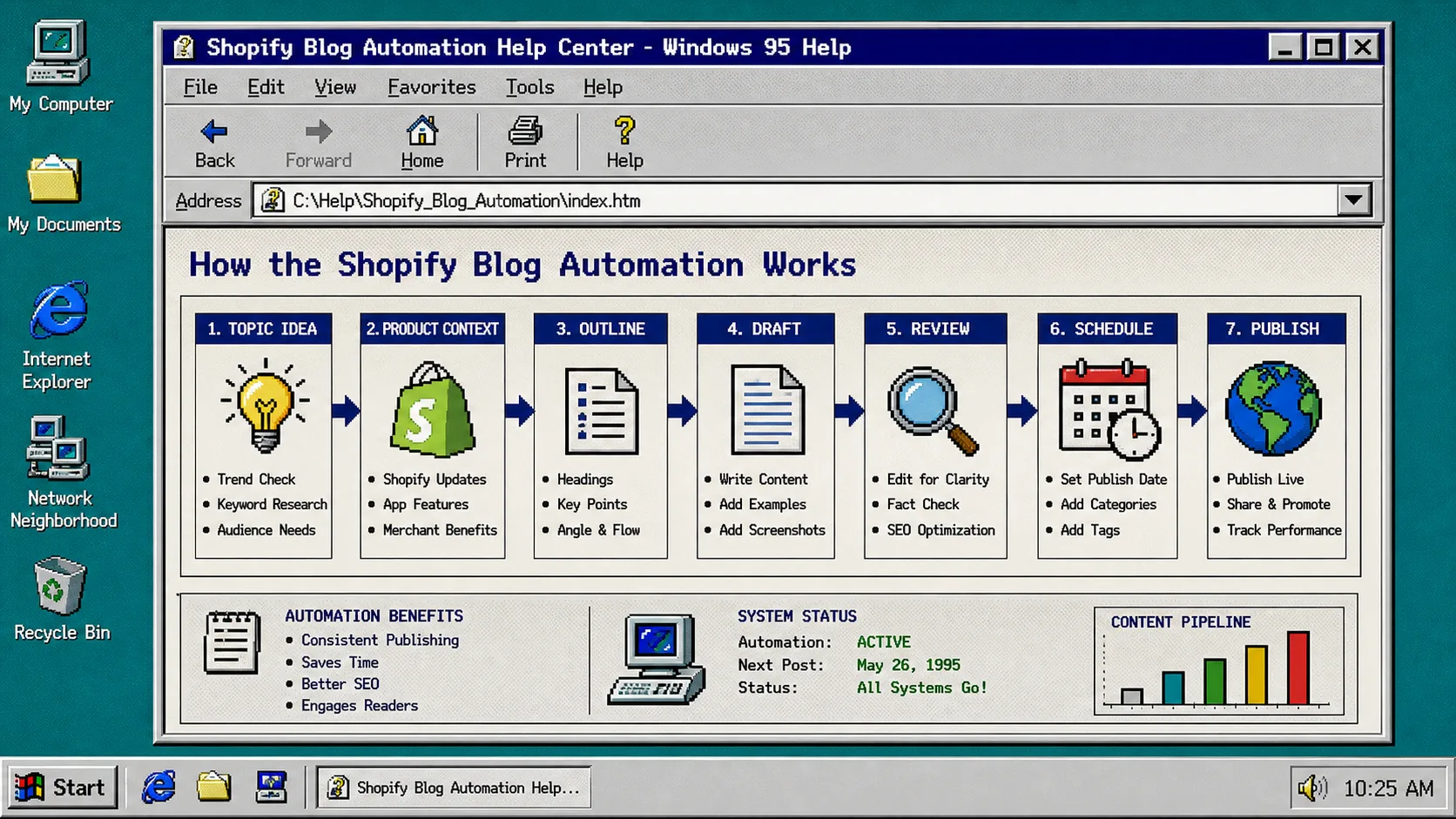
1. Start With A Publish Goal
Do not start with a random keyword. Start with the outcome you want.
For a Shopify store, the goal is usually one of these:
- attract search traffic for a product problem;
- support a collection or seasonal campaign;
- explain how a product works before the buyer lands on the product page;
- answer a common objection that stops people from buying;
- keep the blog active on a schedule so the site does not go stale.
Supra Blog Automation handles both one-off posts and recurring automations, so you can use it for a single product article or a content calendar that runs every week or month. That matters because consistency is the whole point. A blog that publishes once and stops does not help much.
If you want the scheduling version of this idea, read How to Build a Shopify Blog Workflow That Publishes on Schedule. If you want the brief-writing angle, How I Write Shopify Blog Briefs That Keep Product Detail Intact shows the same discipline from the planning side.
2. Feed The Generator Product Context, Not Just A Topic
Generic AI copy usually happens when the prompt is too thin. If the app only sees a keyword, it will try to fill the gaps with broad advice. That is how you get a post that sounds polished but does not say anything useful about the product.
When you set up a post in Supra Blog Automation, give it the real inputs:
- the product or collection you want to promote;
- the customer problem the article should solve;
- the tone you want the article to keep;
- the image style or asset source you want to use;
- the SEO angle you want to aim for.
That is enough context for the generator to produce something more useful than a generic explainer. The article should still sound human, but it should also have enough product detail that the reader can move from the blog post to the store page without feeling tricked.
Here is the kind of brief that works well:
- Topic: how to automate Shopify blog posts without generic AI copy
- Goal: publish a useful SEO guide that promotes the app naturally
- Product context: recurring post scheduling, product-aware content, save as draft or publish
- Reader problem: store owners want content but do not have time to write every post
- Review rule: keep important claims and product references checked before publishing
If you want a related example of this same thinking, How to Automate Shopify Blogging Without Losing Product Detail stays close to the product without sounding like ad copy.
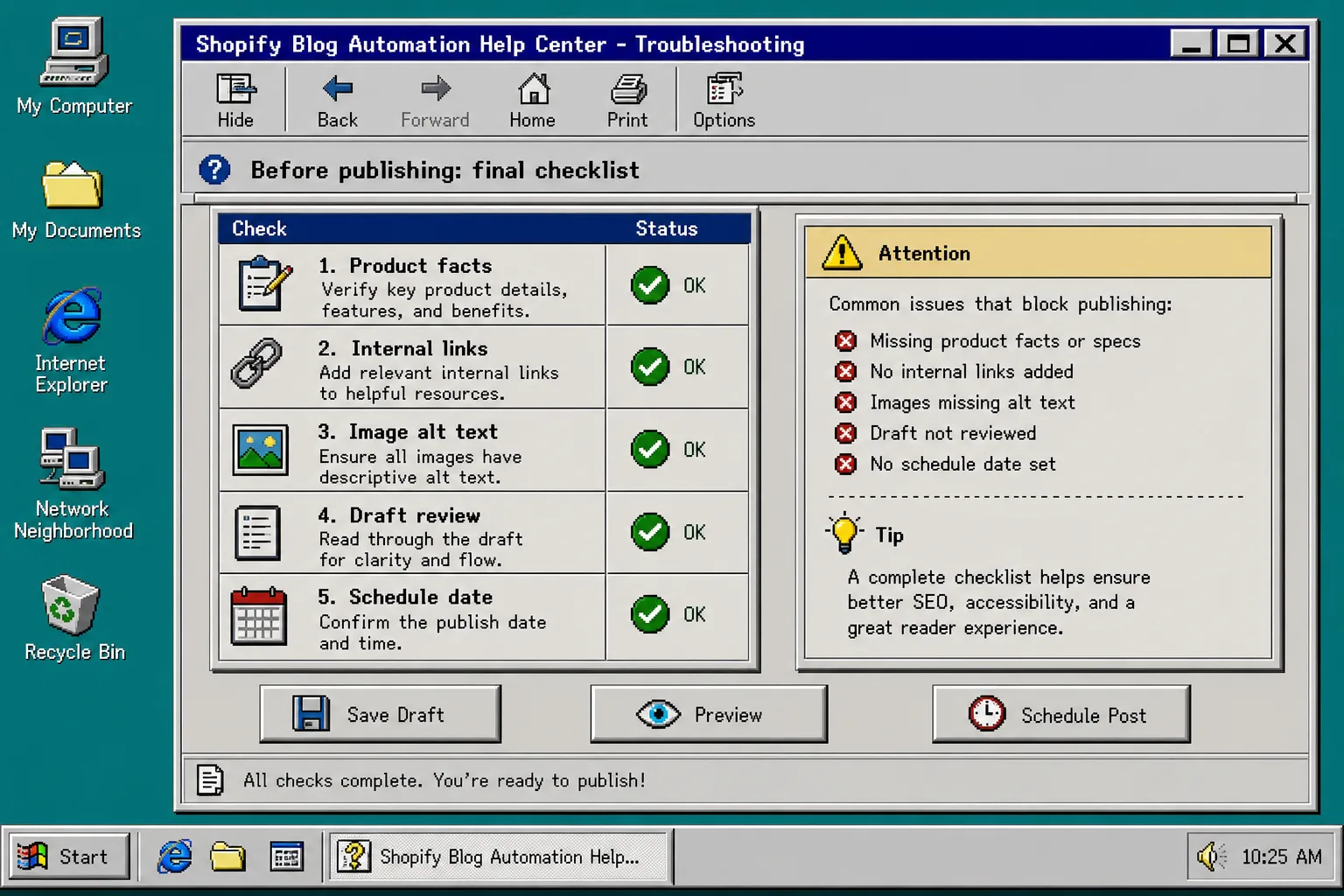
3. Map The Fields Before You Publish
This is the part that keeps the post from turning into a messy blob of text.
At minimum, I would map these fields before the first publish:
- Title.
- Slug.
- Excerpt or description.
- Body content.
- Tags or categories.
- Cover image.
- Publish date.
The exact field names matter less than the discipline. If the app or workflow lets you map title, body, images, and schedule metadata once, do that before you automate anything else. Then test one draft and check that the output still makes sense in Shopify.
This is also where internal links should be added. If the article mentions scheduling, link to a scheduling-focused post. If it mentions product detail, link to a brief-writing or product-aware content post. That keeps the blog useful instead of making every article feel isolated.
If you want another angle on this setup, How to Schedule Shopify Blog Posts Without Losing Product Context is a good companion read because it focuses on timing without dropping the product angle.
4. Generate Images That Match The Article
Visuals should support the article, not fight it.
Supra Blog Automation can use AI-generated, stock, or product-based visuals, which is useful because not every post needs the same kind of image. A tutorial about workflow benefits from diagrams. A product-led post might need a product shot. A scheduling article might need a calendar-style image.
The important part is consistency. Match the image style to the article style, and keep the tone coherent. For this blog, that means retro help-center visuals, strong UI shapes, and an old desktop feel instead of modern SaaS hero art.
Use the visual choices the same way you use the writing choices:
- use one image to show the workflow;
- use one image to show field mapping or configuration;
- use one image to show the final review step;
- keep the palette and layout consistent across the article.
That is why the images in this post all feel like they belong to the same operating system.
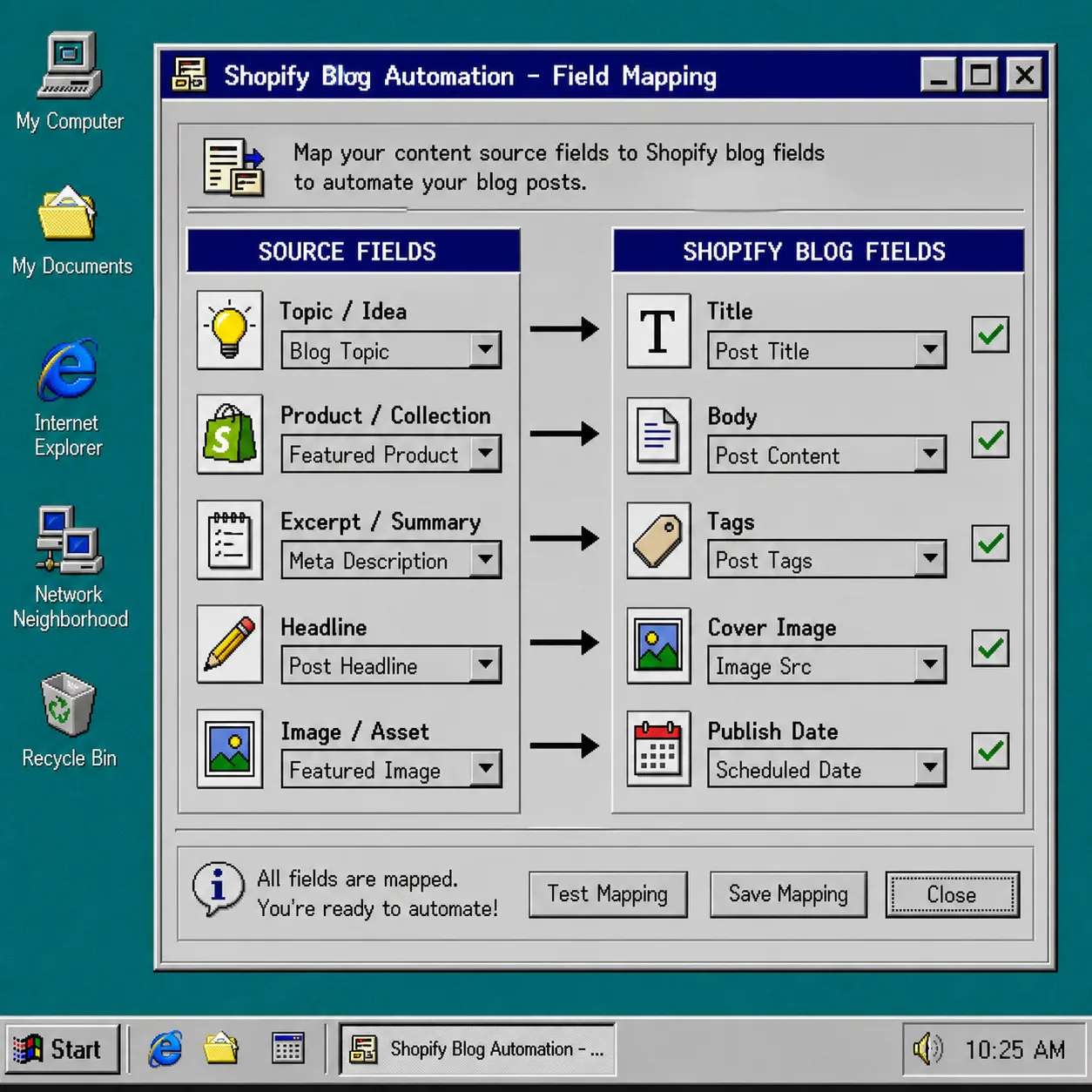
5. Save As Draft When The Post Needs A Human Check
Not every post should publish automatically.
I would use auto-publish for low-risk posts that are already reviewed and fact-checked. I would save as draft for anything that includes:
- pricing;
- policy details;
- product claims;
- brand-sensitive language;
- anything I have not checked against the source material.
That is the main reason the publish control matters. Automation should remove the repetitive work, but it should not remove judgment. A blog pipeline is better when it can move fast and still give you a review step before anything important goes live.
This is also the point where the workflow should feel boring in a good way. The draft should already have the right headline, body structure, images, and links. Review should be a quick check, not a full rewrite.
Troubleshooting
If the posts still feel generic, the prompt is probably too thin. Add the product name, the reader problem, the benefit you want to emphasize, and the review rule before you generate the draft.
If the images look unrelated, tighten the image prompt so it matches the blog style and the section it appears in. A workflow section should look like a workflow. A review section should look like a checklist.
If the field mapping keeps breaking, simplify the setup. Start with title, body, image, and publish date only, then add tags and excerpts after the first clean run.
If the article sounds promotional, move the product mention earlier but keep the explanation practical. Readers usually accept a product mention when the article gives them a useful workflow first.
If internal links feel forced, cut them. Use only links that genuinely help the reader continue the same task. The best links are the ones that let someone go deeper without leaving the subject.
Bottom Line
The fastest way to avoid generic AI blog posts is to stop treating the blog as a blank prompt box. Give the generator real product context, map the fields once, use images that match the article, and keep a draft review step for anything important.
That is what Supra Blog Automation is good at: turning Shopify blog publishing into a repeatable system without stripping out judgment. If you want to try it, start with one post, one product, and one review pass. Then only automate more once the output looks boring in the right way.