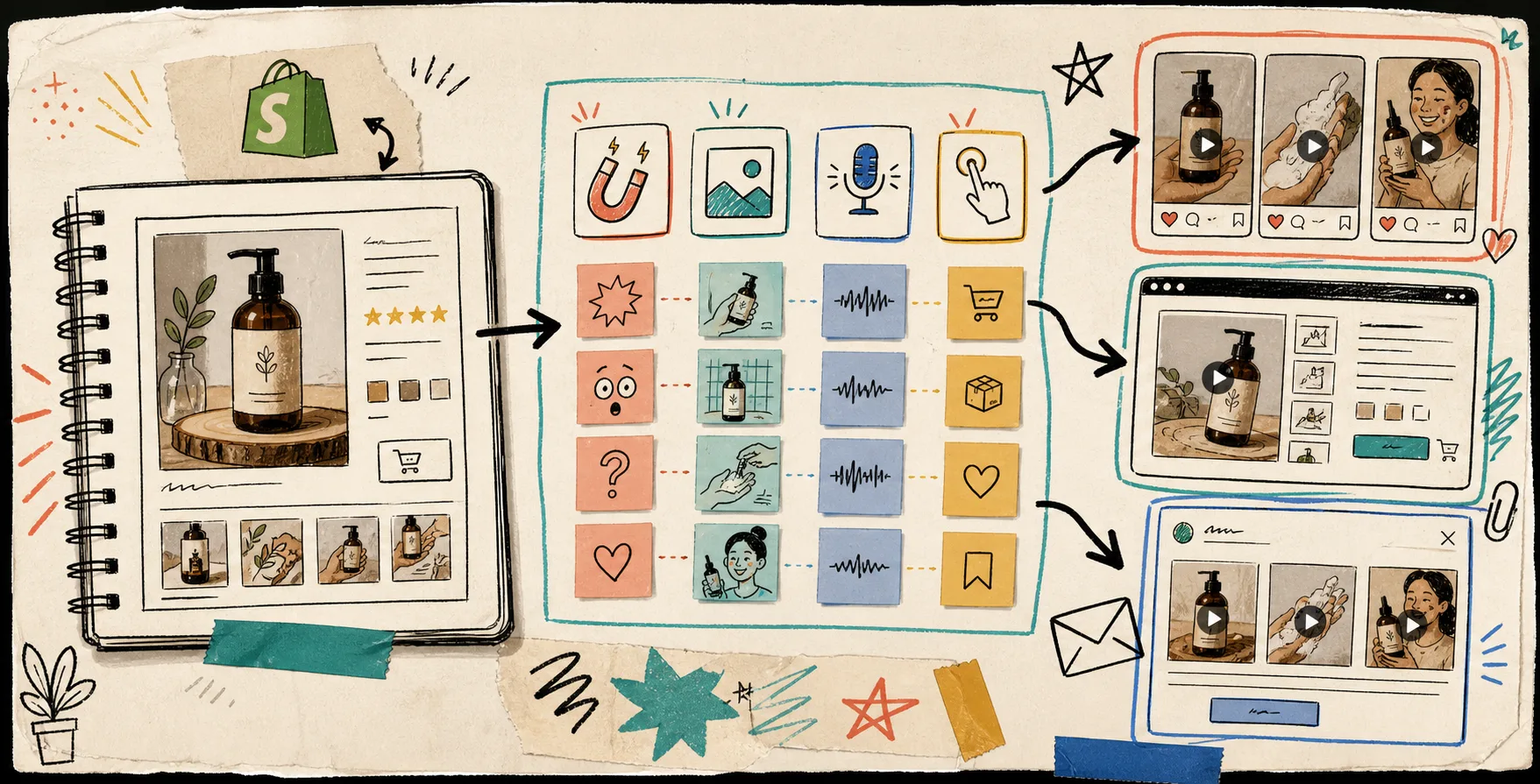
I do not start by trying to make one perfect UGC video. I start by building a reusable project around one Shopify product, then I let the same structure produce ad, product page, and email variants without making me reassemble the whole thing every time.
That is the part that makes Supra UGC Maker useful in practice. It is built for Shopify merchants who want AI avatar product videos with scenes, scripts, speech, and product references, plus the ability to save reusable projects and create new ad variations instead of rebuilding from zero.
If you want the testing version of this idea, How I Build a Shopify UGC Hook Matrix From One Product is the closest companion. This post is the more operational version: what I fix, what I change, and how I reuse the output.
What I Keep Fixed First
The fastest way to waste time is to change too many things at once. When I am setting up a new UGC-style project, I keep the base structure steady:
- one product;
- one audience;
- one offer or CTA;
- one avatar style;
- one scene or background.
That gives me a clean baseline. If the result works, I know I can reuse the same setup later. If it does not, I know which variable probably needs to move.
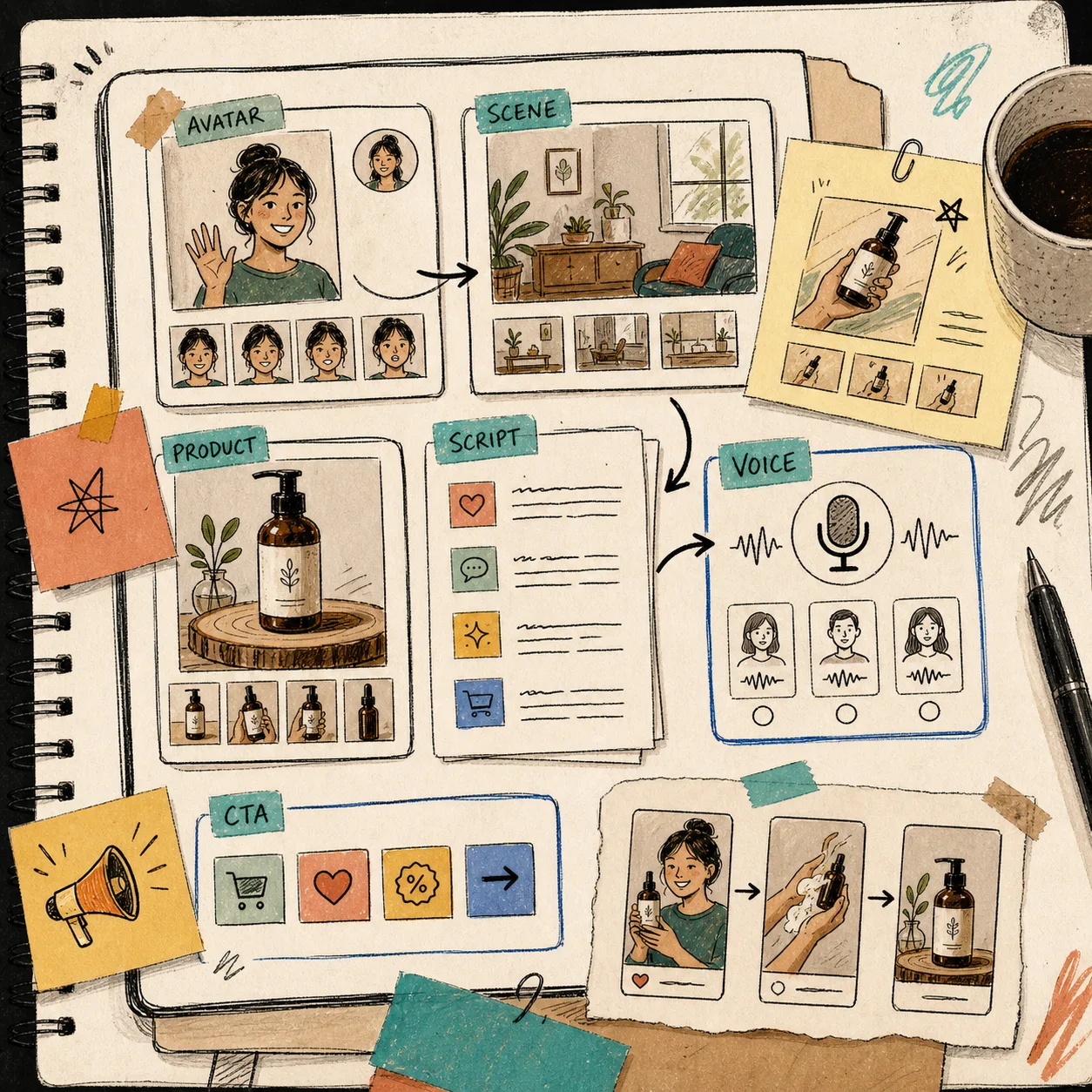
In Supra UGC Maker, that part is simple enough to stay practical. I can choose a preset avatar or custom AI model, set the scene, add the product, write the script, choose voice and tone, preview the scene, and then generate the clip inside the same project.
What I Change One Variable At A Time
Once the skeleton is in place, I only change the pieces that teach me something.
Usually that means:
- the hook;
- the script angle;
- the voice or delivery;
- the CTA;
- sometimes the placement.
I do not need twenty variations to learn something useful. I need a small set that tells me whether the audience wants a quick demo, an objection handler, a before-and-after contrast, or a more direct outcome promise.
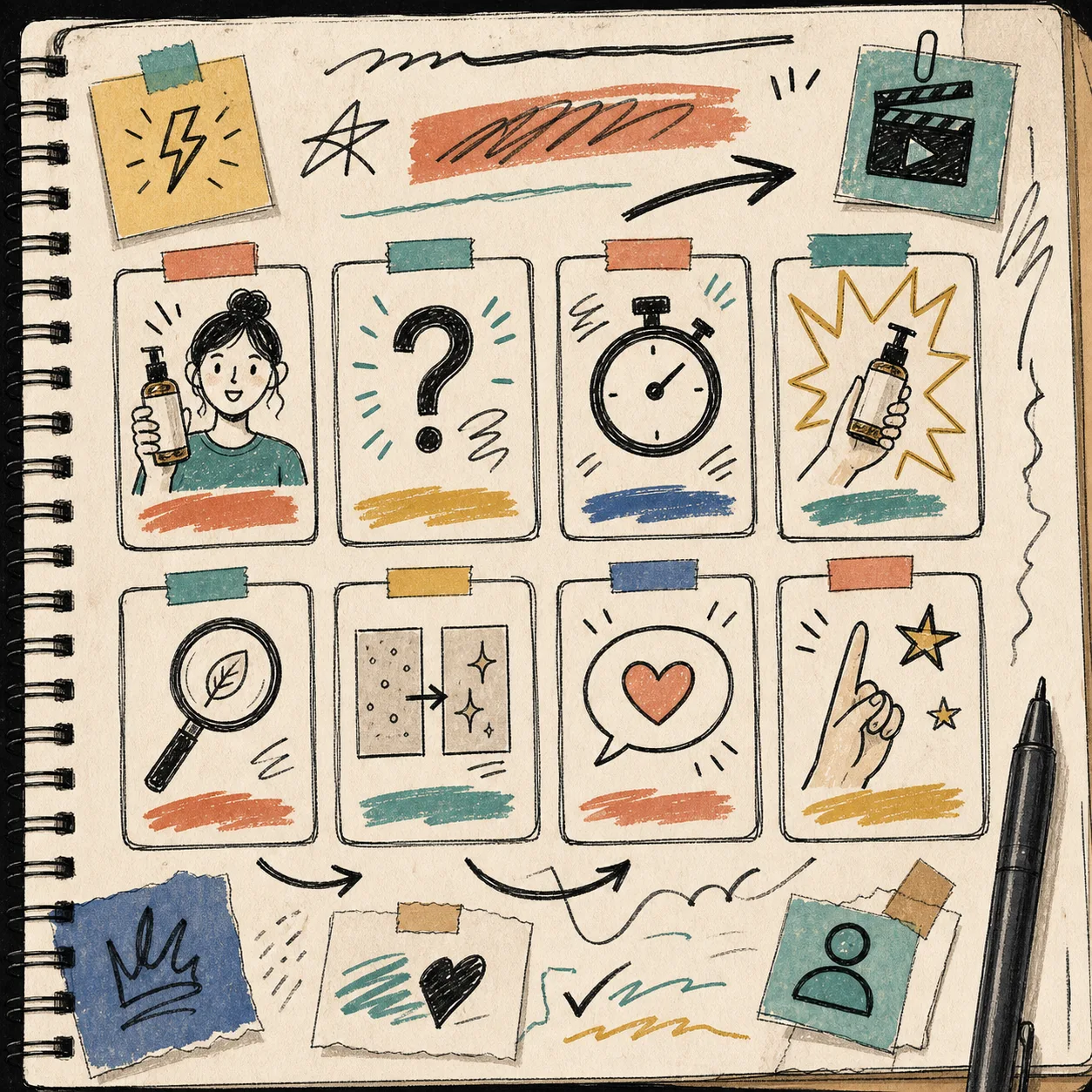
That is why I like working from a simple matrix. The matrix keeps me from treating every clip like a special case. I am not guessing whether the problem was the script, the voice, or the scene. I am changing one thing, reading the response, and moving on.
If you want the quicker version of that test loop, How to Build a Shopify UGC Testing Sprint Around One Product is the cadence-focused companion. If you want a smaller variant set, How to Turn One Product Brief Into 5 Shopify UGC Videos is the tighter “five clips from one brief” version.
How I Reuse The Same Clip
This is where the workflow stops being a one-off and starts being a system.
A clip that works once should not stay trapped in one ad slot. I want it to move across the places where the same shopper keeps seeing the product:
- paid social ad creative;
- product page video;
- email teaser or launch insert;
- retargeting message;
- seasonal campaign cut-down.
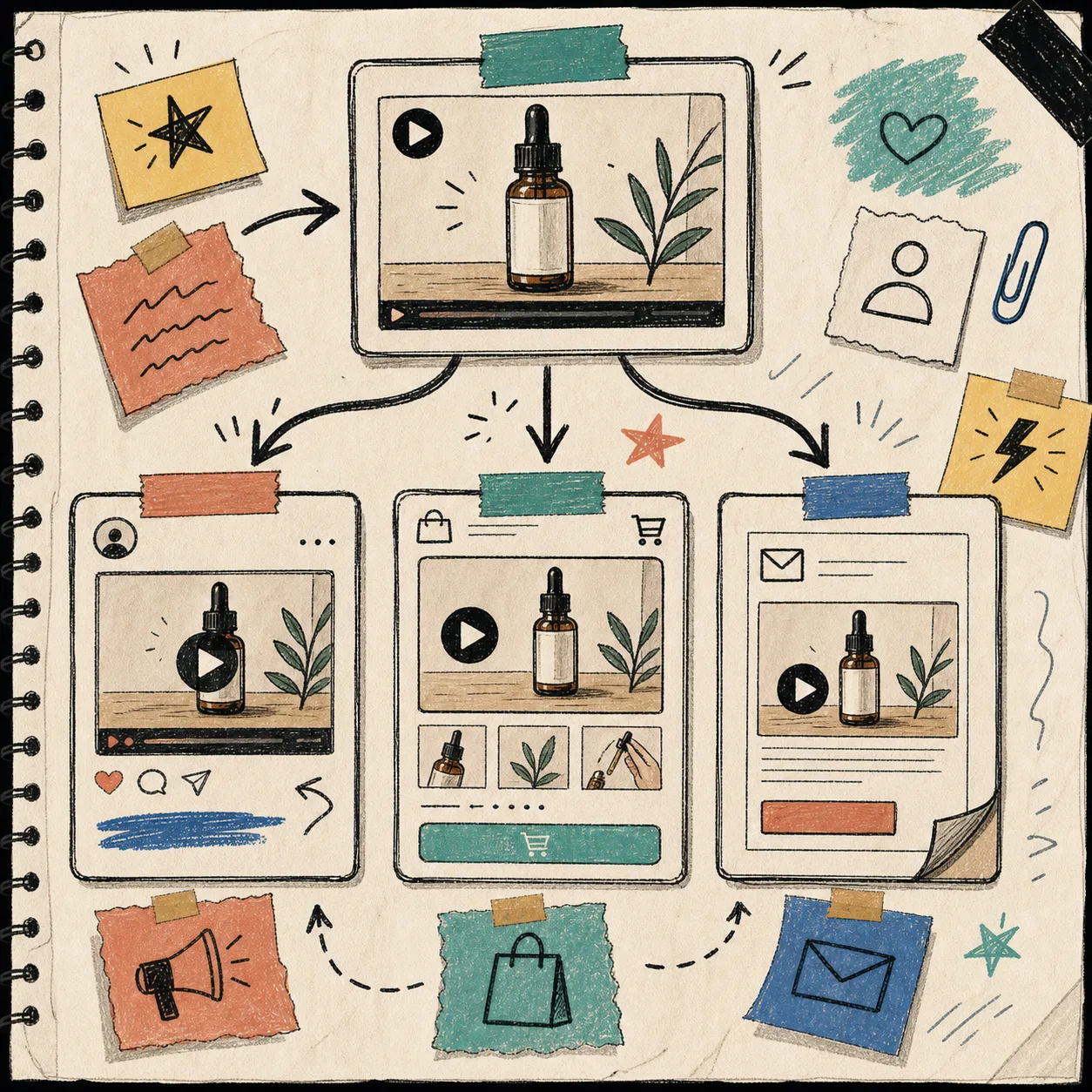
That reuse matters because the product file is built for it. Supra UGC Maker is not just “generate once and move on.” It supports previewing, reordering, trimming, updating, and regenerating clips inside one project, which is exactly what I want when the same idea needs to travel to a different channel.
If I need a broader launch structure around that same product, How I Build a Shopify UGC Launch Kit From One Brief is the right follow-up. If I am starting from customer language instead of product language, How I Turn Buyer Questions Into Shopify UGC Video Variants is the cleaner entry point.
What I Check Before I Ship
I do not treat AI UGC like a shortcut around product truth.
Before I ship anything, I check a few basics:
- the product reference matches the actual offer;
- the scene makes sense for the category;
- the script sounds like a real shopper, not a pitch deck;
- the CTA fits the funnel stage;
- the clip is short enough that the hook lands fast.
That last part matters more than people admit. If the opening is slow, the whole workflow loses its point. I want a clip that is easy to reuse, easy to read, and easy to compare against the next variation.
There is a useful line between “polished enough to sell” and “so polished it stops feeling like a test.” I try to stay on the first side of that line.
My Short Workflow
When I want to build reusable UGC videos from one Shopify product, I keep the workflow deliberately small:
- pick one product and one audience;
- write a few hooks;
- keep the avatar and scene stable;
- change one variable at a time;
- save the project so the good parts can be reused.
That gives me a repeatable system instead of a pile of disconnected videos.
If you want to try it on a live Shopify product, start with Supra UGC Maker or the Shopify App Store listing. The free plan is enough to build the first reusable project, test a few hooks, and decide which variation deserves the next round.
The point is not to make more video for the sake of it. The point is to keep one strong product story alive across ads, product pages, and email without rebuilding the whole workflow every time.