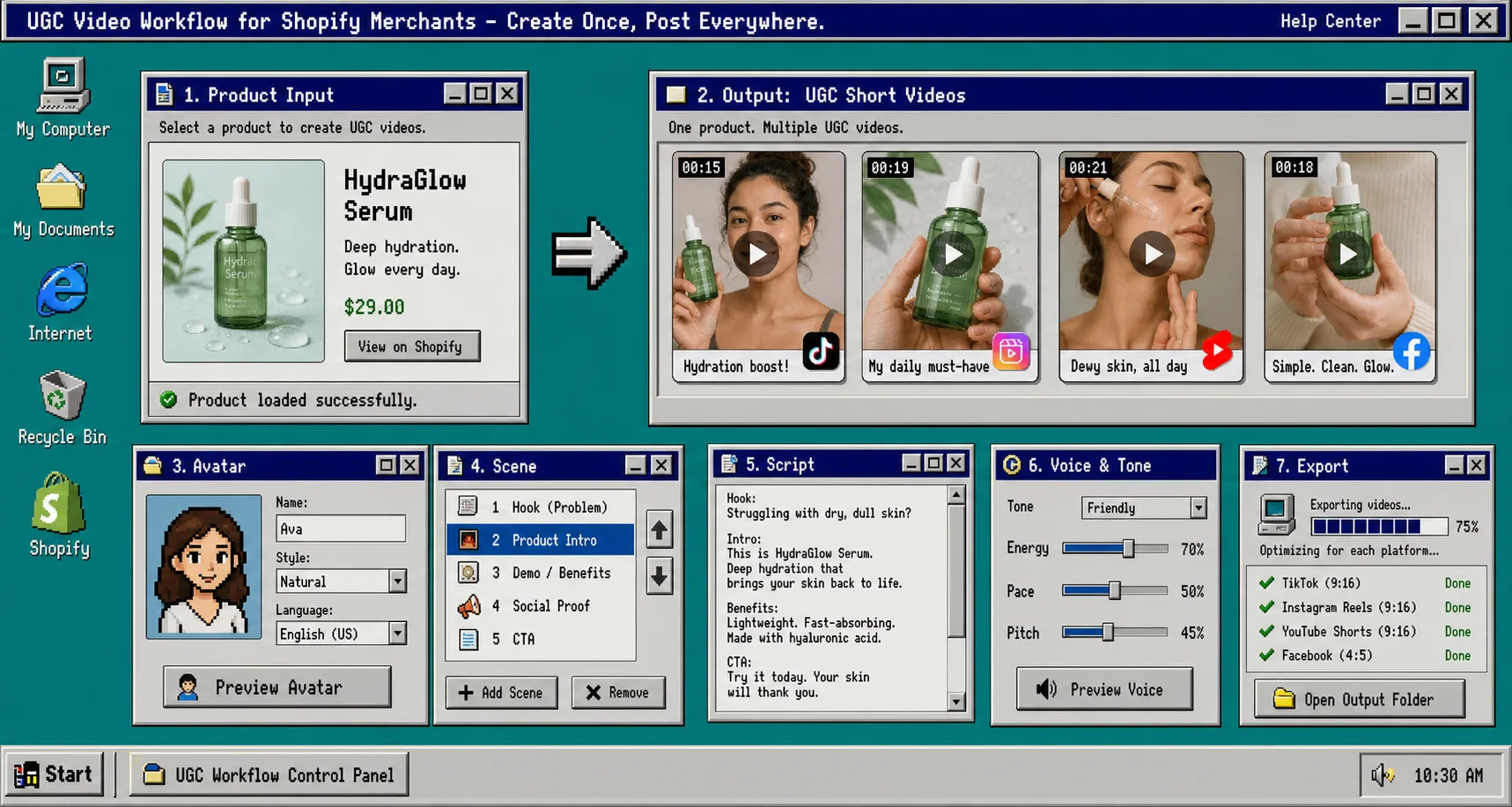
If you keep rebuilding the same UGC clip from scratch, the workflow gets slower than the creative. One good video should not turn into a fresh project every time you want a new hook, a new scene, or a different placement.
That is where Supra UGC Maker helps. It is built for Shopify merchants who want AI avatar product videos with scenes, scripts, speech, and product references, plus reusable projects and new ad variations without having to rebuild everything from zero. If you want the app store version, the Shopify App Store listing is the other link I would keep open while you work.
If you want the faster testing angle first, How to Build a Shopify UGC Testing Sprint Around One Product is the best companion. If you want the hook-planning version, How I Build a Shopify UGC Hook Matrix From One Product goes deeper on variation ideas.
1. Pick one product and one job
Start with one SKU and one outcome. If the first clip is supposed to educate, persuade, and retarget at the same time, the script will get vague and the video will feel unfocused.
Pick one job first:
- a cold-traffic hook that stops the scroll;
- a product-page explainer that makes the offer clearer;
- a retargeting reminder that nudges the buyer back;
- a launch clip that turns one product brief into something testable.
When this step is right, you should be able to name the clip in one sentence. If you cannot say what the video is for, the project is not ready yet.
For the buyer-question version of this same setup, How I Turn Buyer Questions Into Shopify UGC Video Variants is the cleaner next read. If you want a launch-specific version, How I Build a Shopify UGC Launch Kit From One Brief shows how to stretch the same idea across more placements.
2. Build the first version in Supra UGC Maker
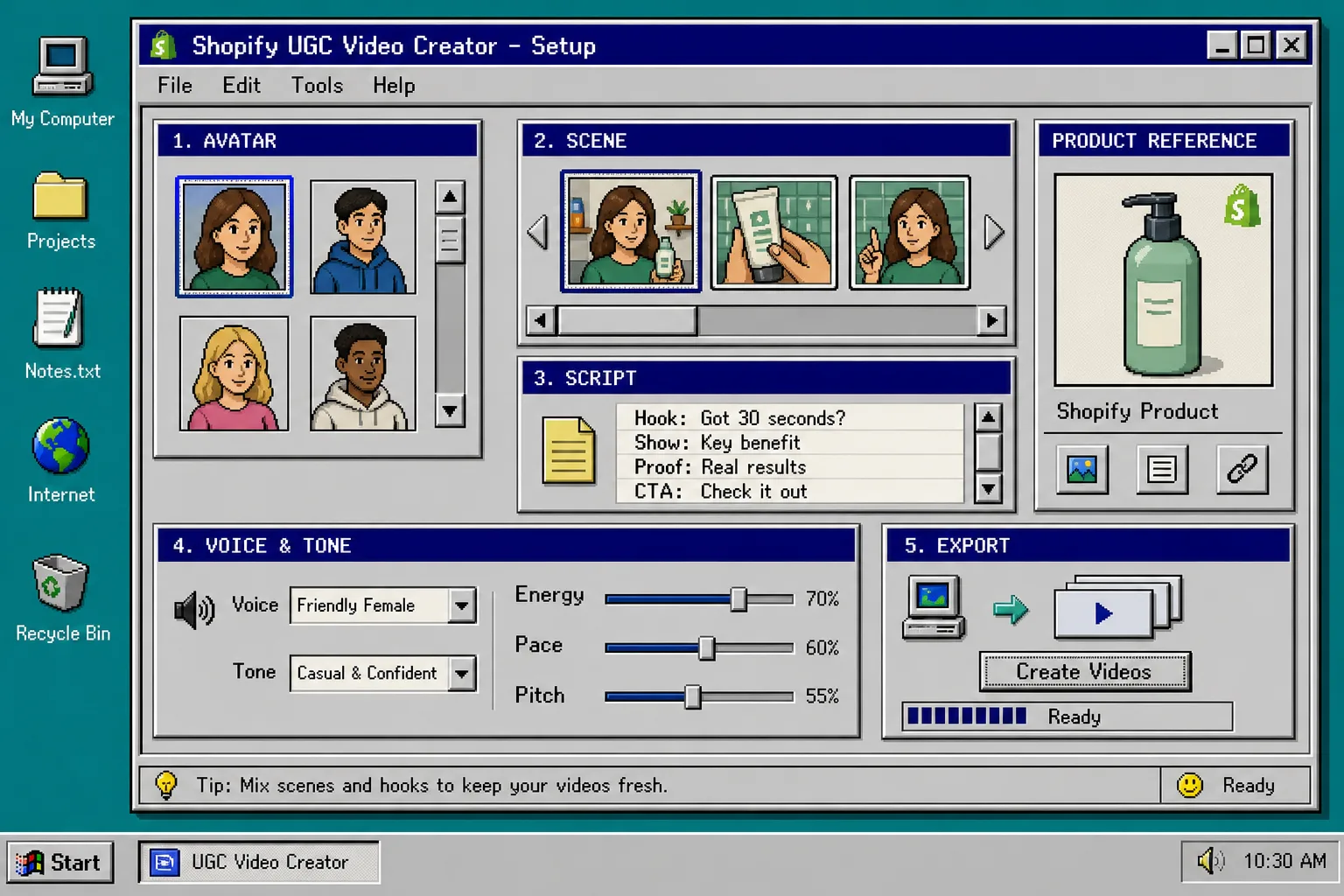
Open the project, pick the avatar, choose the scene, add the Shopify product, write the script, and set the voice and tone. Then generate a first pass.
I keep the first version plain on purpose:
- Choose a preset avatar or a custom AI model.
- Set a scene that matches the product and the audience.
- Add the product reference so the clip stays grounded.
- Write one short script card with one hook and one CTA.
- Preview the scene before you generate the clip.
That preview step matters because it tells you whether the setup is usable before you spend time rendering the wrong idea. When the setup is right, the project should look like a finished control panel, not a pile of half-chosen settings.
Supra UGC Maker also lets you reorder, trim, update, and regenerate clips inside the same project. That is the part that keeps the workflow practical. You do not have to start over each time the hook changes.
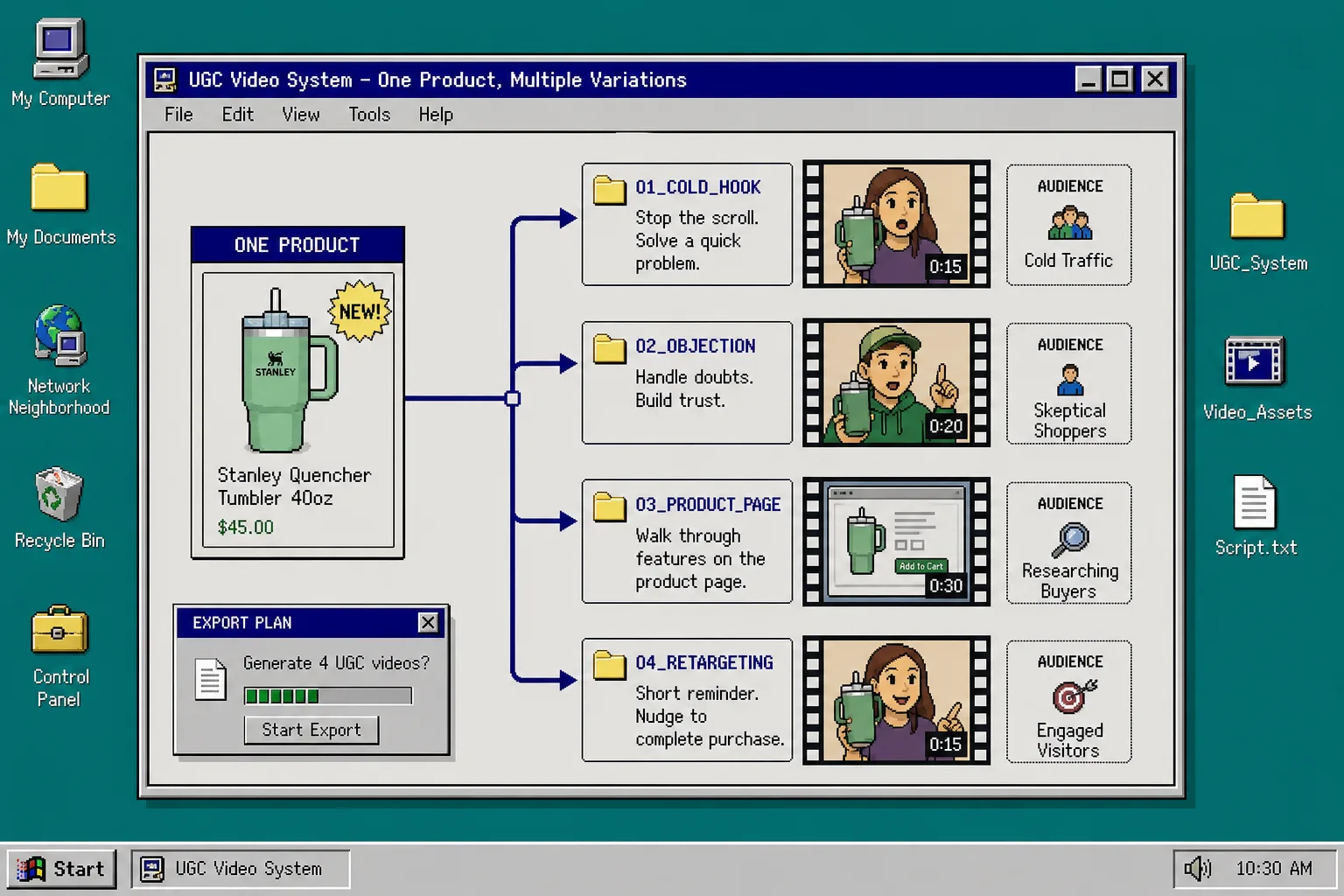
If you want a more structured way to turn one brief into several outputs, How to Turn One Product Brief Into 5 Shopify UGC Videos is the version I would read next.
3. Change one variable at a time
Once the baseline works, change only one piece per variation: the hook, the script angle, the voice, the CTA, or the placement.
This is where a lot of teams waste time. They change the hook, the scene, the avatar, and the message all at once, then they cannot tell what actually made the clip better or worse.
My order is simple:
- change the hook first if the opening is weak;
- change the scene if the visual context feels off;
- change the tone if the delivery feels too stiff;
- change the CTA if the clip gets to the end and stalls;
- change the placement only after the clip itself works.
That is also why I like a separate testing loop. How to Build a Shopify UGC Testing Sprint Around One Product is good for cadence, while How I Build a Shopify UGC Hook Matrix From One Product is good for choosing the first set of angles.
When this step is right, you should be able to say exactly what changed in the new clip and why it changed. If you cannot explain the difference, the variation was probably too broad.
4. Reuse the winner across ads, product pages, and email
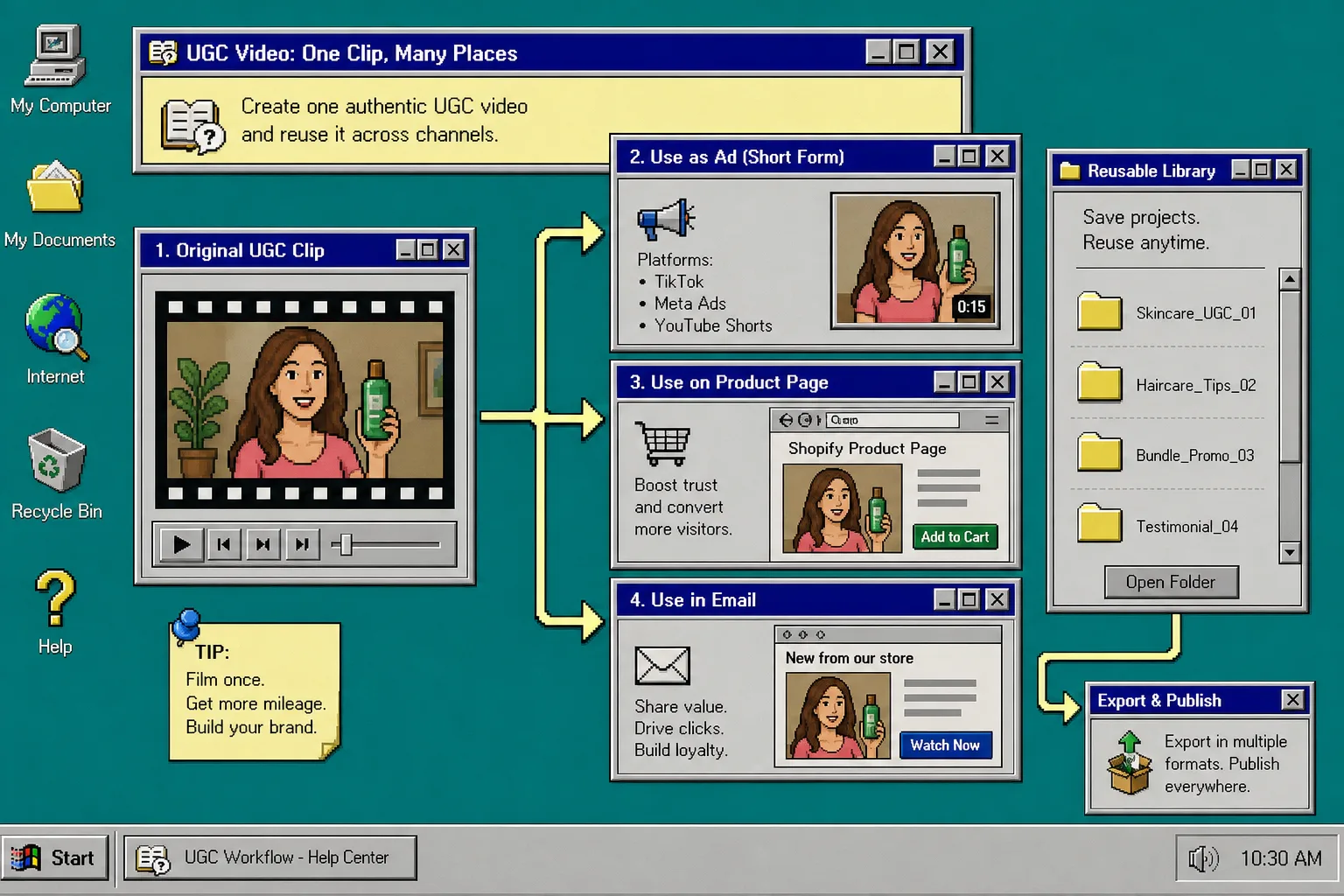
Do not keep the best clip trapped in one placement. Use it where the same shopper keeps seeing the product: paid social, product pages, email teasers, retargeting, and launch pages.
That is where the reusable-project part earns its keep. A working setup should become the starting point for the next round, not a file you abandon after export.
The practical output looks like this:
- one clip for cold traffic;
- one cut-down for the product page;
- one reminder version for email or retargeting;
- one saved project you can reopen for the next product or angle.
If you want the system-level version of this idea, How to Turn One Product Brief Into 5 Shopify UGC Videos and How I Build a Shopify UGC Launch Kit From One Brief are the two posts I would keep open in another tab.
Troubleshooting
Use the review step as a small checklist, not a second production session. When the clip feels off, I usually look for the problem in this order:
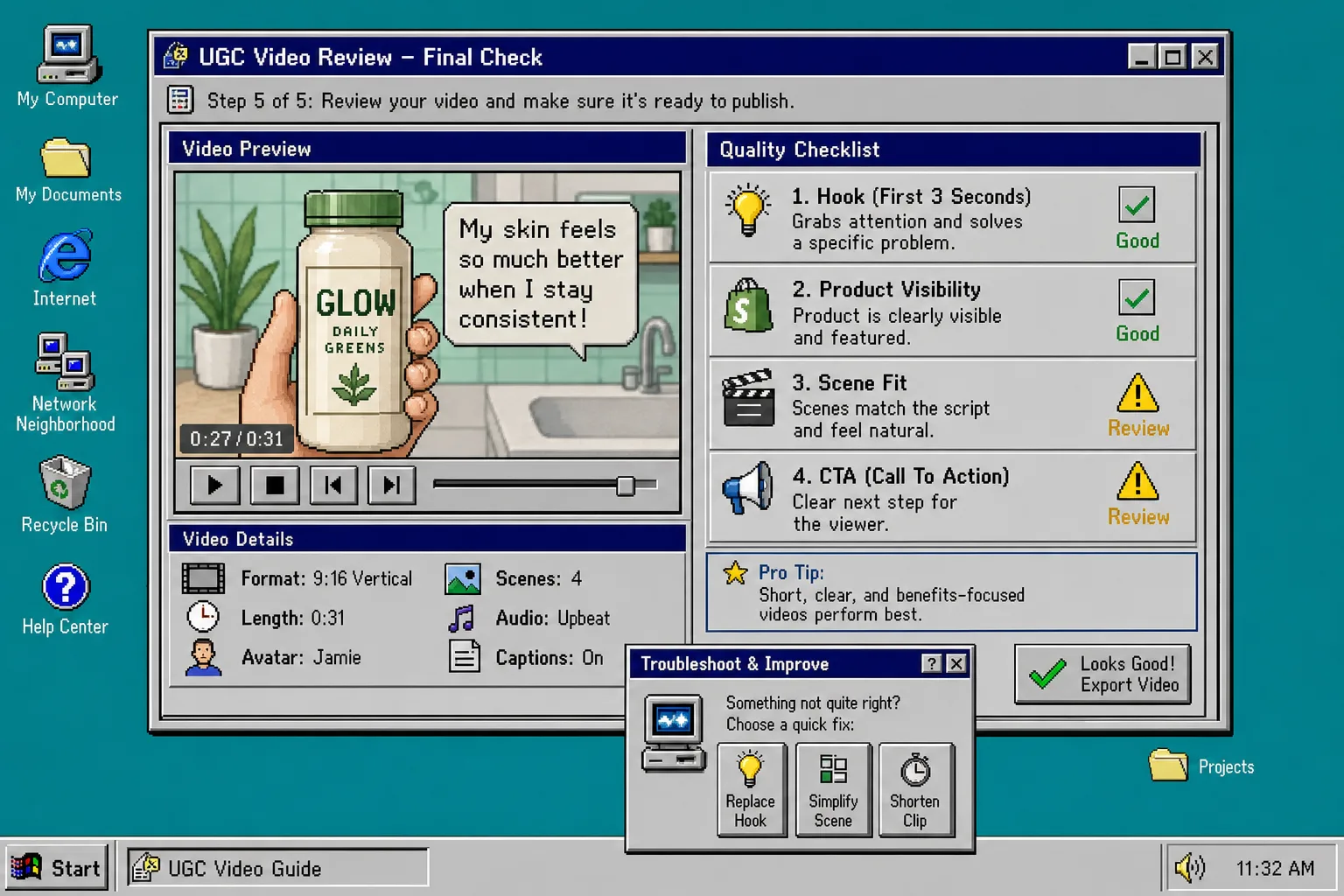
- Replace the hook before you touch the scene.
- Simplify the scene before you rewrite the whole script.
- Shorten the clip before you make it more complicated.
- Move the CTA earlier if the end feels like it drifts.
- Keep the product visible long enough for the viewer to understand what is being shown.
If the avatar feels too polished, shorten the script and switch to a more conversational tone. If the product gets lost, strip out visual noise. If you cannot explain what changed, the variation is probably too broad to learn from.
The goal is not to make one perfect UGC video. The goal is to make one useful project that keeps producing clips you can actually reuse.
The Short Version
Pick one product. Build one baseline. Change one variable at a time. Then keep the reusable project around after you export.
That is the workflow Supra UGC Maker is good at: choose an avatar, set a scene, add a product, write the script, preview the setup, and regenerate the weak parts without starting from scratch. If you want to try it, start with Supra UGC Maker or the Shopify App Store listing. The free plan is enough to build the first reusable project and test a few hooks.
The next step is simple: build the first clip, save the project, and reuse the structure for the next variation instead of rebuilding the whole thing again.