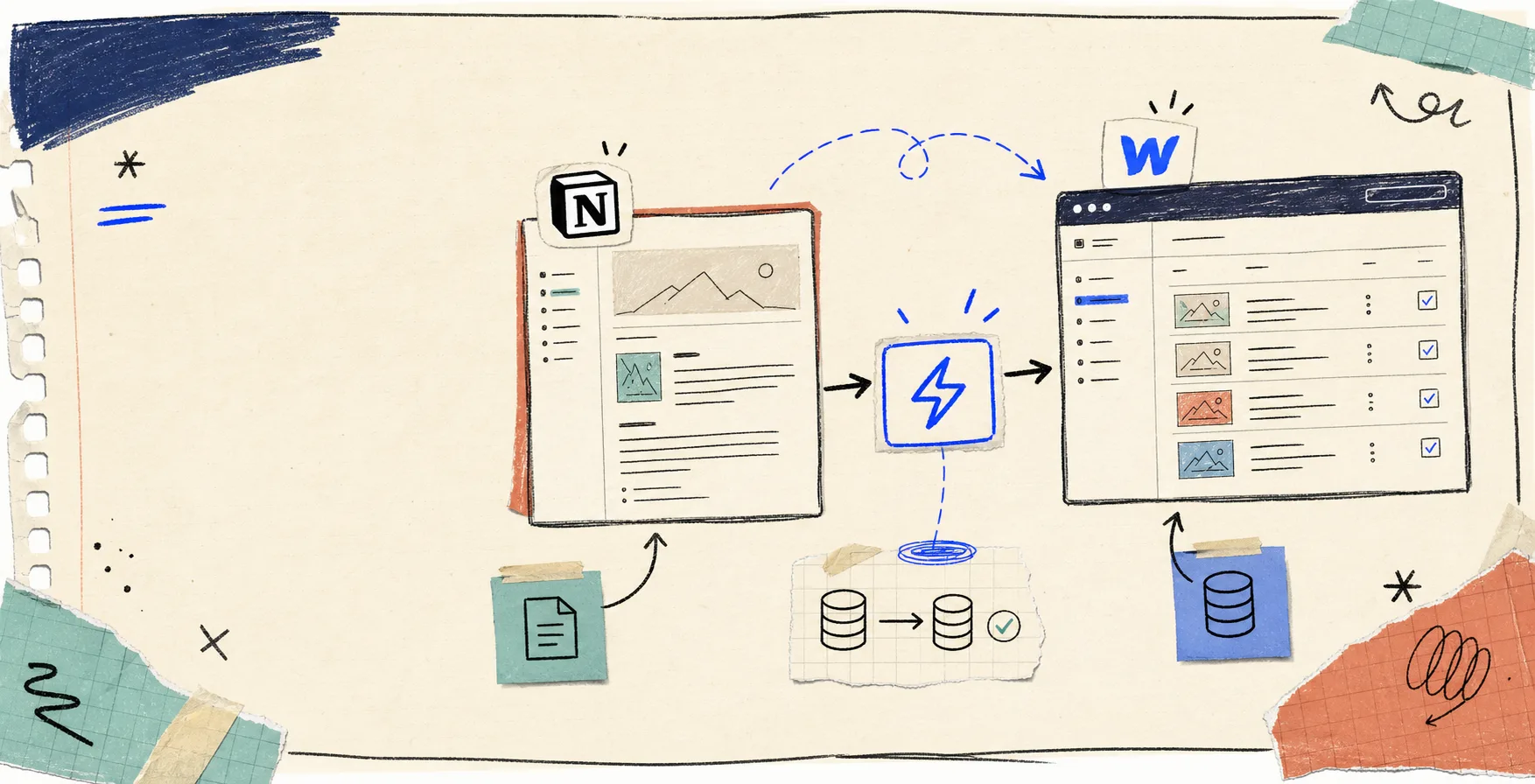
I kept pretending the handoff from Notion to Webflow was a quick copy job. It usually is not. The minute a draft grows beyond a headline and a paragraph, the manual work starts: fields drift, images need reattaching, dates land in the wrong place, and the publish step turns into cleanup.
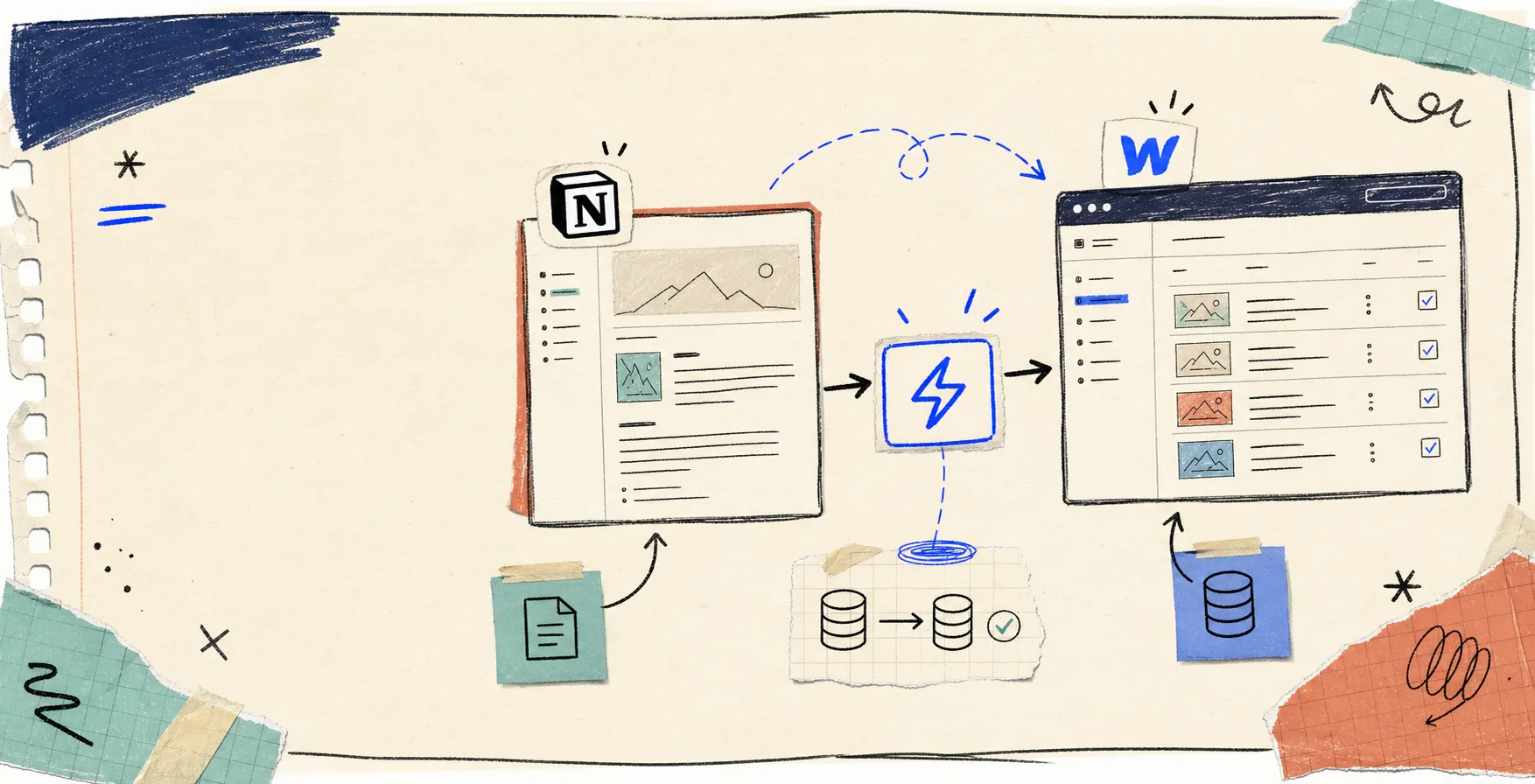
SyncFlow is built for that gap. It lets you map a Notion database directly to a Webflow CMS collection, then sync the content instead of re-keying it by hand. The cleanest way I have found to think about it is simple: Notion stays the place where the draft lives, and Webflow stays the place where the site publishes.
If you want the short version, I would start with one database, map only the fields your collection actually needs, and keep auto-publish off until the structure proves it can hold up. That one choice avoids most of the messy handoff problems.
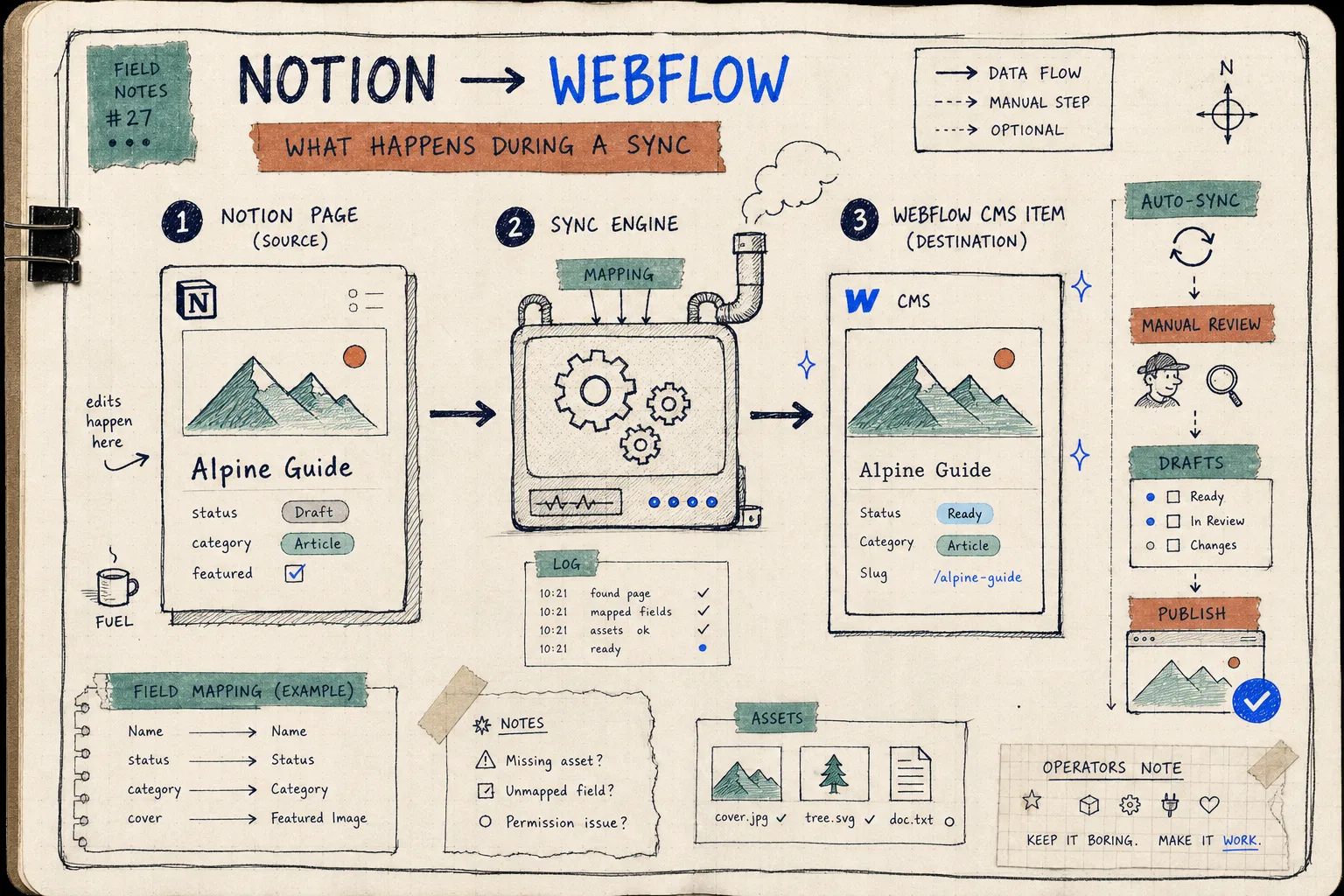
What I Actually Want From A Notion-To-Webflow Workflow
I do not need magic. I need a repeatable path from draft to CMS.
The pieces that matter most to me are:
- one source of truth for writing;
- a clean field map between Notion and Webflow;
- support for the content types I actually use;
- the option to sync automatically or manually;
- a review step for anything sensitive or high-stakes.
That is where SyncFlow feels practical instead of flashy. The product notes call out auto-sync, auto-publish, page linking, code highlighting, TeX support, and flexible field types like text, images, checkboxes, dates, and URLs. In other words, it is trying to move the real content structure, not just plain paragraphs.
Field Mapping Is The Part That Saves The Most Time
This is the part I would not rush. If the field map is sloppy, the rest of the workflow is sloppy too.
The setup screen matters because it forces you to decide what the Webflow collection actually needs before anything starts moving. Title, slug, publish date, cover image, body, and any supporting fields should be mapped deliberately. If you treat that step as busywork, you end up debugging content later.
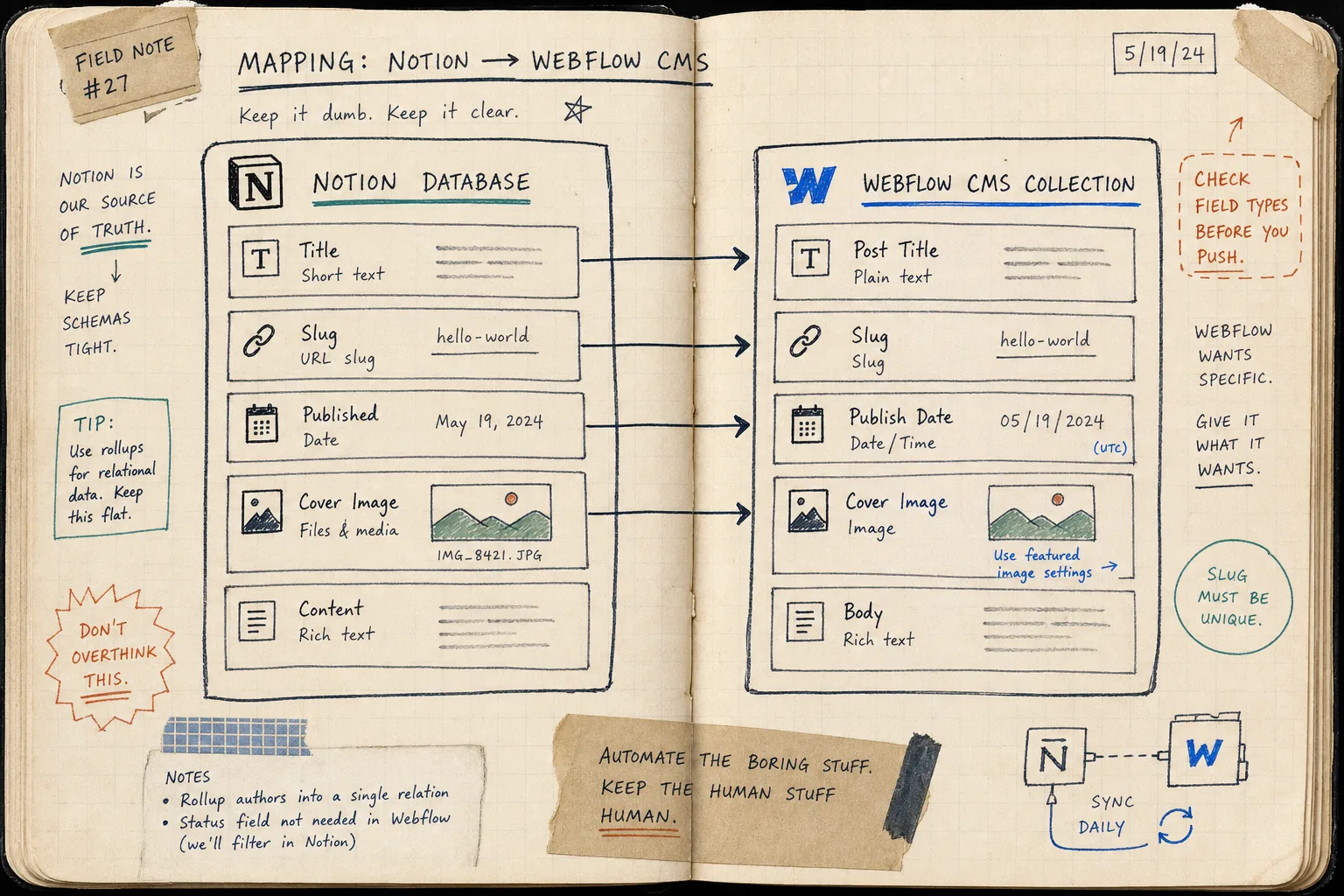
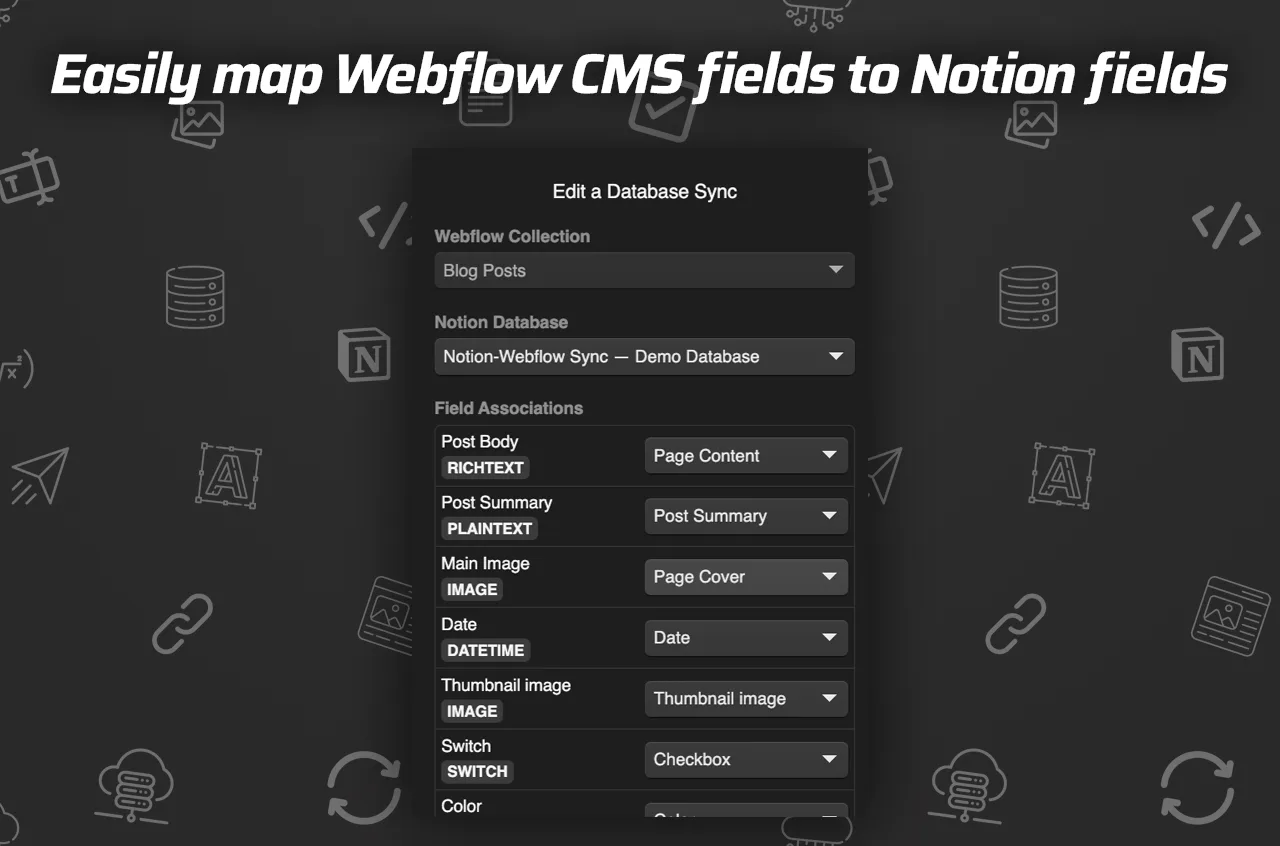
What I like here is that the workflow stays honest. You are not pretending Notion and Webflow have the same structure. You are explicitly translating one into the other.
That matters even more if you publish content with images, links between pages, or a richer editor setup. SyncFlow says it can handle page links, styling choices, and more advanced content like code blocks and math. That is the difference between a useful sync and a fragile copy tool.
Auto-Sync Helps, But Auto-Publish Is Still A Choice
I am comfortable automating the boring part. I am not comfortable automating judgment.
For routine updates, auto-sync is the useful setting because it keeps the CMS aligned with the source draft. For a post that is still changing, or one where the headline, image choice, and CTA all matter, I would rather let the content land as a draft first.
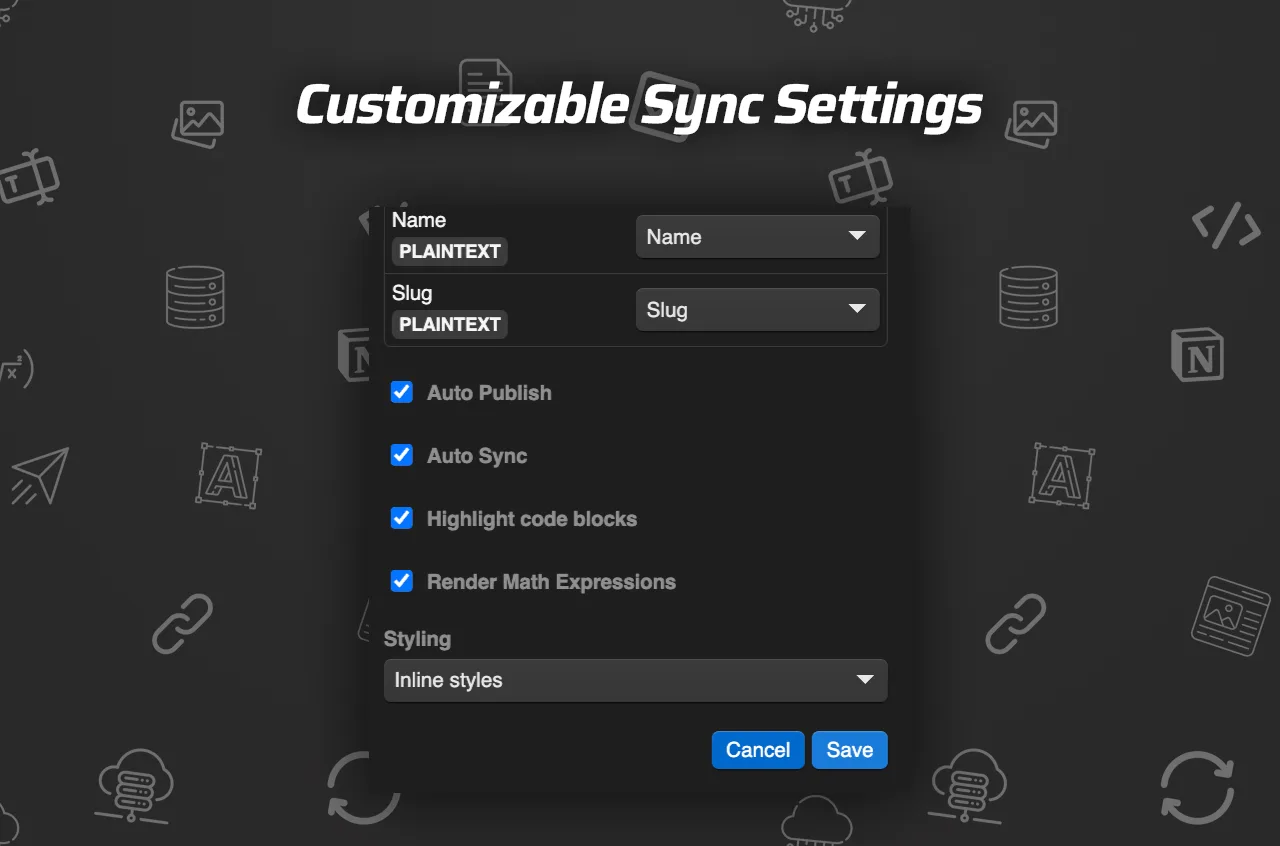
That is the setting I would spend time on: decide what should move automatically and what should wait for review. SyncFlow gives you enough control to make that distinction real instead of pretending every post has the same risk level.
A sane starting point looks like this:
- Create one Notion database and one Webflow CMS collection.
- Map the fields you actually plan to publish.
- Test one draft end to end before you import the whole library.
- Turn on auto-sync once the field map looks stable.
- Keep auto-publish off for posts that still need editorial review.
- Use a full resync only when you need the existing collection to match the database again.
That sequence is boring in the best possible way. It keeps the system understandable.
Where This Fits In The Rest Of The Stack
I keep seeing the same operator pattern in adjacent workflow posts too. The tools change, but the rule stays the same: automate the translation layer, then keep one clear point where human judgment still matters.
That is why I would put this article in the same mental bucket as How I Export Webflow Sites to Static Hosting, Git, or FTP, Webflow Exporter Checklist: How to Move a Site to Static Hosting, How to Automate Shopify Blog Posts With Product-Aware Drafts, and How to Decide Which Shopify Blog Posts Should Auto-Publish. Different stacks, same lesson: the less manual re-entry you ask from the editor, the more reliable the workflow becomes.
My Practical Recommendation
If you already keep article drafts in Notion and publish on Webflow, start small:
- choose one recurring post type;
- map the fields once;
- confirm the images and links survive the sync;
- decide whether the first pass should be a draft or a publish;
- only then widen the workflow.
That is the real value of SyncFlow for me. It is not just that it moves content from one app to another. It removes the translation tax between drafting and publishing, which is usually where the time goes missing.
If you want to see whether that fits your workflow, open SyncFlow, connect one database, and try a single post before you commit to anything bigger. If the first pass feels clean, you will know the rest of the system is worth building on.
The useful next step is simple: pick one Notion article, map it to one Webflow collection, and test the sync end to end.