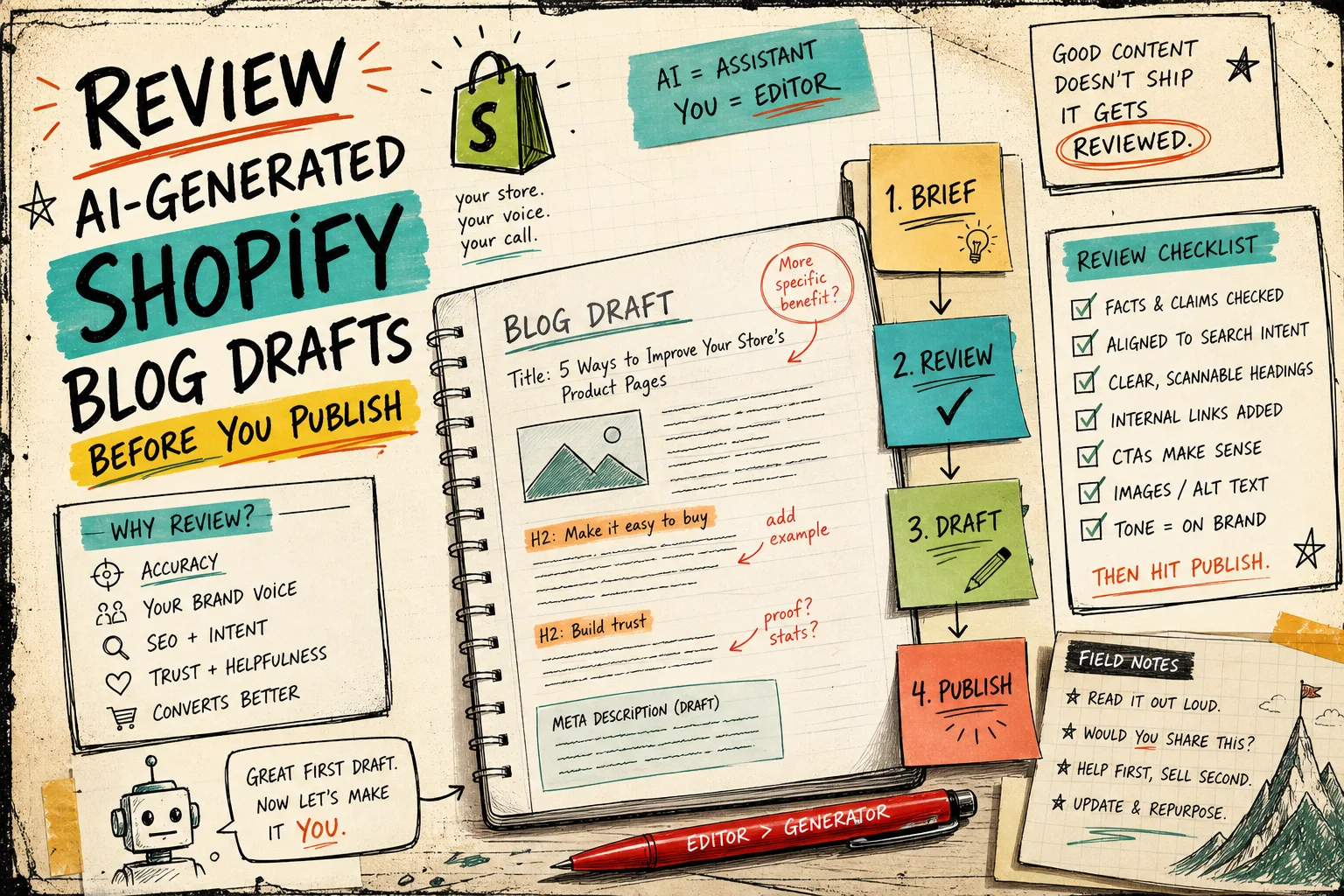
How I Review AI-Generated Shopify Blog Posts Before Publishing
I kept getting AI drafts that looked complete and still felt wrong. The keyword was there, the headings were tidy, and the article still sounded like it had been written by somebody who had never touched the store.
That is the part I wanted to fix. Supra Blog Automation is the Shopify app I would use when I want the generator to handle the first pass, but I still want a human review before the post goes live. It can generate SEO-focused posts, schedule recurring articles, add internal links, and work with AI-generated, stock, or product-based visuals. The product page is Supra Blog Automation and the app listing is on the Shopify App Store.
The goal is not to replace judgment. The goal is to stop wasting judgment on blank-page work.
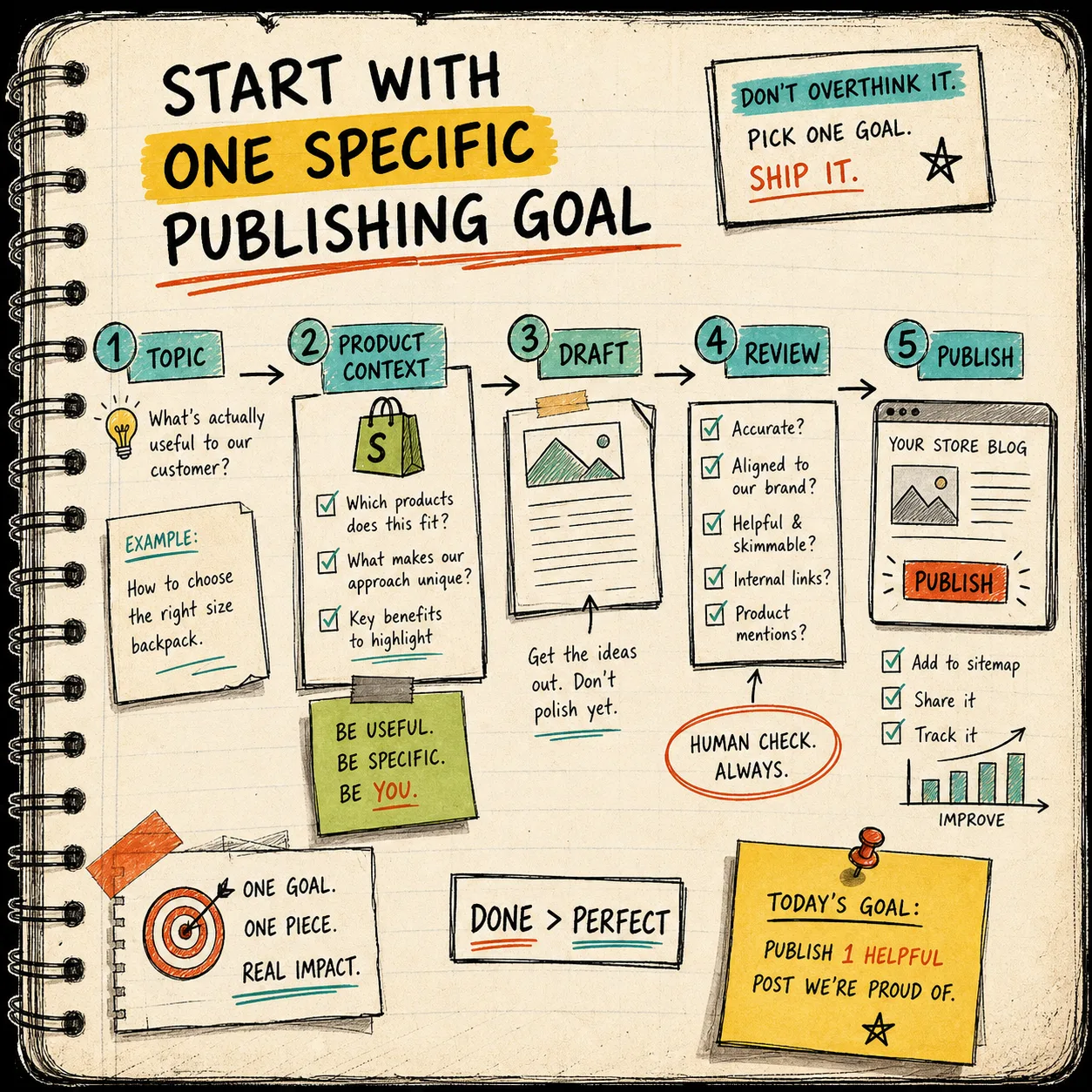
Start With One Job For The Post
Before I open a generator, I want a single answer to this question: what is this article supposed to do?
For a Shopify store, that usually means one of these jobs:
- explain a product category;
- answer a buying question;
- support a seasonal campaign;
- compare options before a purchase;
- keep the content calendar from going stale.
If the goal is vague, the draft usually becomes vague too. This is why I like starting with the brief instead of the prompt. The broader planning pieces, How I Write Shopify Blog Briefs That Keep Product Detail Intact, How to Build a Shopify Blog Workflow That Keeps Product Detail Intact, and How to Keep a Shopify Blog Publishing Without Generic AI Drafts all push on the same problem from different angles.
I want the post to know what it is for before it knows how to sound.
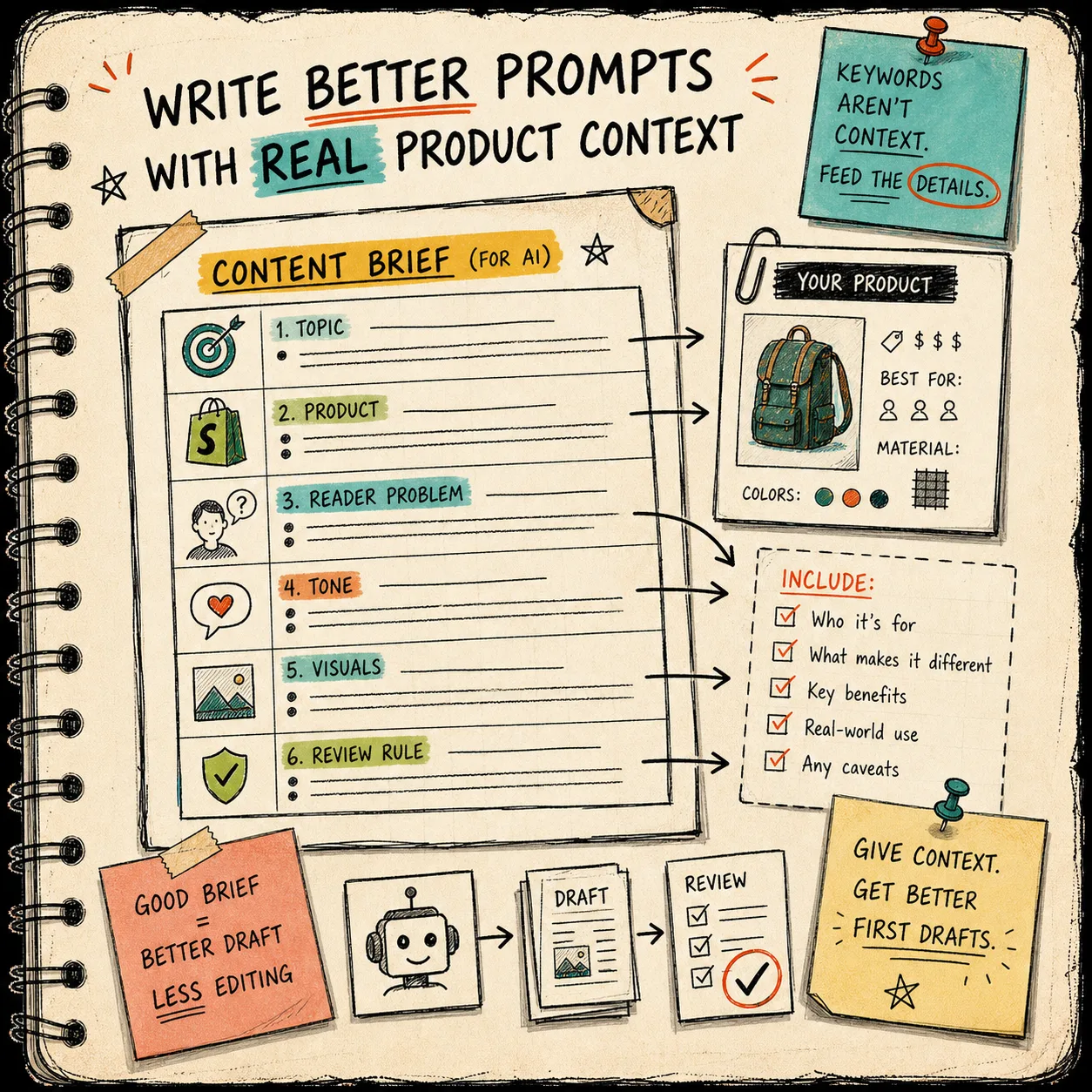
Feed The Generator Real Context
Generic output usually means the generator was only given a topic. A useful workflow gives it the store context too.
A brief that works for me is short and specific:
Topic: one clear SEO question
Product or collection: the thing I actually want to promote
Reader problem: what is stopping the buyer
Tone: practical, direct, slightly opinionated
Visual style: hand-drawn zine board, rough notes, practical workflow
Review rule: check claims, links, and CTA before publishing
If the post is meant to support a calendar, I also want the scheduling intent in the brief. That is the whole point of How to Build a Shopify Content Calendar That Writes Itself and How to Automate Shopify Blogging Without Losing Product Detail - the system gets better when the input is specific enough to respect the product.
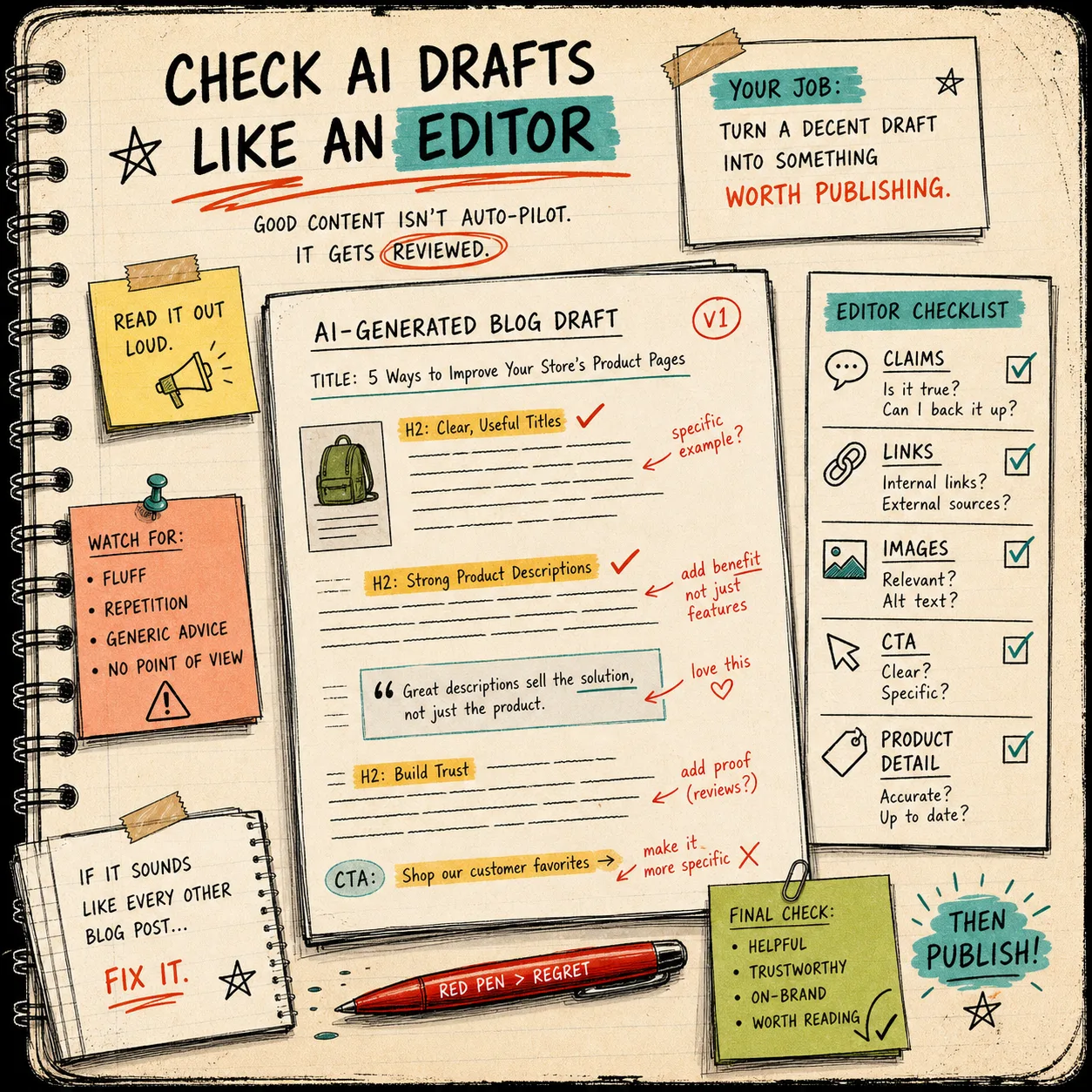
Review Like An Editor, Not A Prompt Tester
When the draft comes back, I stop reading for tone first and start reading for accuracy.
My review pass is usually:
- Does the article mention the right product or collection early enough?
- Are there any claims I cannot verify from the source material?
- Do the links help the reader continue the same task?
- Does the CTA sound like a next step instead of a sales interruption?
- Do the headings actually break the article into useful pieces?
- Do the images match the section they sit in?
That last one matters more than it sounds like it does. If the article is a workflow post, the visuals should look like workflow notes. If the article is a review, the visual should feel like a review desk. That is the difference between a blog that feels designed and one that feels stitched together.
I also like to remove the phrases that only exist to make the draft sound more AI polished. If a sentence does not help the reader decide, it usually does not need to stay.
Keep The Images In The Same Visual Conversation
Supra Blog Automation supports AI-generated, stock, and product-based visuals, which is useful because not every article needs the same kind of image.
For this blog, I wanted the images to feel like they came from the same notebook: rough, practical, hand-drawn, and a little imperfect. That fits the rest of the site better than a polished SaaS hero shot. It also makes the article easier to scan because the images behave like section markers instead of decoration.
My rule of thumb is simple:
- use a workflow image when the section explains process;
- use a brief or field map when the section explains inputs;
- use a checklist when the section explains review;
- use a draft-versus-publish image when the section explains decision-making.
If the image does not carry the same tone as the writing, it usually stands out for the wrong reason.
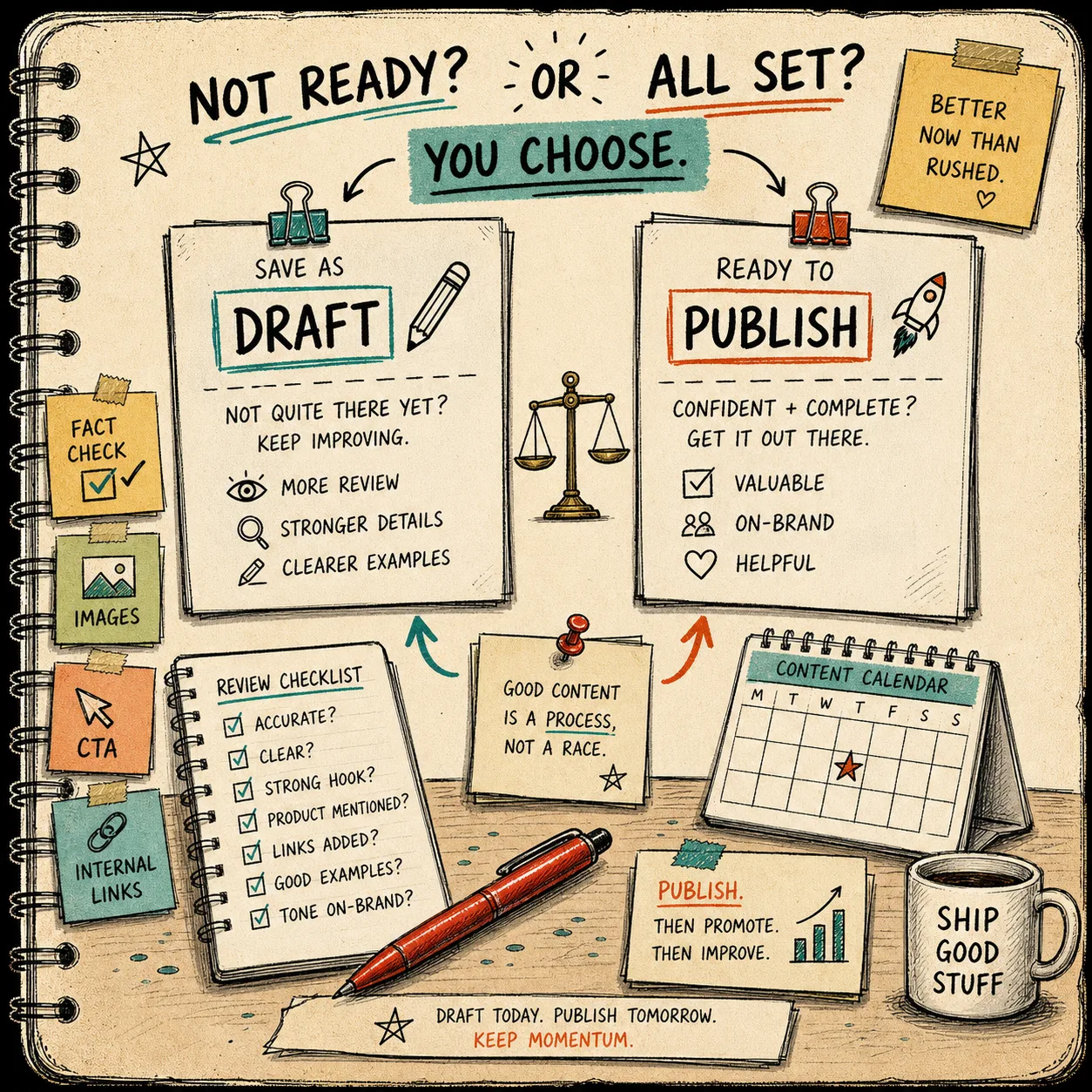
Save As Draft When The Topic Needs Judgment
Not every post should auto-publish.
I would use automatic publishing for low-risk articles that are already checked for product facts and brand language. I would save as draft when the post includes:
- pricing;
- policy details;
- product claims;
- sensitive brand language;
- anything that could change after the draft is generated.
That is the control I want from a tool like this: speed when the article is routine, friction when the article needs a second look. The workflow gets a lot calmer when the machine handles the blank page and the human handles the judgment.
A Small Checklist I Actually Trust
If I were setting this up for a real store, I would keep the review pass boring:
1. Confirm the product and audience.
2. Check the first paragraph for the real problem.
3. Verify every external claim.
4. Make sure the links are useful.
5. Keep one clear CTA.
6. Save as draft if anything feels fragile.
That is enough to catch the common failures without turning the edit into a rewrite.
Bottom Line
The fastest way I have found to keep AI blog posts useful is not to make the prompt longer. It is to make the review loop tighter.
Supra Blog Automation helps with the first pass, the structure, the visuals, and the publishing control. The article still needs a human to decide whether the claims are right, the links are useful, and the draft sounds like it belongs on the store.
If you want to try the workflow, start with one product, one post, and one review pass. Then keep the parts that survive contact with a real edit. If you want to test it, the app has a free plan available, so you can start small before you automate more.