How to Bulk Edit Etsy Listings, Variations, and Images Safely
I keep seeing the same Etsy problem. The change is small, but the risk is not. You want to update prices, rename a few variations, clean up tags, or swap images across a group of listings, and the obvious alternatives are either tedious manual edits or a spreadsheet workflow that feels one mistake away from a mess.
That is the gap Bulk Listing Editor for Etsy is built to fill. It is a straightforward bulk editing tool for Etsy listings and variations, and the workflow is simple enough to use without turning the job into a side project.
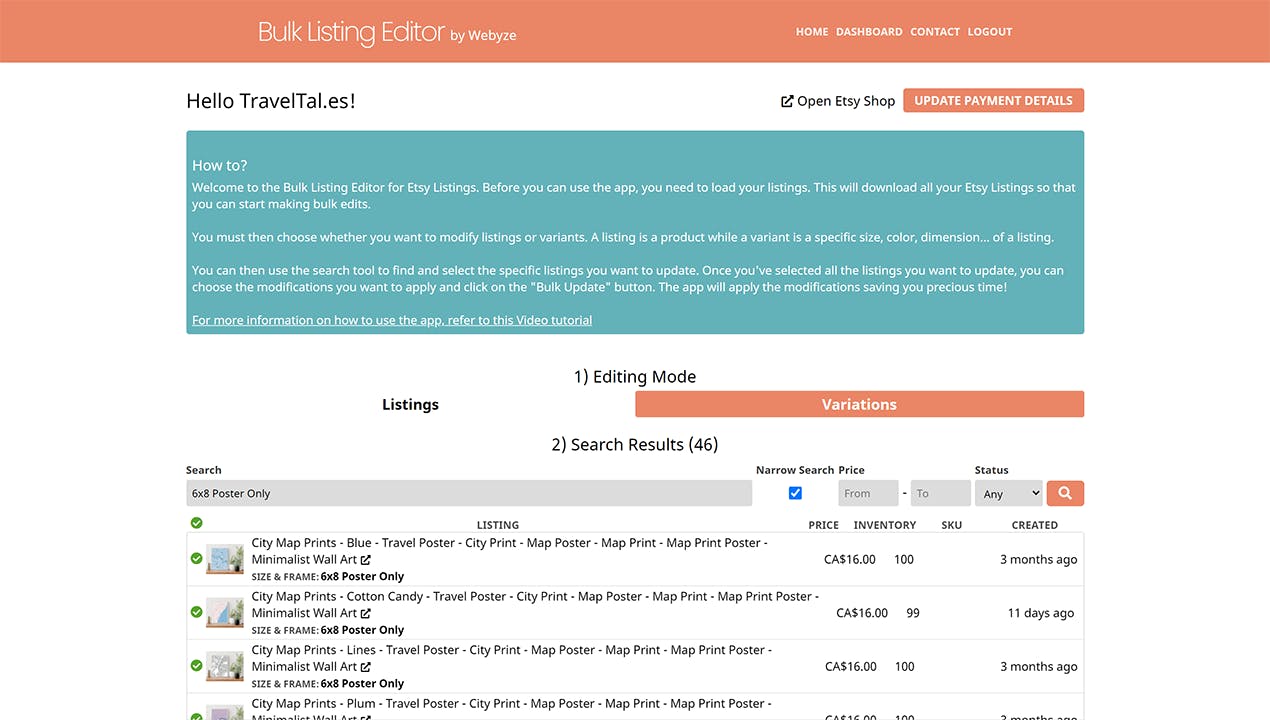
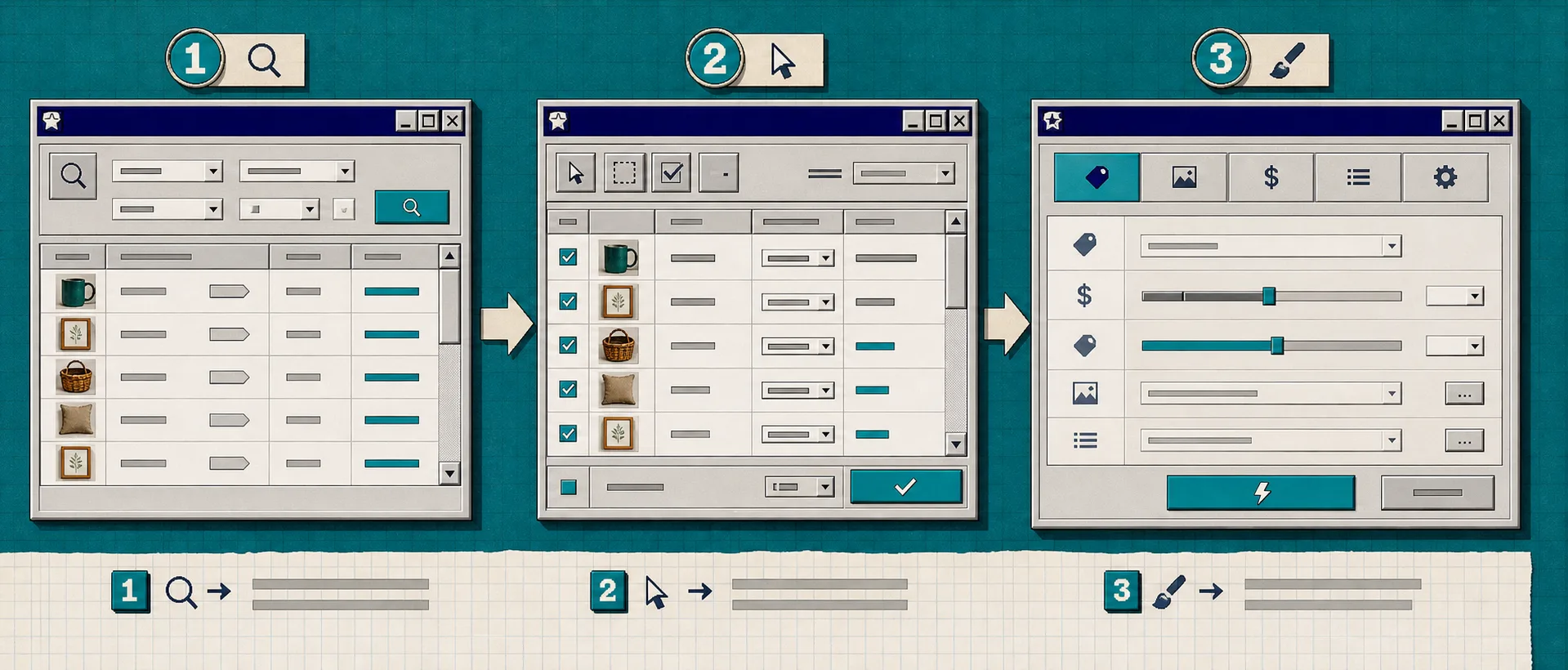
The version I like is the one that keeps the whole process in three steps: search for the items, select the ones you actually want to touch, then apply the change. That sounds basic, but in ecommerce basic is usually what saves time and avoids damage.
What This Tool Is Good At
Bulk Listing Editor for Etsy is most useful when the edit is repetitive, but still needs a little judgment.
According to the app, you can batch change things like:
- titles and descriptions, including search and replace
- tags and materials
- prices
- personalization settings
- images
- inventory
- SKUs
- variation names and variation options
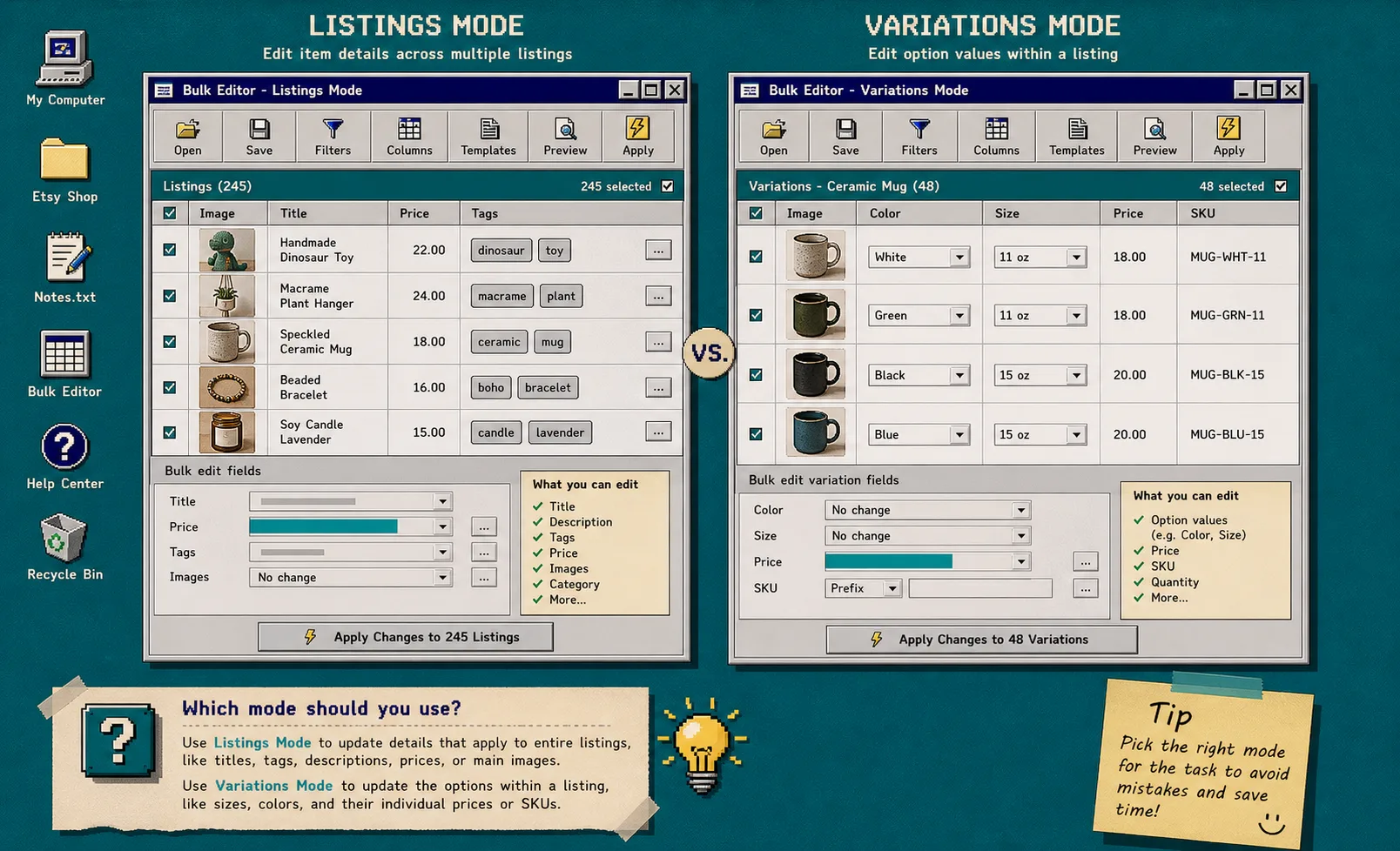
The app also separates work into Listings mode and Variations mode, which matters more than it sounds. Listings are the product-level changes. Variations are the option-level changes inside a listing, like sizes or colors.
If you want a quick mental model for this, I’d read it alongside How to Bulk Edit Etsy Listings Without Spreadsheet Chaos and How to Bulk Edit Etsy Listings Without Breaking Variations. Those two posts cover the same problem from slightly different angles, and this app is the cleaner operational answer I would reach for first.
Listings Mode vs Variations Mode
This is the first decision I would make before touching anything.
Use Listings mode when you are changing the product as a whole:
- titles
- descriptions
- tags
- main prices
- images
- inventory across the listing
Use Variations mode when you are changing the options inside a listing:
- size values
- color values
- individual variation prices
- SKUs for specific options
- variation option cleanup
That distinction is where a lot of Etsy editing mistakes happen. If you open the wrong scope, the change might still succeed, but it will not be the change you intended.
If I were doing this on a real shop, I would start with one product type at a time. That keeps the filter set small and makes it obvious whether I am changing the listing or the variant.
My Safe Bulk Edit Sequence
The app is set up in a way that encourages restraint, which is the right design choice for store data.
My own sequence would be:
- Search for the exact set of listings or variations I want to touch.
- Select only the items that belong in the batch.
- Confirm whether the change belongs in Listings mode or Variations mode.
- Make one category of edit first, such as price or tags, instead of stacking every change at once.
- Review the preview carefully before applying the batch.
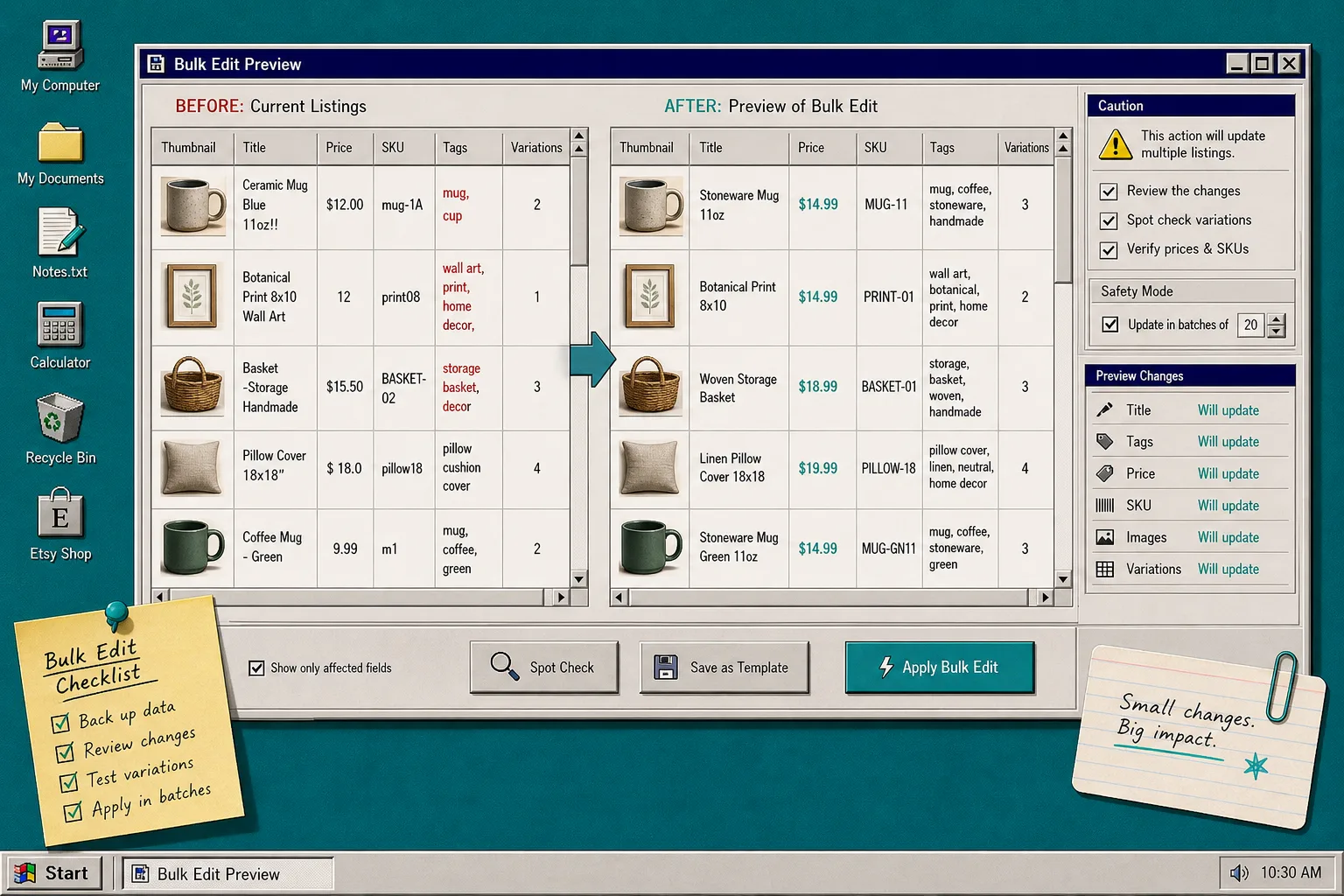
That preview step matters. If you are changing multiple fields across multiple items, the safest move is to make the smallest useful batch first, confirm the result, and then continue.
I would also keep How I Set Up an Etsy Catalog Feed for Instagram and Google Shopping and How to Bulk Edit Etsy Listings Without Breaking Variations close by if this is part of a broader workflow. They are not about bulk editing itself, but they help once the listings are clean and you want them to travel further.
What I Would Use Bulk Edits For First
If I were setting this up on a real Etsy shop, I would start with changes that are common, low-drama, and easy to verify:
- price updates across a small group of similar products
- tag cleanup after a product line changes
- title and description standardization
- image swaps for a seasonal refresh
- variation label cleanup for size or color consistency
- SKU normalization before a bigger catalog sync
I would not start with every change at once. I would treat the first run like a test batch, especially if the shop has many variants or a lot of image-based listings.
The app currently lists a simple pricing model: 8 dollars per month with a 7-day free trial. That makes sense for store owners who only need the tool occasionally, but still need it to be there when a catalog change lands all at once.
How I Would Judge Whether It Is Worth Using
This is the question I ask with any editing tool: does it save enough time to justify one more thing in the stack?
For Bulk Listing Editor for Etsy, the answer is yes when:
- you edit more than a few listings at a time
- you need variation-aware changes
- you care more about batch accuracy than fancy automation
- you want a low-friction tool instead of a spreadsheet-driven process
It is less interesting if you only make one-off edits every few weeks. But if you regularly clean up product data, this is the sort of utility that quietly pays for itself by preventing manual work from spreading across your day.
The Part I Like Most
What I like most is not the feature list. It is the shape of the workflow.
Search, select, choose the right mode, preview, apply. That sequence is boring in the best possible way. It keeps the operator in control, which is exactly what you want when the task is repetitive but still important.
If you want to see the product itself, the quickest place to start is the Bulk Listing Editor for Etsy homepage. If you are deciding whether to use it for a cleanup sprint or a recurring shop maintenance task, the 7-day trial is enough to see whether it fits your real workflow.
For a tighter comparison with other Etsy workflow posts in this series, I would pair this with How to Bulk Edit Etsy Listings Without Spreadsheet Chaos and How I Set Up an Etsy Catalog Feed for Instagram and Google Shopping. Those two pieces cover what happens before and after the bulk edit.
Bottom Line
If your Etsy updates are starting to feel like a long series of tiny manual edits, Bulk Listing Editor for Etsy is the kind of tool that makes the job feel manageable again. It gives you a clear workflow for listings and variations, keeps the batch visible before you commit, and handles the exact kind of repetitive store maintenance that is easy to postpone and annoying to do by hand.
Start with one small batch, verify the preview, and then scale up from there.