How to Choose Which Shopify Products Deserve 3D Models First
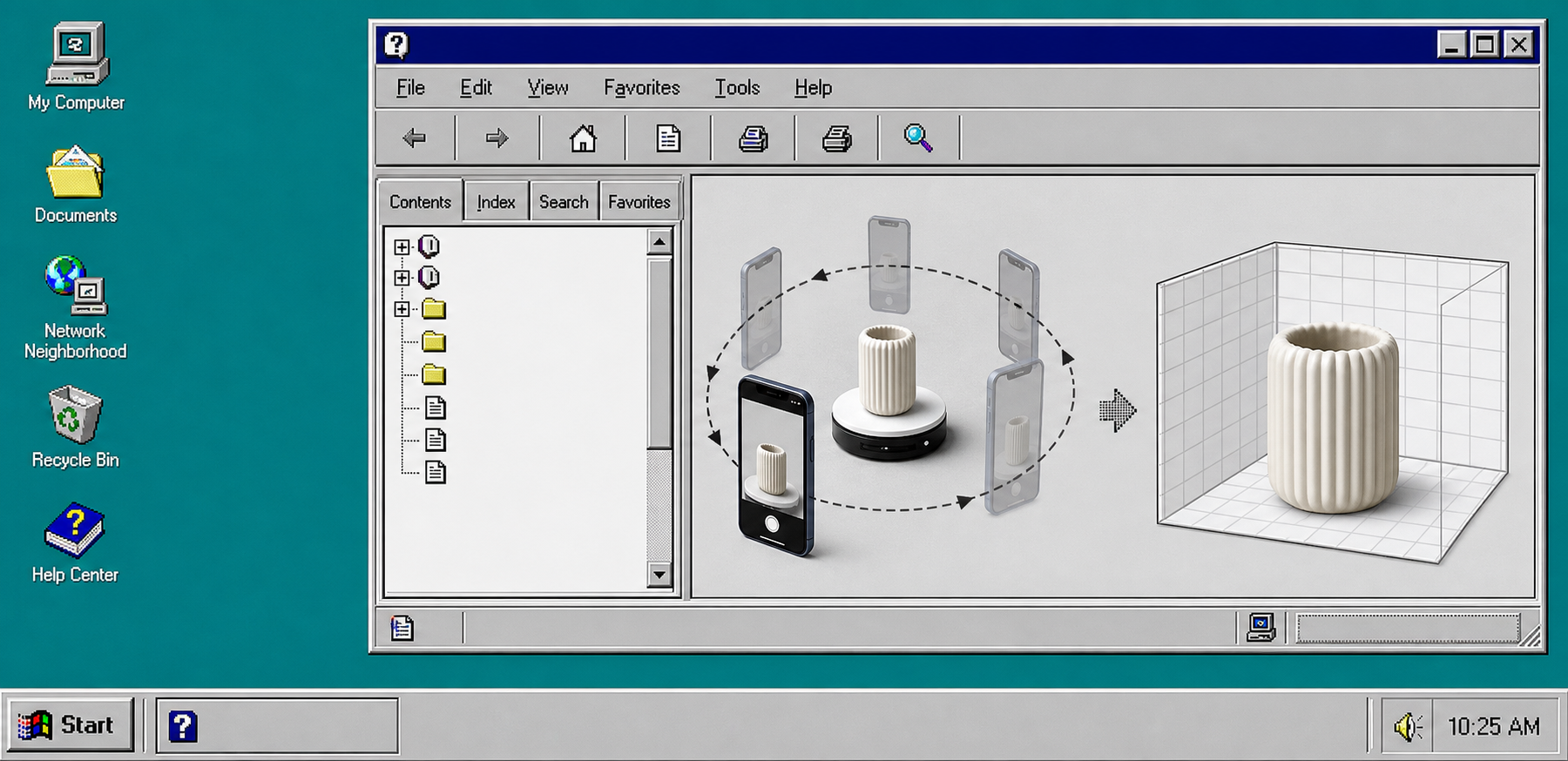
If you have a long Shopify catalog, you do not need to scan every SKU at once. Start with the products where shape, depth, finish, or fit changes the buying decision. Supra 3D Capture turns a short set of phone photos into a web-ready GLB and publishes it into Shopify, so the real question is not whether you can make a model. It is which products deserve the first pass.
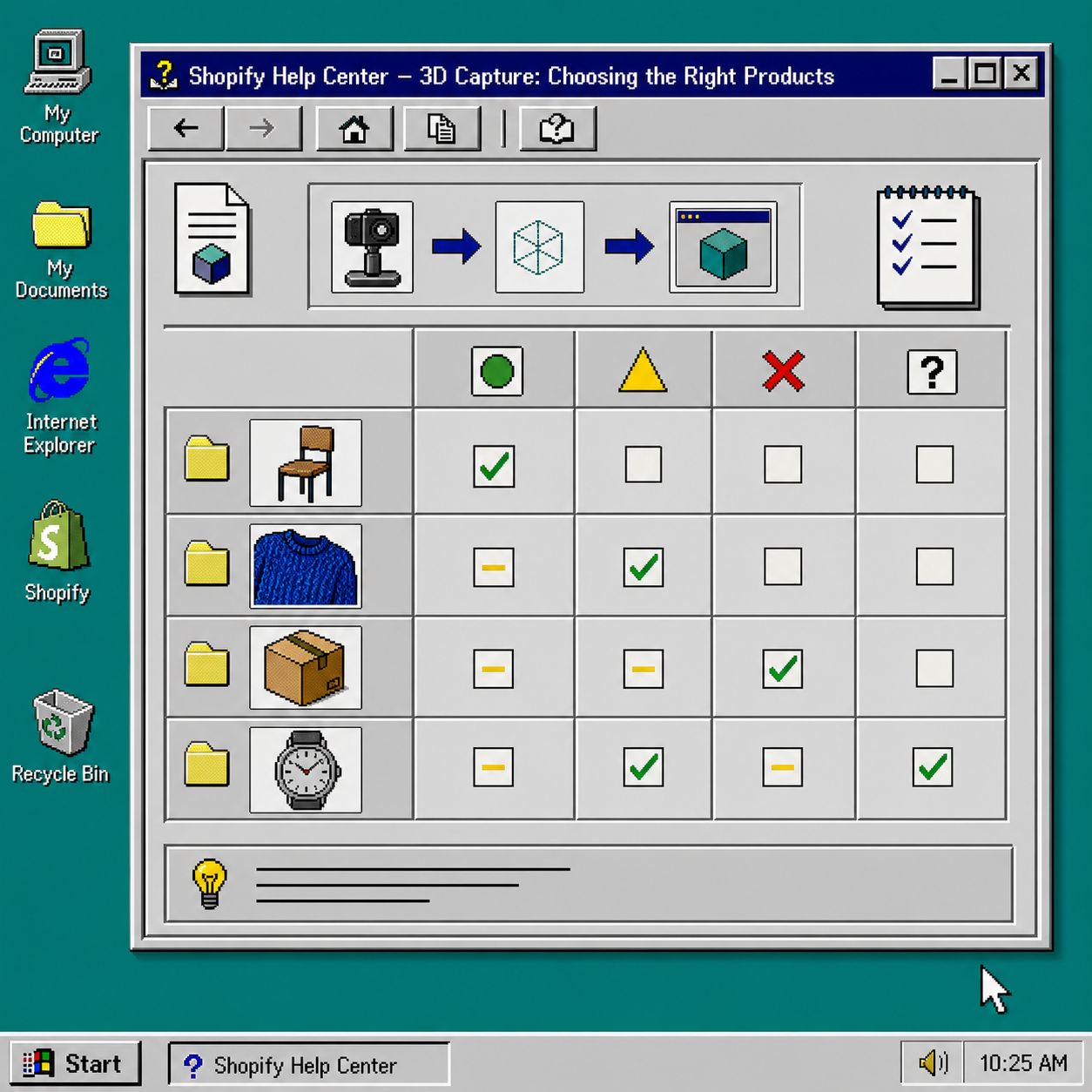
The simplest way to decide is to score each product on how much the customer cannot learn from flat photos. If the silhouette matters, if the texture matters, or if the wrong mental model could lead to a return, that SKU should move up the queue.
1. Score Each Product on What Photos Hide
Ask three plain questions for every SKU:
- Can a shopper understand the shape without rotating it?
- Does the finish or texture affect the purchase decision?
- Would a wrong guess about size or form create avoidable support work or returns?
If the answer is yes to all three, that product belongs near the top of the 3D list. If the product is already obvious from four good photos, it can wait.
This is where a lightweight worksheet helps. If you want a broader checklist, compare this guide with How to Build a Shopify 3D Capture Checklist That Works and My 3D Capture Priority Checklist for Shopify Products.
2. Favor Products Where Depth and Silhouette Sell the Product
3D is most useful when the shopper needs to understand an object from more than one angle. That usually means products like furniture, footwear, home decor, packaged goods with distinctive containers, accessories, and equipment.
A rotatable model is valuable because it answers a question static photos often leave open: how does this thing really sit in space? That is the kind of detail a native Shopify 3D viewer can communicate better than a standard gallery.
If you want a page-level example, How I Build a Shopify Product Page Around a 3D Model shows the publishing side of that decision.
3. Put Difficult Materials Lower in the First Batch
Some products are simply harder to scan cleanly. Highly reflective chrome, clear plastic, glass, black gloss, and hair-like surfaces tend to take more patience. That does not mean they are impossible. It just means they are poor candidates for your first proof of concept.
If you want a capture plan that stays orderly, pair this article with How to Set Up a Shopify 3D Capture Session That Scans Cleanly and How to Build a Shopify 3D Capture Shot List.
4. Build a Small Capture Station Around the Products You Actually Picked
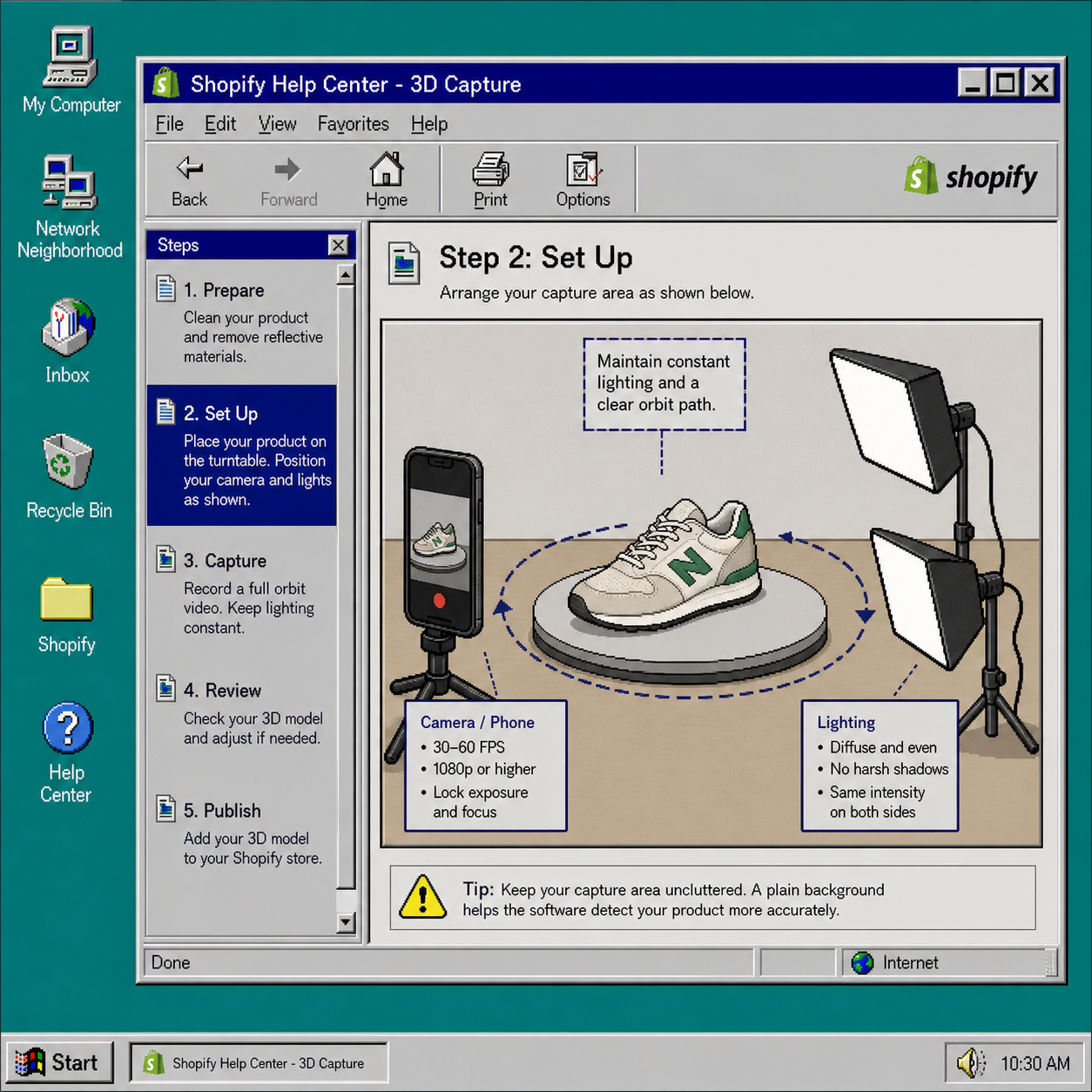
Use a regular smartphone, a consistent light source, and a plain background. A turntable can help, but it is optional. The important part is consistency: keep the orbit steady, keep the lighting even, and keep the product isolated enough for the capture flow to read it clearly.
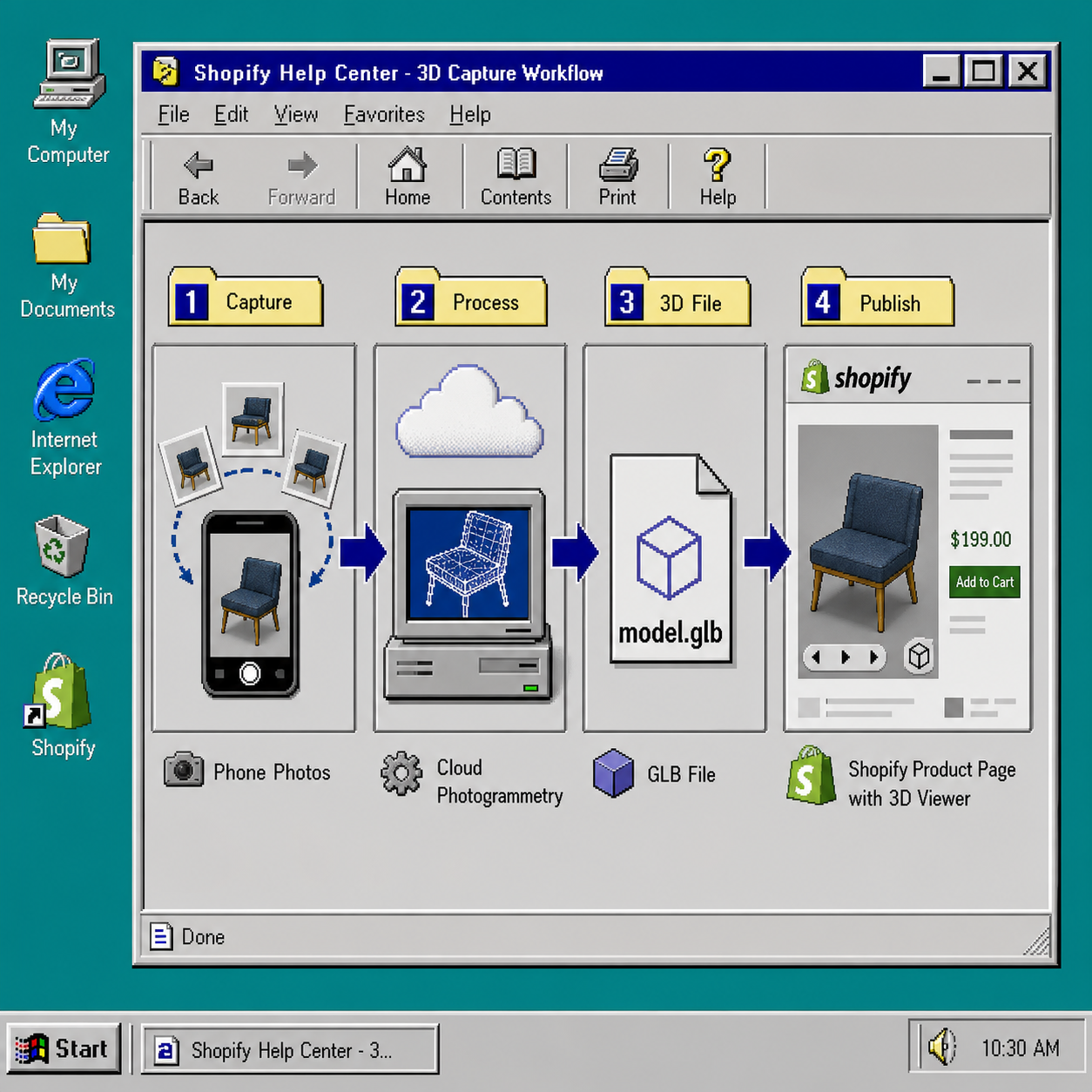
Supra 3D Capture is designed for that kind of workflow. The app guides the photo sequence, processes the images in the cloud, and produces a web-ready 3D model without asking you to learn modeling software.
5. Publish the First Model Where Shoppers Will Notice It
Once the model is ready, add it to Shopify product media or place it with the Online Store 2.0 theme app block. If your theme supports it, let the native Shopify 3D viewer do the work. That keeps the experience in the product page instead of hiding it behind a separate tool.
At this stage, the model is not just a technical output. It is a merchandising asset. Use the first few scans to prove which product types benefit the most, then expand from there.
The workflow becomes easier to trust when you think of it as a simple chain: phone photos, cloud photogrammetry, GLB file, Shopify product page.
Troubleshooting
- If the scan looks noisy, check whether the lighting changed during capture or whether the product is too reflective for a first attempt.
- If the model is accurate but not useful, the SKU may not need 3D yet. Better photos may be enough.
- If the page feels cluttered, keep one interactive model and remove unnecessary duplicate angles.
- If you are unsure where to start, choose the SKU with the highest return risk and the clearest shape difference.
The practical rule is simple: start with five SKUs, not the whole catalog. Pick the product where a customer would most benefit from rotating the item before buying. If that model makes the product easier to understand, use it as the template for the next batch.
You can try the app on the Supra 3D Capture site or install it from the Shopify App Store. For more practical capture and publishing notes, the public Supra 3D Capture blog has the rest of the workflow.