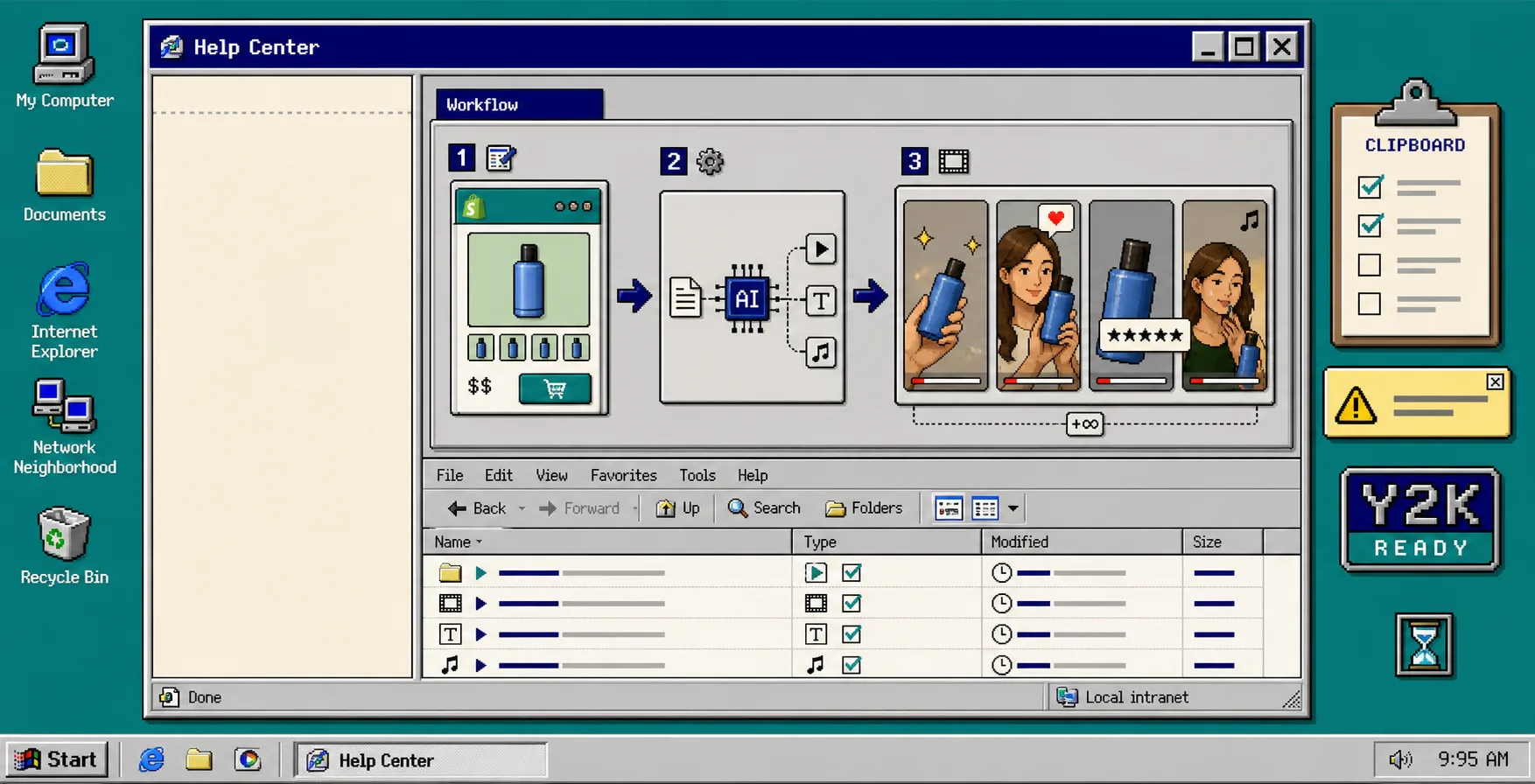
If you need short-form product video but do not want to book creators, a production team, or a reshoot, build a small ad matrix instead. With Supra UGC Maker and the Shopify App Store listing, you can combine avatars, scenes, scripts, speech, and product references into one project, then generate several variations for ads, product pages, launches, and email.
Start from one SKU, one goal, and three or four hooks. If you want the broader setup first, this workflow pairs well with How to Create UGC-Style Shopify Product Videos Without a Shoot and How to Build a UGC Video Testing Loop for Shopify Products.
1. Pick One Product And One Job
Choose one product that already has a clear buyer problem. Do not start with your whole catalog. Pick one SKU, then decide whether the first video is meant to get clicks, explain the product, or support a launch.
Write one sentence before you open the generator:
- This clip should make a shopper understand one product benefit.
- This clip should push one clear action.
- This clip should sound like one real use case, not a brand manifesto.
When you are done, you should have a narrow target. That is the point. A UGC ad works best when it has one job.
2. Build The Matrix Before You Build The Video
Open your project and set the structure first: avatar, scene, script, tone, and product reference. Use the app’s preset avatar flow or a custom AI model, then pair it with a scene that matches the shopper context, such as a studio, outdoor, boutique, or brand-specific setting.
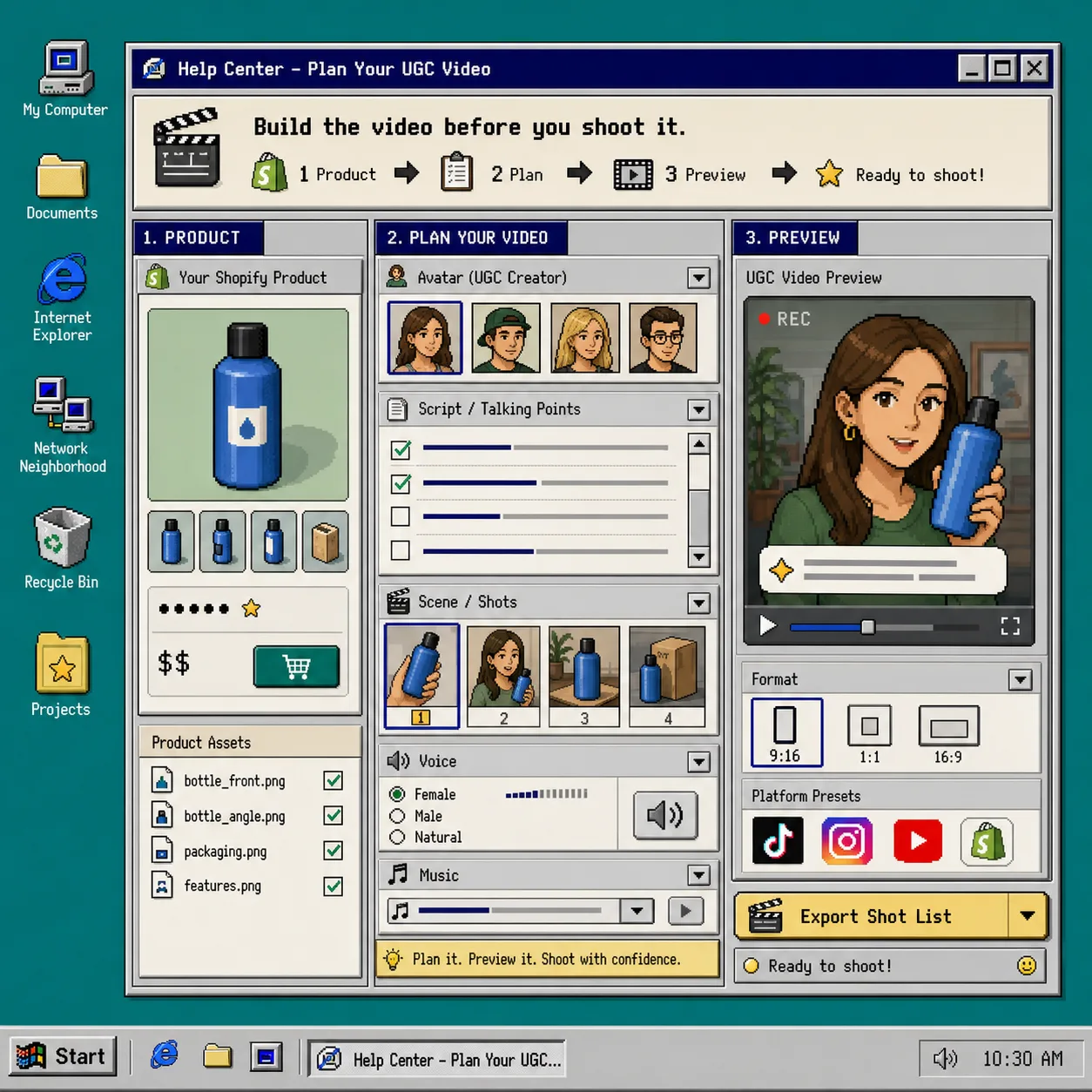
Now draft three hooks:
- Problem: name the frustration the product solves.
- Proof: show why the product is a better choice.
- Outcome: describe the result the shopper wants.
Keep the rest of the setup steady. If the avatar changes, the scene changes, and the script changes all at once, you will not know what actually worked. If you need a cleaner starting point for choosing the angle, How to Turn One Shopify Product Into Multiple UGC Video Variations is a good companion read.
3. Generate Three Variations From One Setup
Use the same product reference for all three versions. Keep the avatar and scene constant on the first pass, then change only the script, tone, or CTA.
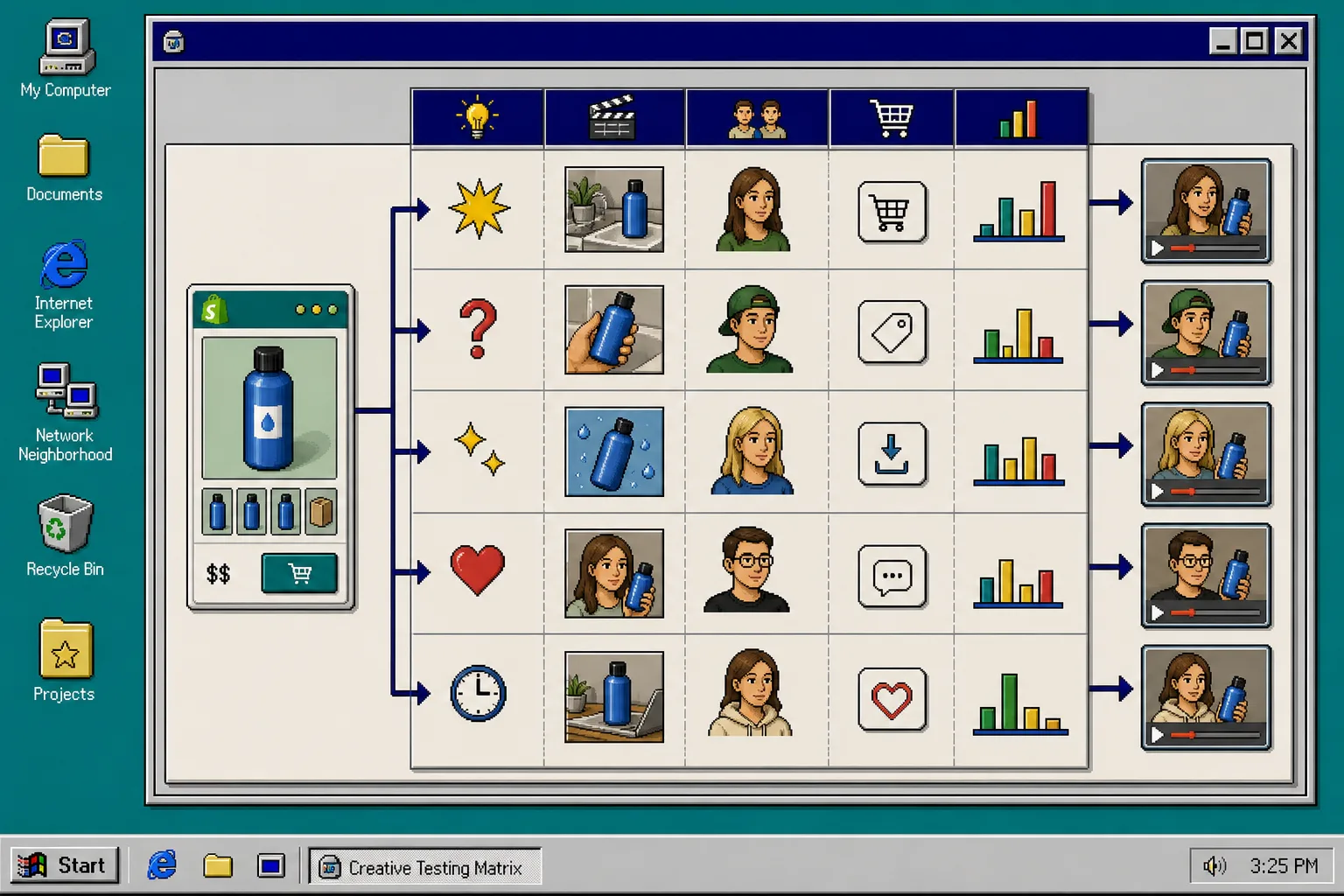
A simple testing matrix looks like this:
- Version A: strongest problem hook.
- Version B: strongest proof hook.
- Version C: strongest outcome hook.
You should see three clips that feel related, not random. That makes review easier and keeps the project reusable. If one variation wins, save it as the control and generate a second round from the same base instead of starting over.
This is where How I Reuse One Shopify Product Video Across Ads, Product Pages, and Email becomes useful, because the best clip should not stay trapped in one channel.
4. Preview, Trim, And Regenerate Only The Weak Clip
Watch each preview before you download anything. Look for three things: whether the product is visible early, whether the script sounds specific, and whether the CTA is obvious.
If a clip drifts, regenerate that clip instead of rebuilding the whole project. The app is designed so you can reorder, trim, update, and regenerate clips in one place.
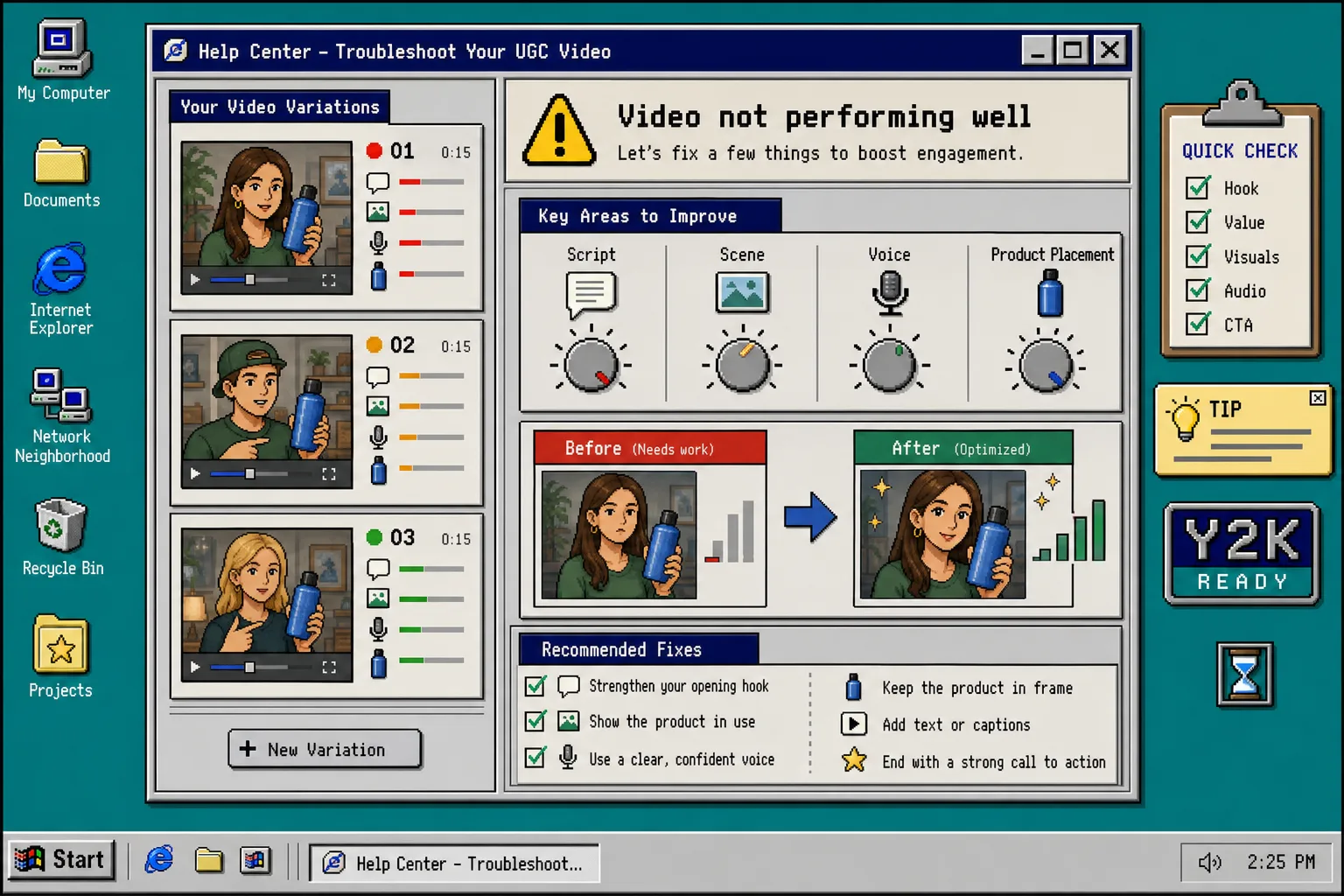
If the output feels generic, fix it in this order:
- Make the script more specific.
- Change the voice or tone.
- Adjust the scene to match the real buying context.
- Bring the product closer to the camera or into clearer view.
If you want a more complete view of the iteration loop, How to Build a UGC Video Testing Loop for Shopify Products walks through the next layer of review.
5. Reuse The Winner Across Channels
Once the strongest clip is obvious, reuse the same project across the places where video can help most: product pages, ads, launches, email, and social.
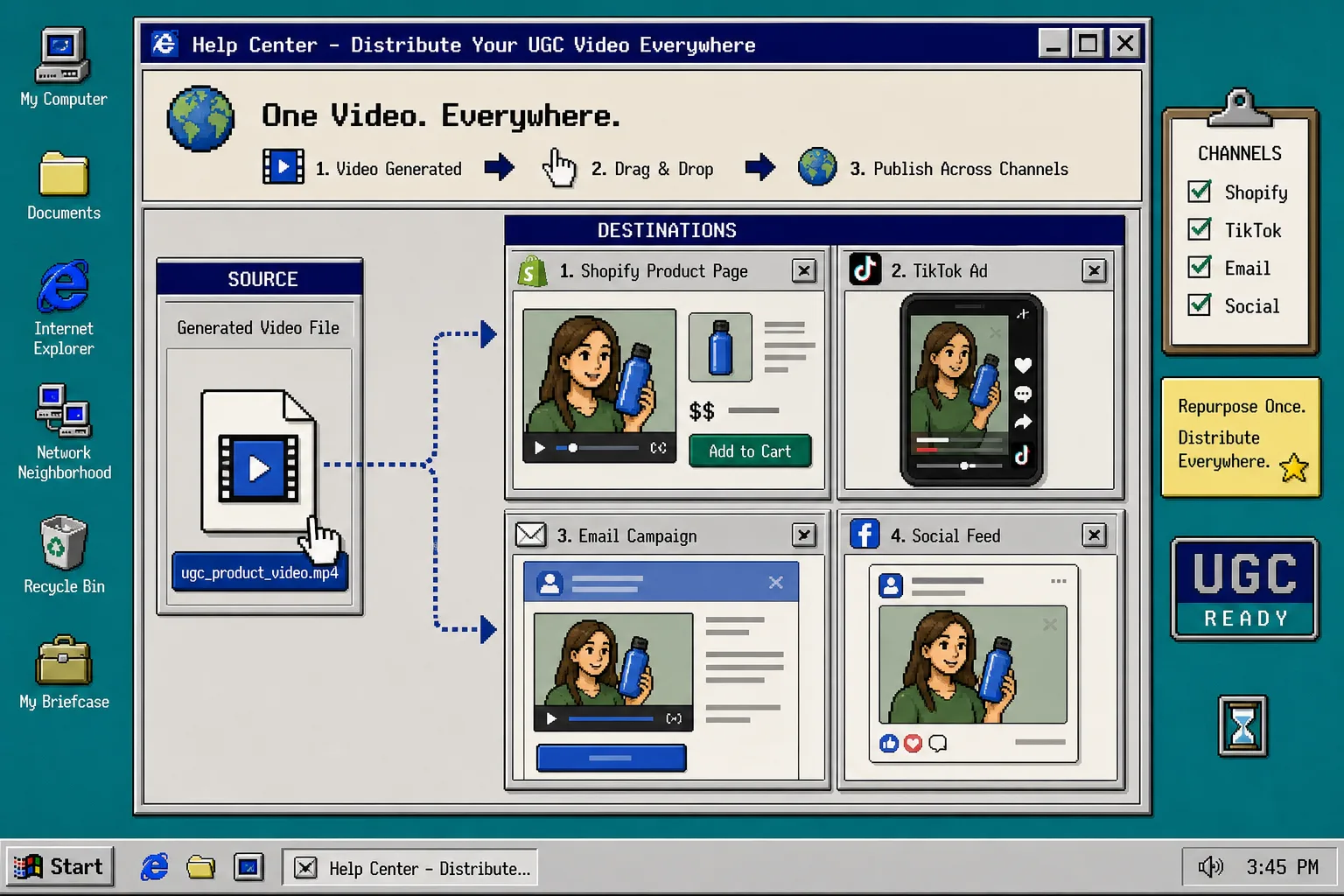
Do not rebuild the whole video for every channel. Change the caption, CTA, or opening line when needed, but keep the winning structure intact. That is how a single project becomes a small creative system instead of a one-off asset.
If you need a simple pattern for distribution, compare this with How I Reuse One Shopify Product Video Across Ads, Product Pages, and Email.
Troubleshooting
If the clip sounds too polished, push the script closer to how a real shopper would describe the product.
If the avatar looks disconnected from the product, change the scene before you change the offer.
If every variation looks the same, stop changing everything at once. Keep one control and vary one thing per version.
If the product gets lost in the frame, make the product reference the first thing a shopper notices.
Recap
A good Shopify UGC ad matrix starts small: one product, one job, one control, and a few deliberate variations. Supra UGC Maker gives you the parts you need to build that system without scheduling a shoot, and the free plan is enough to test the workflow.
When you are ready, open Supra UGC Maker, pick one product, and generate the first three clips before you touch the rest of the catalog.