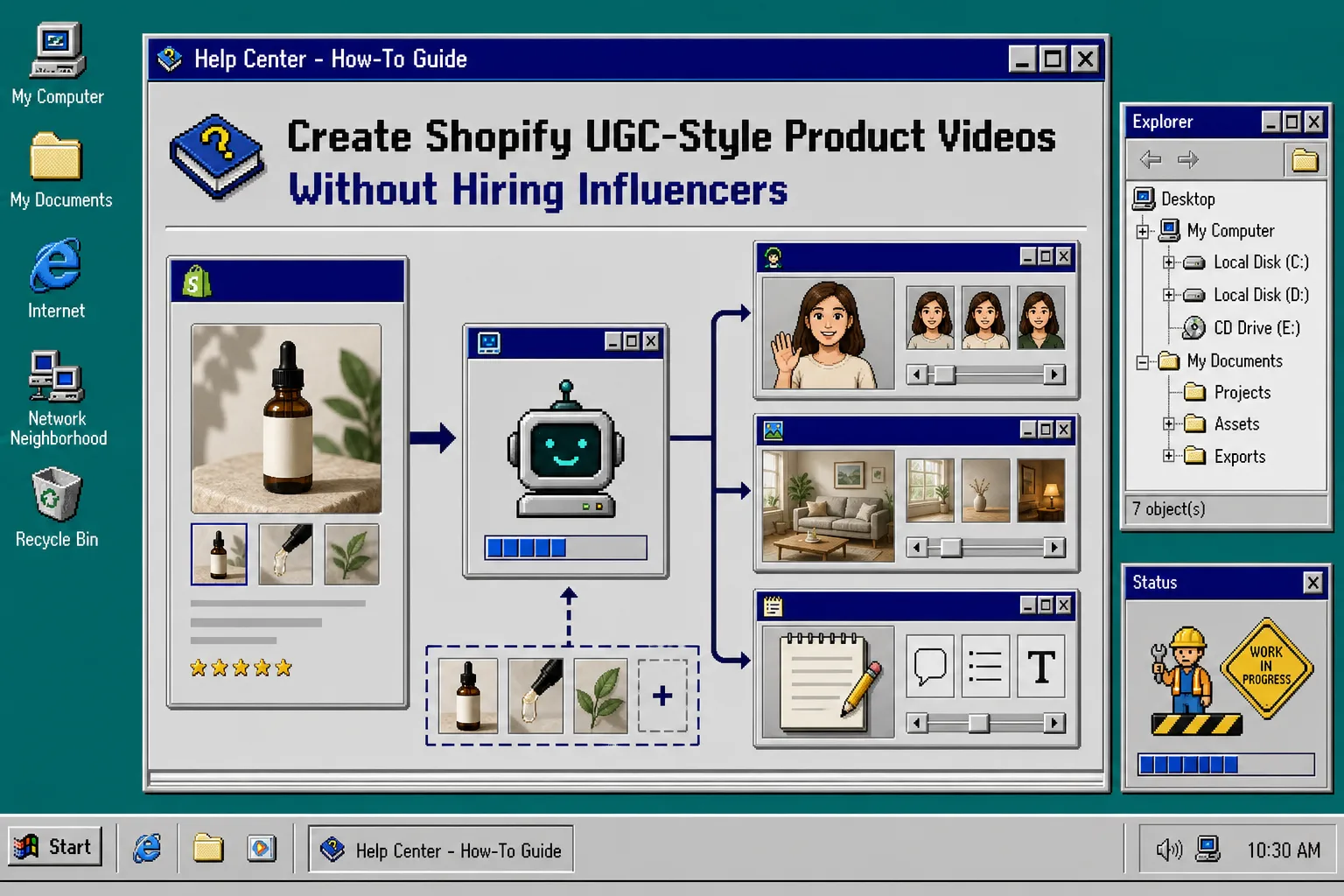
I kept running into the same problem on product launches: one good product page image, not enough creative. I could have a clean listing and still not have enough hooks to test in ads, enough proof for the page, or enough short clips for email.
Supra UGC Maker is built for that gap. It lets you choose a preset avatar or custom AI model, set a scene, add a Shopify product, write the script, choose voice and tone, and generate reusable UGC-style video segments. The landing page is here, and the Shopify App Store listing says it works inside Shopify Admin and is meant for product videos, ad variations, launch campaigns, and other short-form ecommerce use cases.
If you want a more structured testing workflow, I would keep these open in another tab: How to Build a Shopify UGC Video Testing Matrix, How to Create Shopify UGC Video Ad Variations From One Brief, How to Turn Buyer Questions Into Shopify UGC Video Scripts, and How to Plan Shopify UGC Video Variations for Ads, Product Pages, and Email.
1. Pick one launch job for the video
I start by deciding what the first video has to do. For launch week, I usually pick one primary job:
- make the product easier to understand
- give paid social something to test
- add a short proof video to the product page
If I try to do all three at once, the script gets vague. A video that is supposed to educate, sell, and entertain usually does none of those well. Start with one outcome and let the other placements reuse the same asset later.
2. Build the first version in Supra UGC Maker
The simplest flow is the one the product brief describes:
- Choose an avatar.
- Set the scene.
- Add the product.
- Write the script.
- Generate and publish.
That is enough to create a first usable clip without a camera, crew, or manual edit pass. I would keep the first version plain: one clear hook, one product benefit, one call to action. If you want to try the workflow first, the app has a free plan, so you can validate the format before you commit to a higher tier.
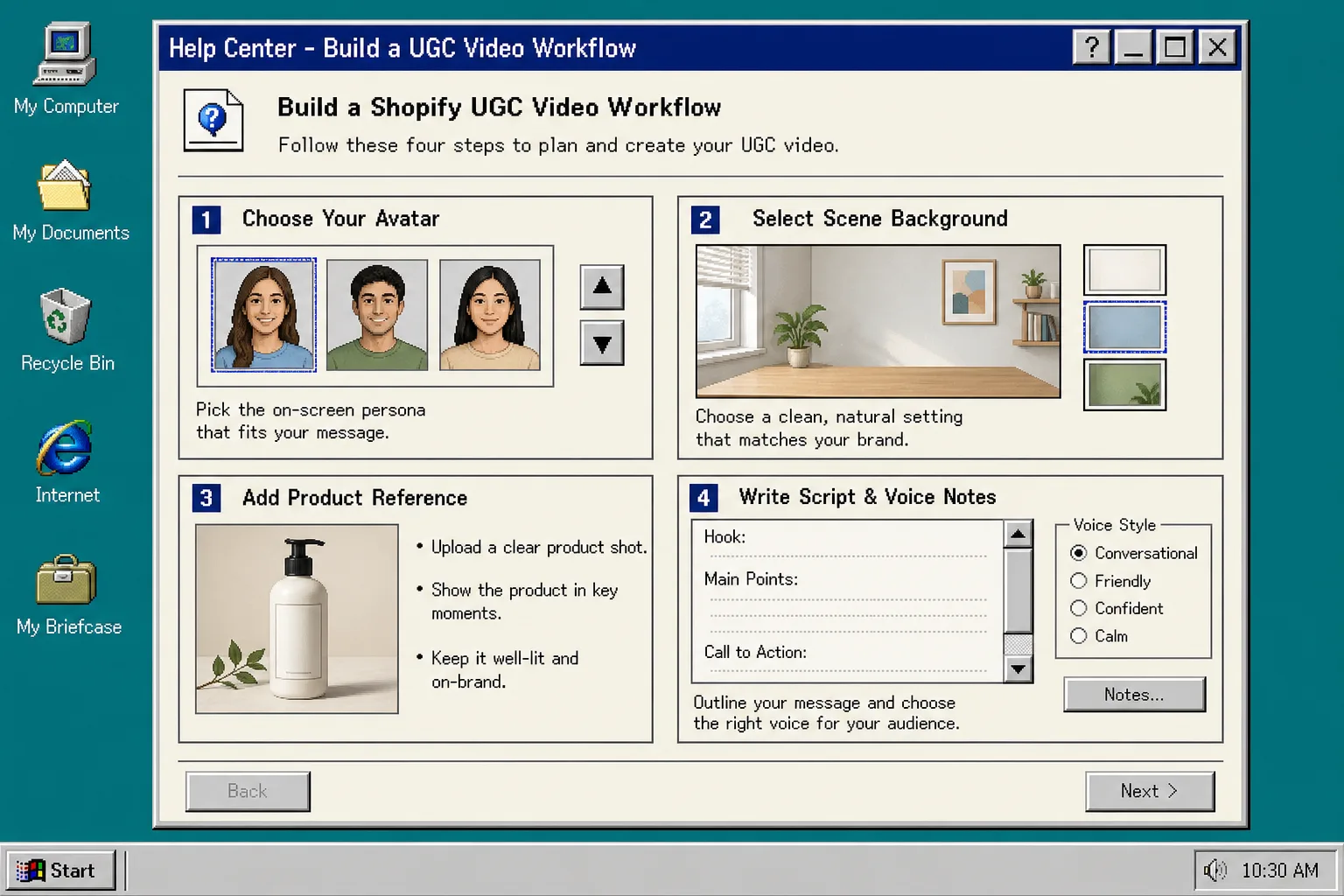
The point of the first render is not perfection. It is to get a real video in hand fast enough to judge whether the hook, avatar, and scene work together.
3. Make three variations instead of one
Once the first version works, I branch into three variants instead of rebuilding from scratch every time. That is where the reusable-project part matters.
A practical set is:
- a problem-solution hook for cold traffic
- a curiosity hook for ad testing
- a proof or testimonial angle for warmer viewers
You can think about this like How to Build a Shopify UGC Video Testing Matrix without making the process too academic. If you already have a rough brief, How to Create Shopify UGC Video Ad Variations From One Brief is the better mental model.
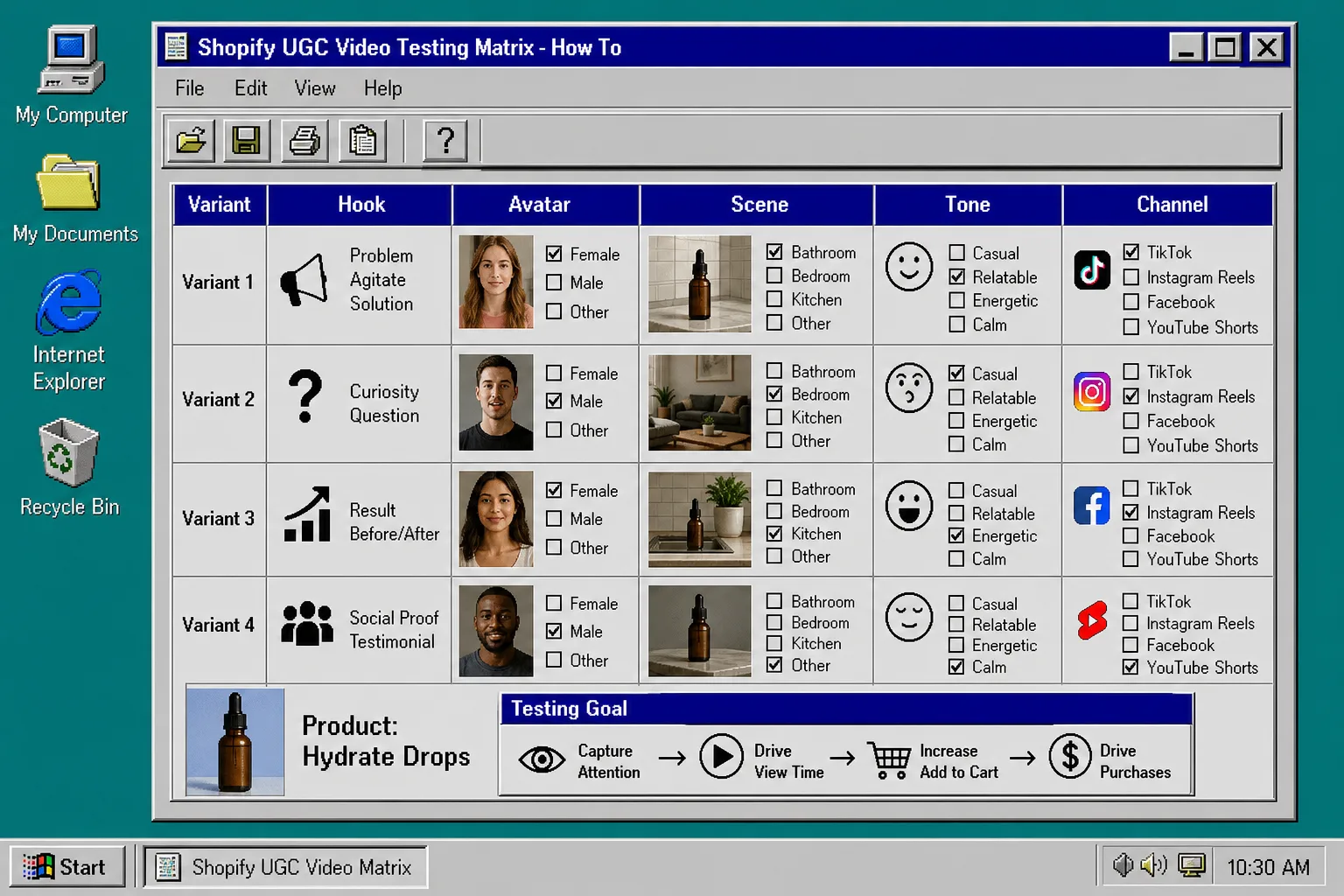
This is also where buyer questions help. If the script starts to sound generic, I rewrite it from the phrases customers use. How to Turn Buyer Questions Into Shopify UGC Video Scripts is the cleanest way to keep the language grounded.
4. Put the videos where buyers already are
I do not treat UGC-style clips as ad-only assets. The same video can do different jobs in different places:
- paid ads need a quick hook
- product pages need clarity and trust
- email needs a reason to click
- post-purchase can reduce confusion or support a second order
That is the logic behind How to Plan Shopify UGC Video Variations for Ads, Product Pages, and Email. One product brief can support several placements if you edit the message instead of rebuilding the whole asset each time.
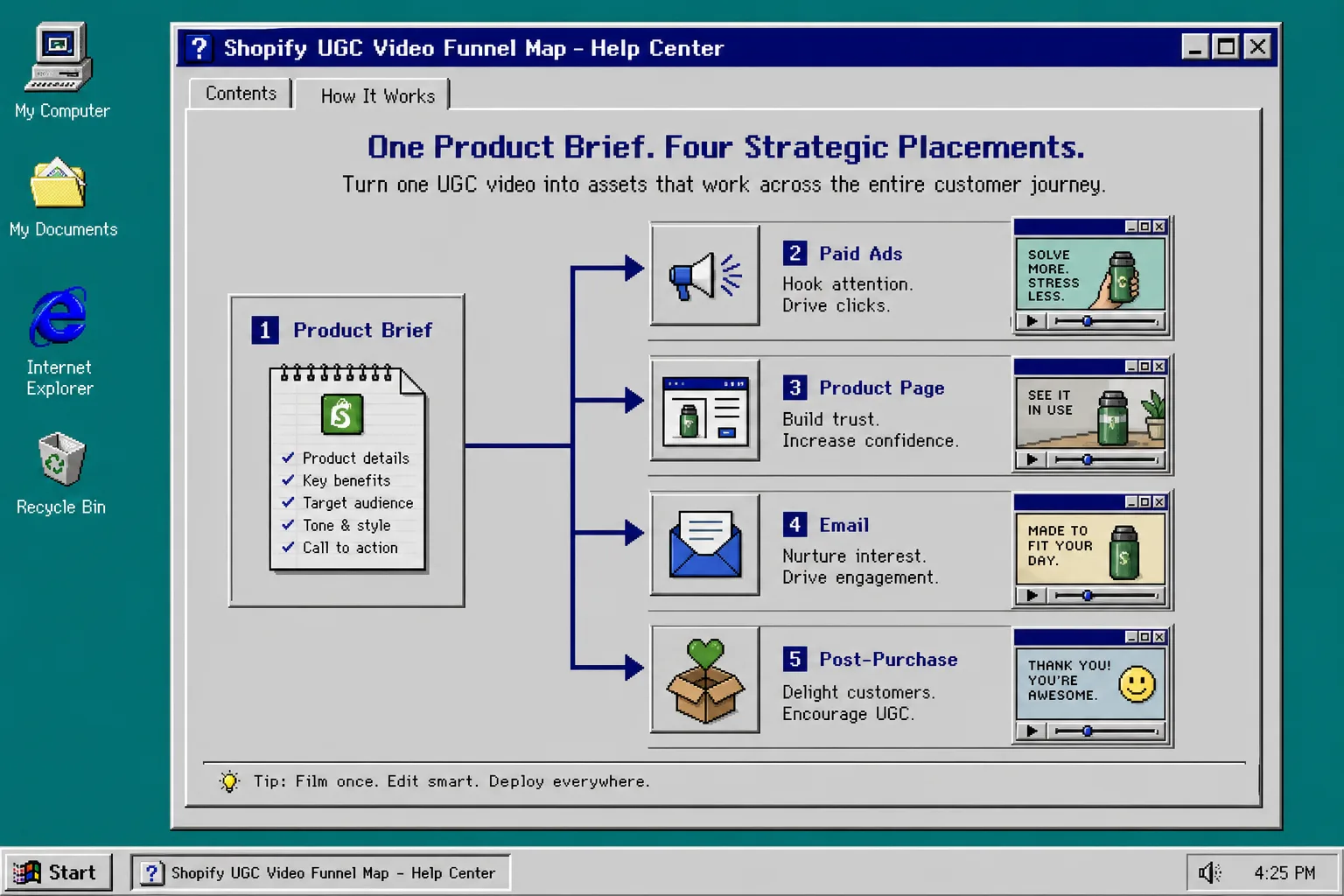
Supra UGC Maker is useful here because the product file says you can reuse projects, save scenes, reorder clips, trim segments, update details, and regenerate pieces inside the same project. That makes the launch workflow less like a one-off video task and more like a creative system.
5. Watch for the three failure modes
The first few renders usually fail in predictable ways.
- The avatar feels too polished. Shorten the script and move to a more conversational or calm voice.
- The scene competes with the product. Simplify the background and make the product the main object.
- The video is doing too much. Cut the script until it has one job and one CTA.
If you want a bigger structure to reuse later, How to Build a Reusable Shopify UGC Video System is the right follow-up. I would not build that system first. I would earn it with one working launch video.
Troubleshooting
If the clip feels off, I would fix it in this order:
- Replace the hook before touching the scene.
- Replace the scene before changing the avatar.
- Change the tone before rewriting the whole script.
- Keep the product reference visible long enough for the viewer to understand what is being shown.
That sequence saves time because most weak videos fail on message before they fail on visuals.
The practical cutoff
If you only need one thing from this workflow, it is this: get one launch-ready UGC clip, then reuse the same structure for the next three variations. That is usually enough to see whether the angle is worth scaling.
If you want to try it, the product page is Supra UGC Maker and the Shopify App Store listing is the fastest place to confirm the current plan options and fit. I would start with the free plan, build one launch hook, and only then decide whether you need the extra volume.