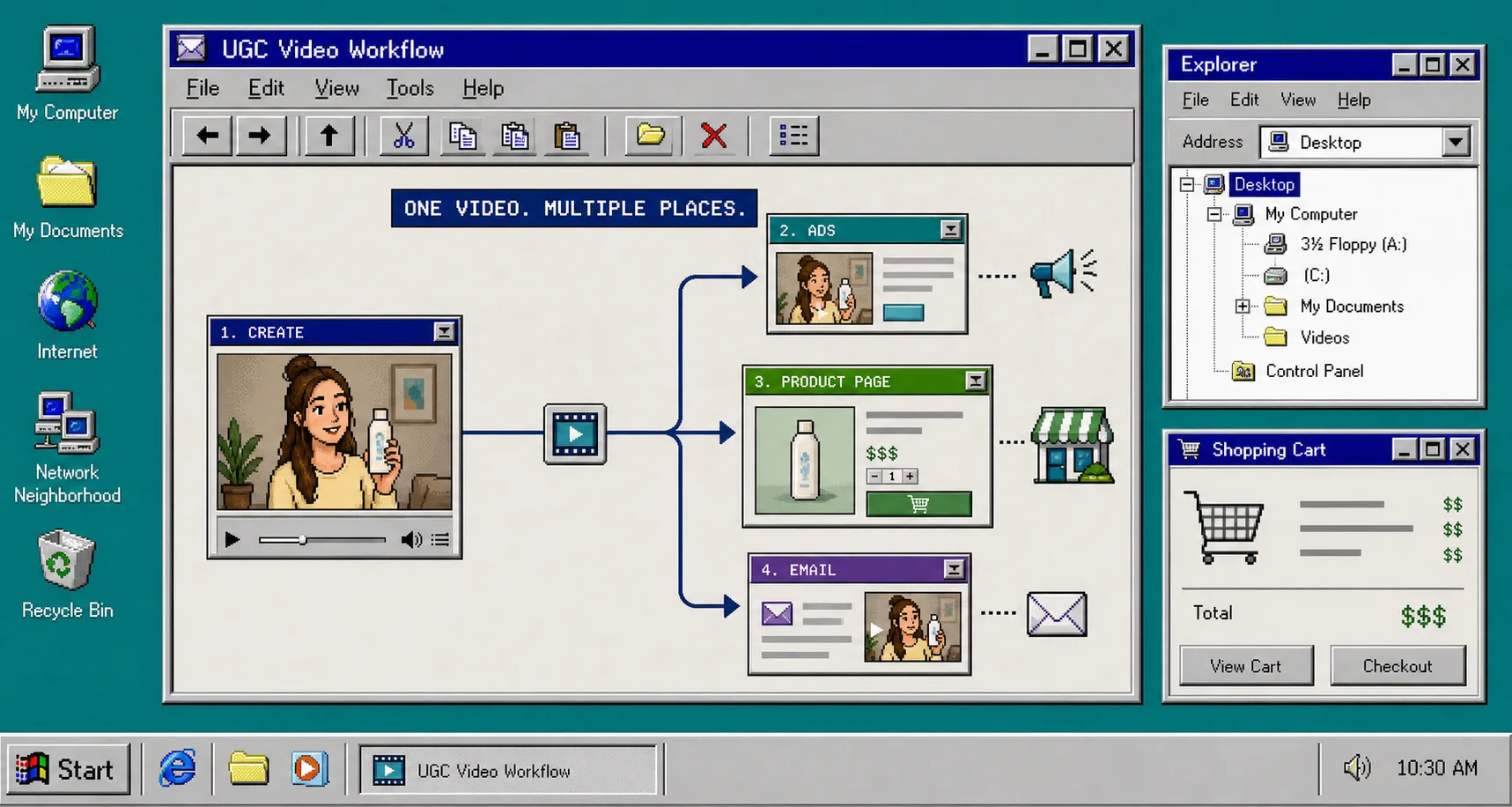
I keep seeing the same problem with Shopify video: the store needs more short-form creative, but each placement wants something different. Ads need a hook. Product pages need clarity. Email needs one short reason to click.
That is where Supra UGC Maker fits. The app is built for AI-powered UGC-style product videos with avatars, scenes, scripts, speech, and product references, so I can build one idea once and shape it for the placement that needs it. The Shopify App Store listing says the same thing in platform language: it is meant to create videos fast, without turning every export into a new production project.
If I start with placement instead of the avatar, the workflow gets a lot simpler.
1. Pick The Placement First
I would not start by asking, “What avatar should I use?” I would start by asking, “Where is this video going?”
That question changes the whole brief:
- An ad needs a quick hook and a fast payoff.
- A product page needs explanation and trust.
- An email needs a compact message that can survive a crowded inbox.
Once I know the placement, I know the runtime, the tone, and the level of detail. That is the same logic behind How to Create Five Shopify UGC Video Ads From One Brief, but here I am narrowing the goal even more. I am not trying to make five ads yet. I am trying to make the right kind of video for the channel I already have in mind.
If I want a broader launch planning view, I pair that with How I Build a Shopify UGC Launch Kit From One Brief and How to Turn Buyer Questions Into Shopify UGC Video Variants. Those posts help me decide what the video should answer before I open the generator.
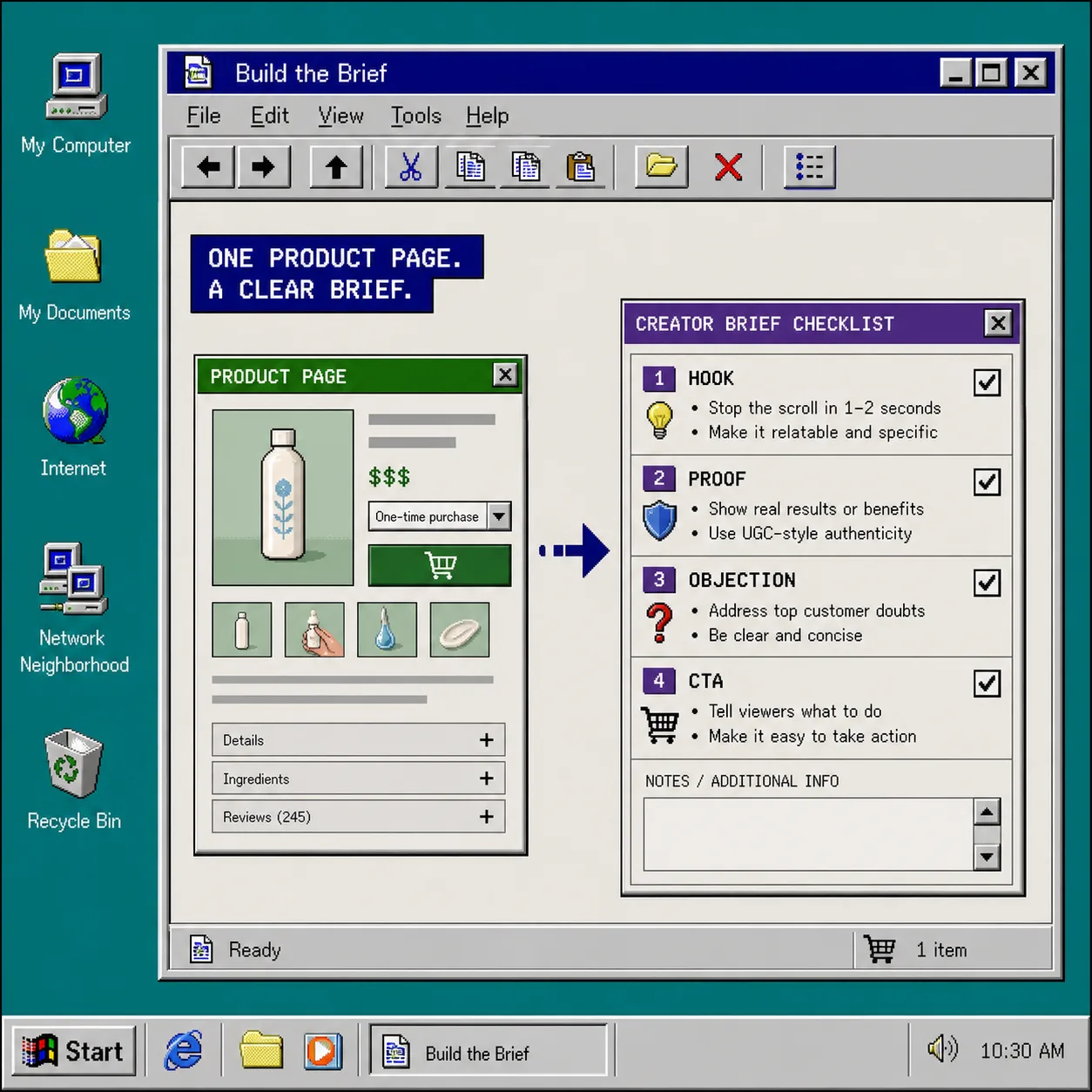
2. Pull A Brief From The Product Page
The fastest brief is usually already on the product page.
I look for four things:
- The main promise.
- The proof that supports it.
- The objection a shopper might still have.
- The call to action I want them to take next.
That is enough to write a usable script without overthinking it. In Supra UGC Maker, I can turn that brief into a video by choosing a preset avatar or a custom AI model, picking a scene, adding the product, and writing the script in the tone I want. That is the workflow I care about because it keeps the work grounded in the product, not in whatever prompt sounded clever that day.
The important part is that the brief stays short. If I try to capture everything, the script gets muddy. If I keep it to one promise and one objection, the video stays focused.
I also like to keep the project structure close to the way I think about the output. One product. One placement. One first pass. If I need a reference for keeping that setup reusable, How to Build a Shopify UGC Workflow That Reuses Every Clip is the right companion read.
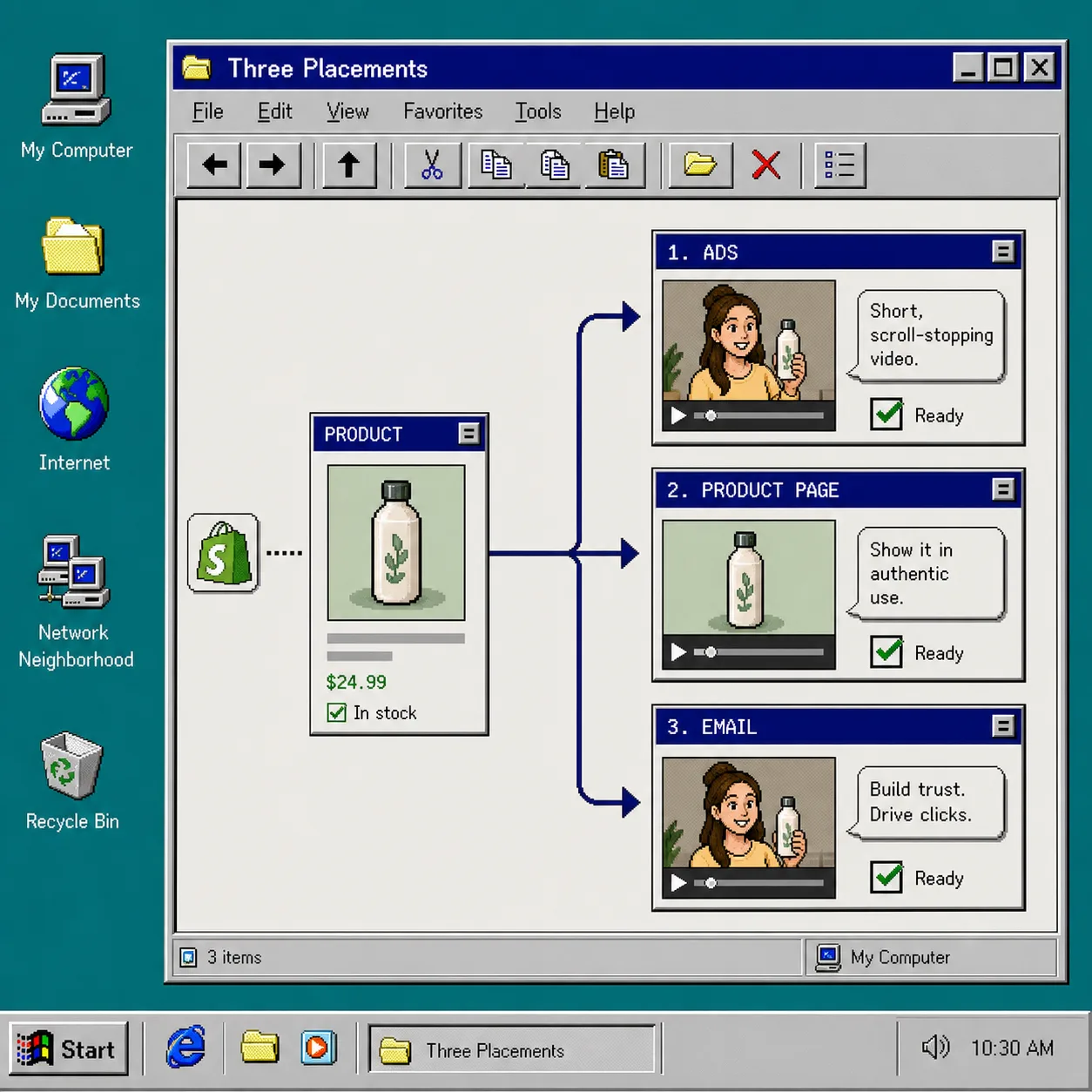
3. Generate Three Versions In One Project
I would not make one video and hope it works everywhere. I would make three versions with the same core setup.
- The ad version gets the strongest hook.
- The product page version gets the clearest explanation.
- The email version gets the shortest path from claim to click.
That is where reusable projects matter. I want to keep the same product reference, the same avatar, and the same scene family in place long enough to compare the changes that matter. The idea is not to reinvent the whole clip every time. The idea is to hold the important parts steady and change only the reason the video exists.
That is also why I keep How I Refresh Shopify UGC Videos Without Starting Over close by. Once a version is close, I usually do better by updating the weak part than by rebuilding from zero.
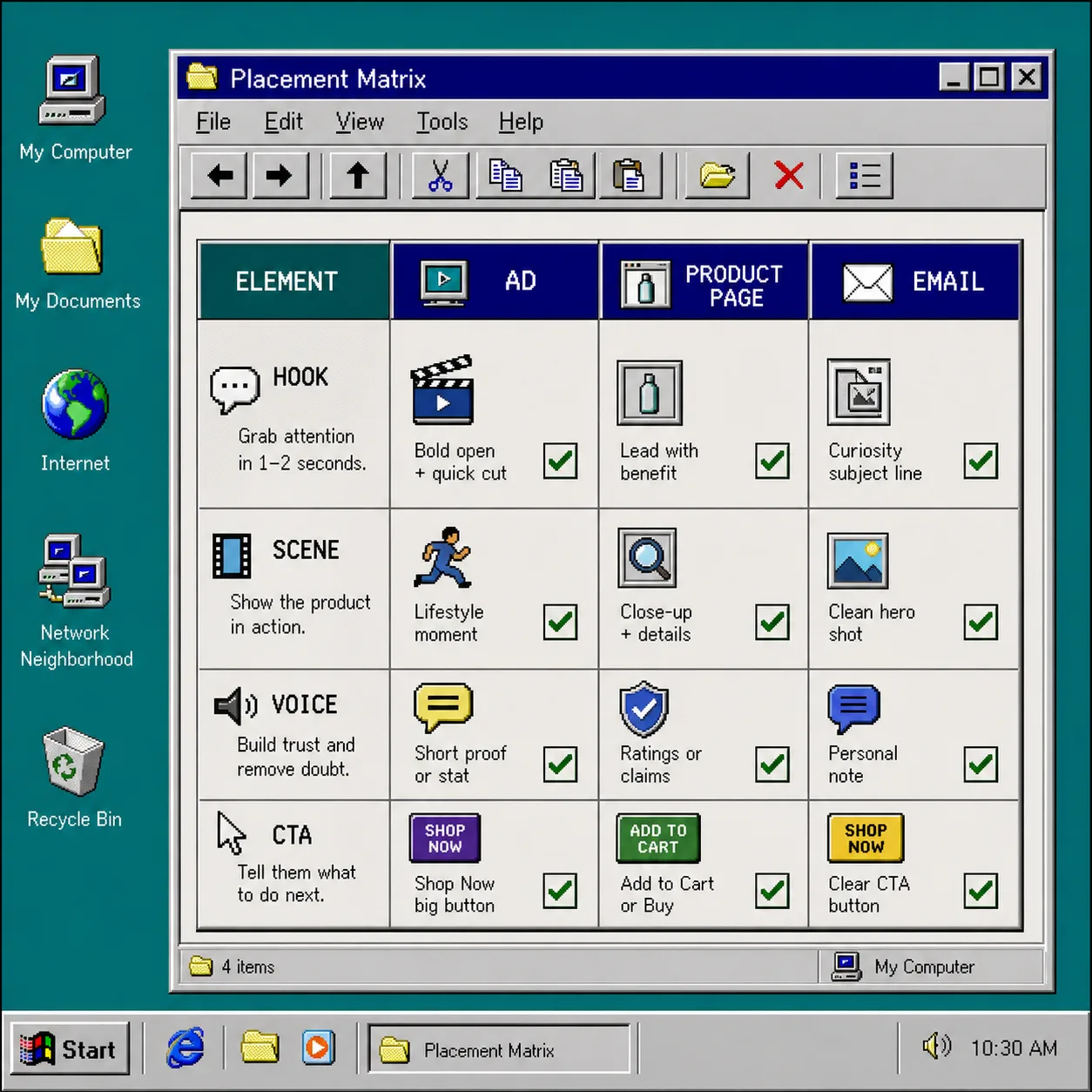
A simple versioning pattern works well here:
- Keep the same avatar.
- Keep the same scene.
- Keep the same product.
- Change the script length and the first line.
- Change the CTA so the placement feels intentional.
That usually gives me enough separation to tell which version is pulling its weight.
4. Map Each Video To A Job
Once the three versions exist, I map them to the actual job each channel needs done.
- Ads are for attention.
- Product pages are for understanding.
- Email is for returning attention to the offer.
That sounds obvious, but it helps me avoid overloading the wrong asset. I do not want a product page video that behaves like an ad. I do not want an email clip that sounds like a landing page explainer. If I keep the job specific, the CTA gets cleaner and the tone gets easier to judge.
This is the part of the workflow that makes How to Create Five Shopify UGC Video Ads From One Brief useful again, because it shows how much variation you can get from one idea when the structure is disciplined. It also lines up with the more experimental side of How I Build a Shopify UGC Testing Sprint Around One Product, where the goal is to test the angle before spending more time polishing it.
What I want at the end of this step is simple: I should be able to say, “This clip belongs in ads,” or “This clip belongs on the product page,” without debating it.
5. Trim, Regenerate, And Lock The Winner
The useful part of Supra UGC Maker is not just generation. It is the ability to preview, reorder, trim, update, and regenerate clips inside one project.
That matters because the first pass is rarely the final pass.
If a line feels generic, I tighten the script. If the scene feels too busy, I simplify it. If the CTA feels too soft, I make it more direct. If the placement still feels wrong, I change the hook rather than the whole concept.
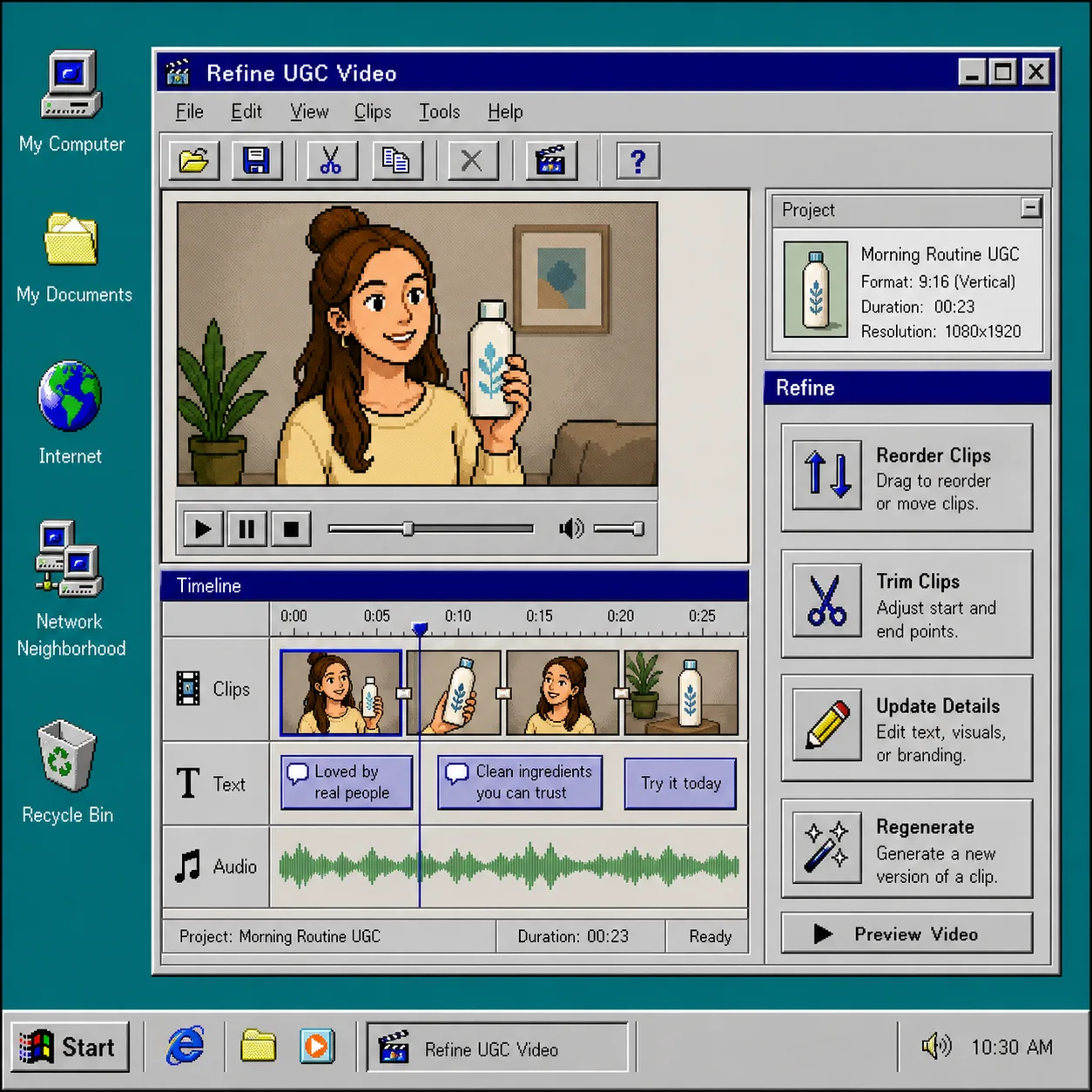
I would rather do that than restart from scratch. The moment a workflow makes me rebuild every time, I stop trusting it for busy weeks. The point of a reusable UGC workflow is to make the second and third versions easier than the first.
Troubleshooting
If the video still feels off, I usually look in the same four places:
- If it feels generic, the hook is too broad.
- If it feels fake, the tone is too polished.
- If it feels noisy, the scene is doing too much work.
- If it feels weak in email, the script is too long.
When that happens, I reduce the number of variables. I keep the avatar fixed, keep the product fixed, and change only one thing at a time. That keeps the comparison honest.
If I need a reminder that the goal is reuse, not perfection, I go back to How I Refresh Shopify UGC Videos Without Starting Over and How I Build a Shopify UGC Launch Kit From One Brief. Both posts point at the same habit: keep the structure stable and only revise the part that is failing.
Conclusion
If I had one Shopify product and needed video for ads, product pages, and email, I would start with the placement, turn the product page into a short brief, generate three versions inside one project, and only regenerate the pieces that do not fit.
That is the smallest workflow that still feels practical.
If you want to try the same approach, start with Supra UGC Maker or the Shopify App Store listing, then build one ad, one product page clip, and one email version from the same product.