
I keep seeing the same failure mode: a Shopify UGC video slows down, and the first reaction is to rebuild everything. That usually means rewriting the brief, changing the avatar, changing the scene, changing the script, and losing the useful parts along the way.
I do the opposite. I keep one project steady in Supra UGC Maker and refresh the parts that are supposed to move: the hook, the tone, the CTA, and sometimes the placement. The app is built for that kind of work. You can choose a preset avatar or create a custom AI model, set the scene, add the Shopify product, write the script, choose voice and tone, preview the scene, then reorder, trim, update, and regenerate clips inside the same project.
If you want the setup-first version of this workflow, How to Launch a Shopify Product With UGC-Style Video Variations stays close to the base system. If you want the test-driven version, How to Build a Shopify UGC Testing Sprint Around One Product and How I Build a Shopify UGC Hook Matrix From One Product are the better companion pieces. This post is the field note version: what I leave alone, what I change first, and when I stop pretending a refresh can fix a broken brief.
The Core I Stop Touching
The fastest way to get noisy results is to change too many variables at once. When I refresh a UGC project, I keep the frame stable:
- one product;
- one audience;
- one offer or CTA;
- one avatar style;
- one scene or background.
That gives me a real baseline. If the next clip performs better, I know the change mattered. If it performs worse, I know the lesson is probably in the one variable I moved.
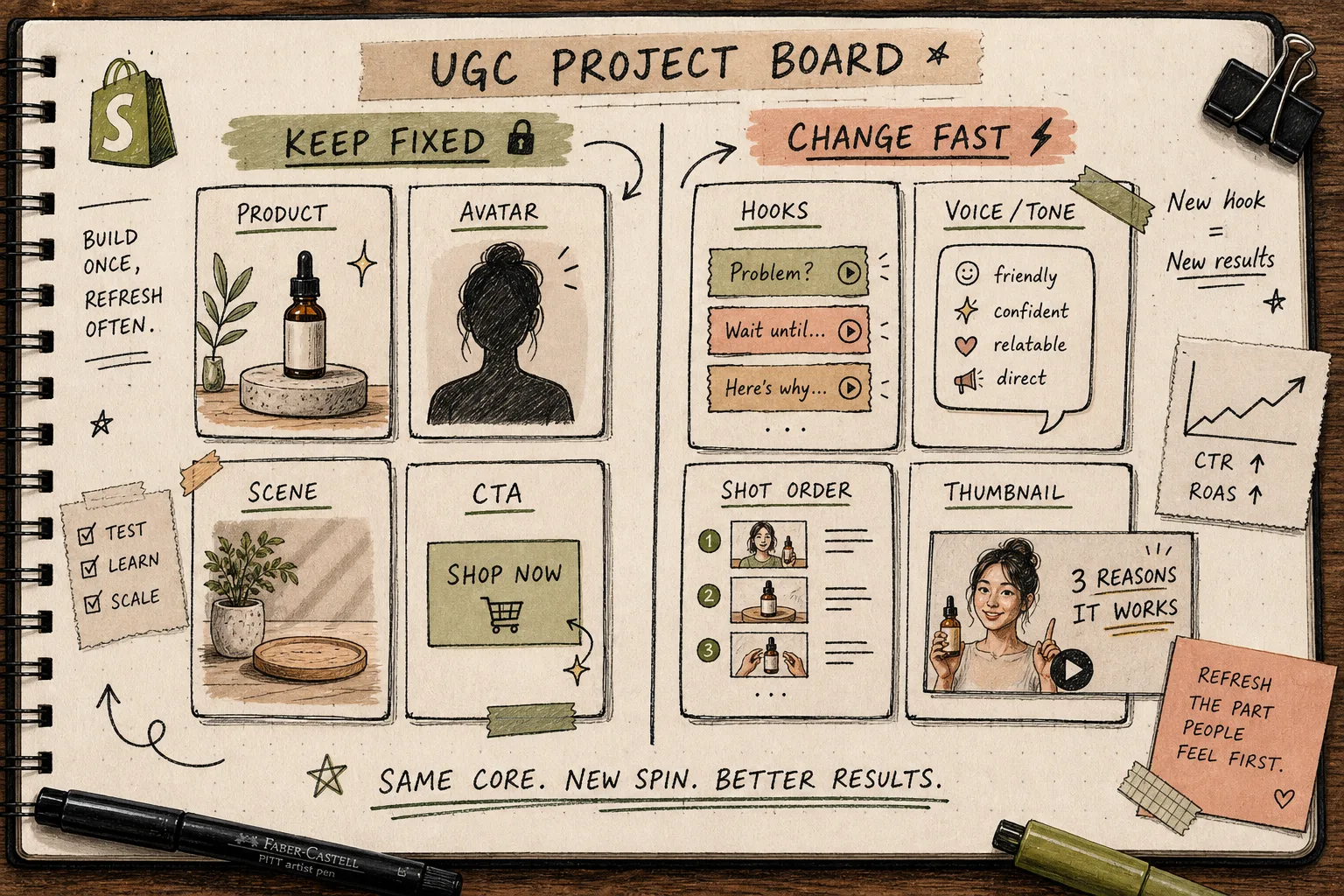
That is why this workflow works better as a project than as a one-off. A strong UGC clip is not just a file. It is a repeatable setup that can survive a few targeted changes.
The First Fix Is Usually the Hook
When a clip starts to feel stale, I usually change the hook before anything else. The first line has the most leverage, so it is the cheapest place to test a new angle.
The four hook families I reach for first are:
- problem and solution;
- before and after;
- objection handler;
- seasonal or timely angle.
If I am still unsure which angle deserves the next round, I use the same idea from How to Make Shopify UGC Video Variations for Ad Testing and How I Build a Shopify UGC Hook Matrix From One Product: keep the product fixed and change the opening so the test tells me something useful.
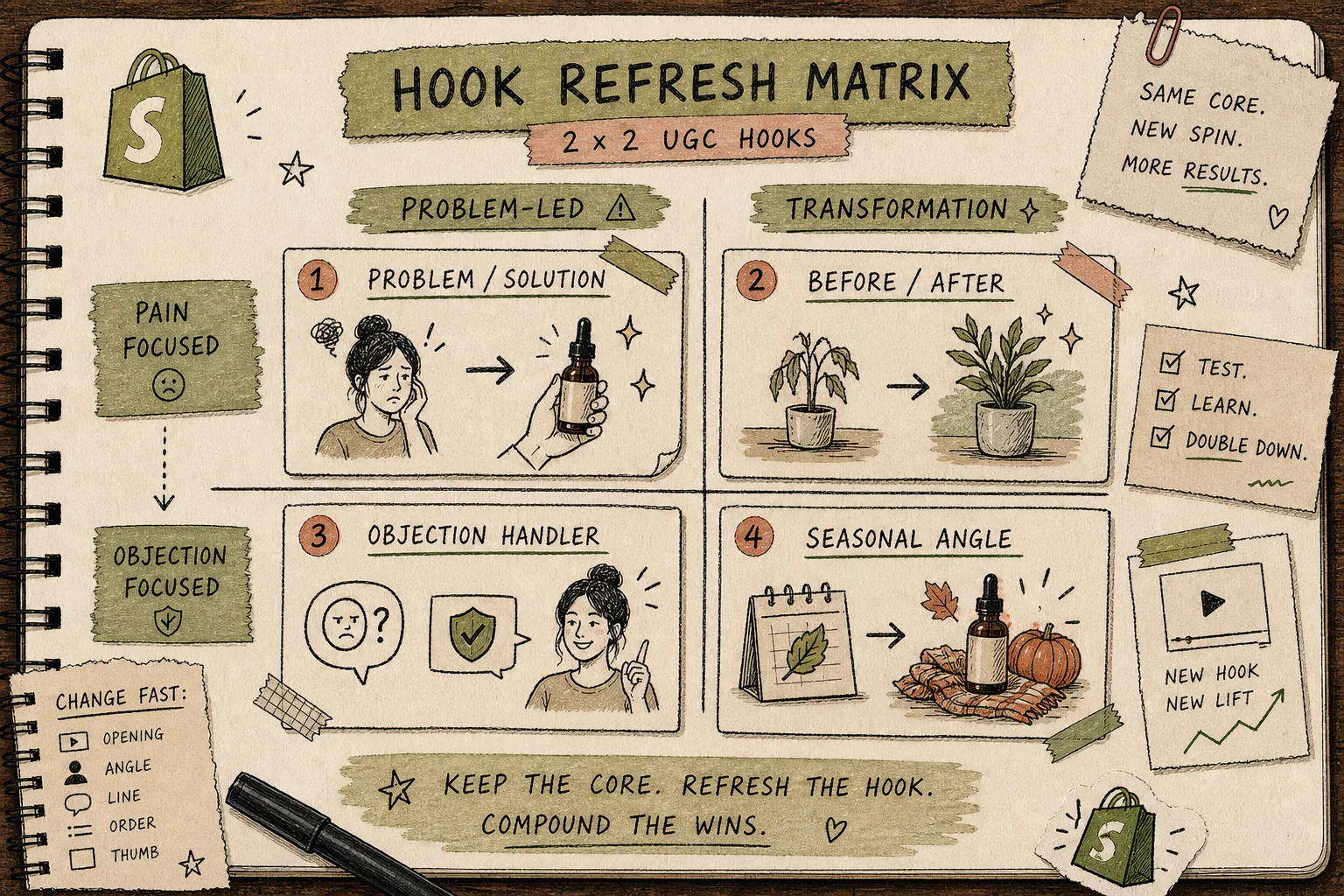
I usually move to tone next if the hook is close but not quite landing. A softer delivery can work better for education. A more direct line can work better for a sale. The point is not to make the clip louder. The point is to make the message easier to read in a feed.
One Clip, Four Placements
The real win is not making one good clip. The real win is letting that clip travel.
A single UGC-style video can do different jobs depending on where it shows up:
- paid ads need the fastest hook;
- product pages need product context and trust;
- email needs a short teaser or reminder;
- retargeting needs a quick nudge back to the product.
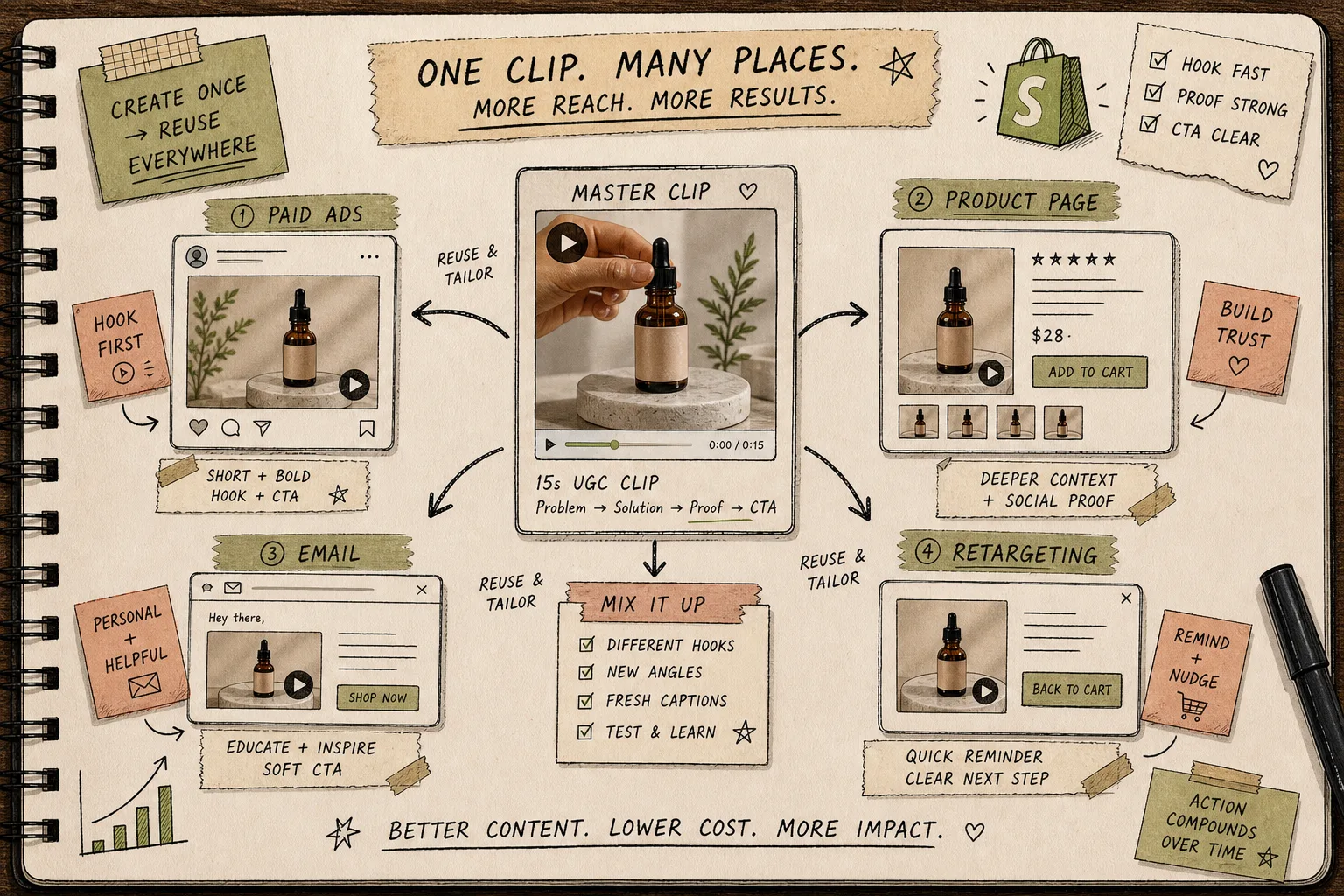
That is where the project tools matter. Supra UGC Maker is not just about generating once and moving on. It is designed so I can preview, reorder, trim, update, and regenerate clips inside one project, which is exactly what I want when a promising angle needs to be repurposed for a new channel.
If I want the broader launch framing, How to Launch a Shopify Product With UGC-Style Video Variations shows how to package the same idea across more placements. If I want to start from the shopper’s language instead of my own notes, How to Turn Buyer Questions Into Shopify UGC Video Scripts is the cleaner path in.
My Refresh Checklist
Before I ship a refreshed clip, I run the same short check:
- the hook lands fast;
- the product is clear early;
- the scene still makes sense for the category;
- the CTA fits the funnel stage;
- the clip still feels like UGC, not a pitch deck.
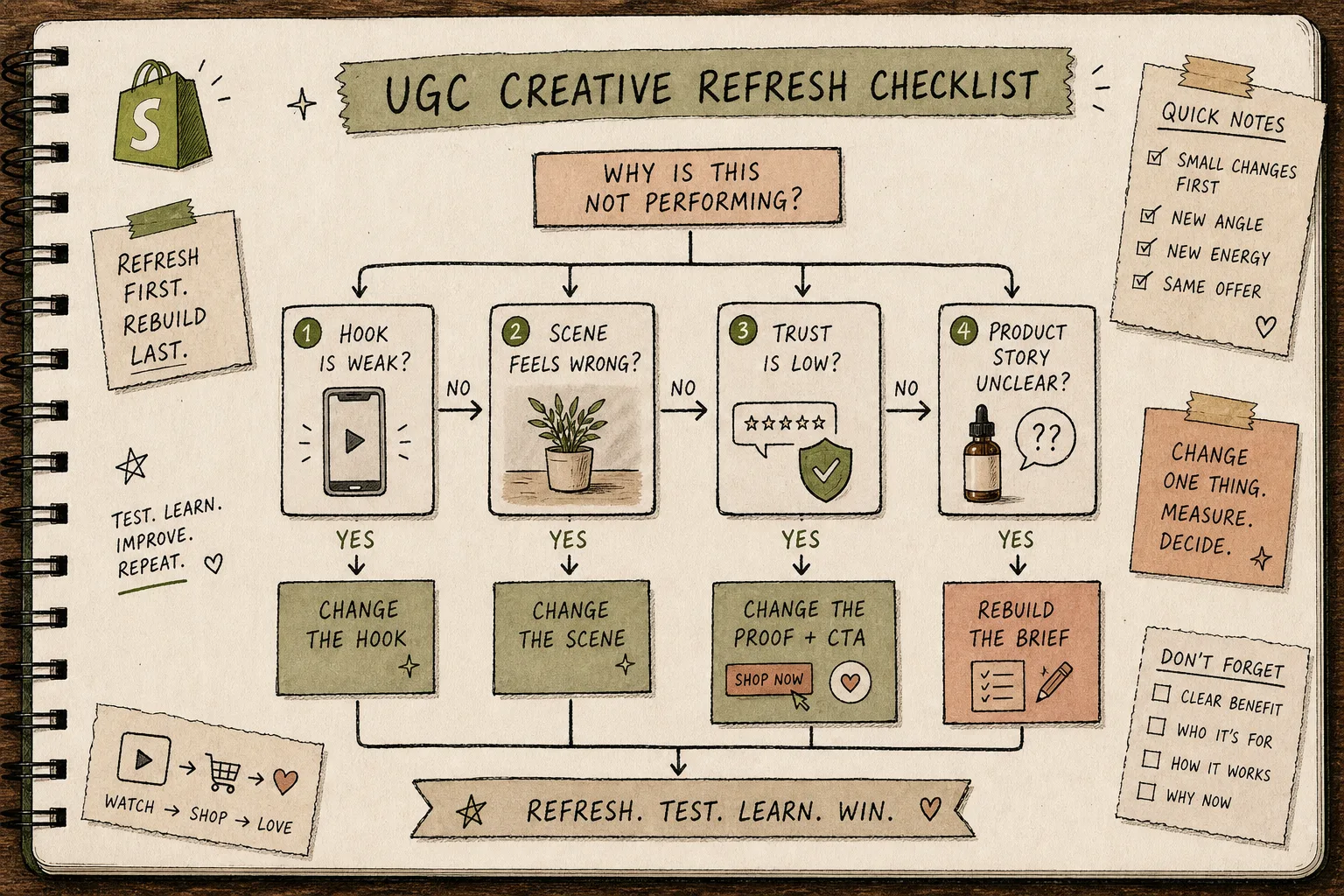
If the answer is “no” to one of those items, I refresh that item. If the answer is “no” to three or more, I usually stop trying to patch the clip and rebuild the brief.
That is where a simple decision tree saves time. How to Launch a Shopify Product With UGC-Style Video Variations is the broader version of this idea, and How I Build a Shopify UGC Hook Matrix From One Product stays focused on choosing which variable to test first.
When I Refresh Versus Rebuild
The decision tree is simple.
If the hook is weak, change the hook.
If the scene is wrong, change the scene.
If trust is low, change the proof and the CTA.
If the product story is unclear, rebuild the brief.

That last point matters. A refresh should not become a way to avoid writing a better brief. A small fix works when the foundation is sound. If the product message itself is muddy, I would rather rewrite the setup than stack more edits on top of a weak idea.
That is also why I keep the work close to the product. The more specific the product reference, the easier it is to know whether I need a fresh angle or a new structure altogether.
The Short Version
I do not want more UGC videos just to have more files. I want one strong product story that can survive a few clean changes and keep earning its place in ads, product pages, email, and retargeting.
If you want to try that workflow on a live Shopify product, start with Supra UGC Maker or the Shopify App Store listing. I would use the free plan first, build one base project, refresh one angle, and see whether the next change should be a hook swap or a full rebuild.
That is usually enough to tell whether the problem is the clip or the brief.