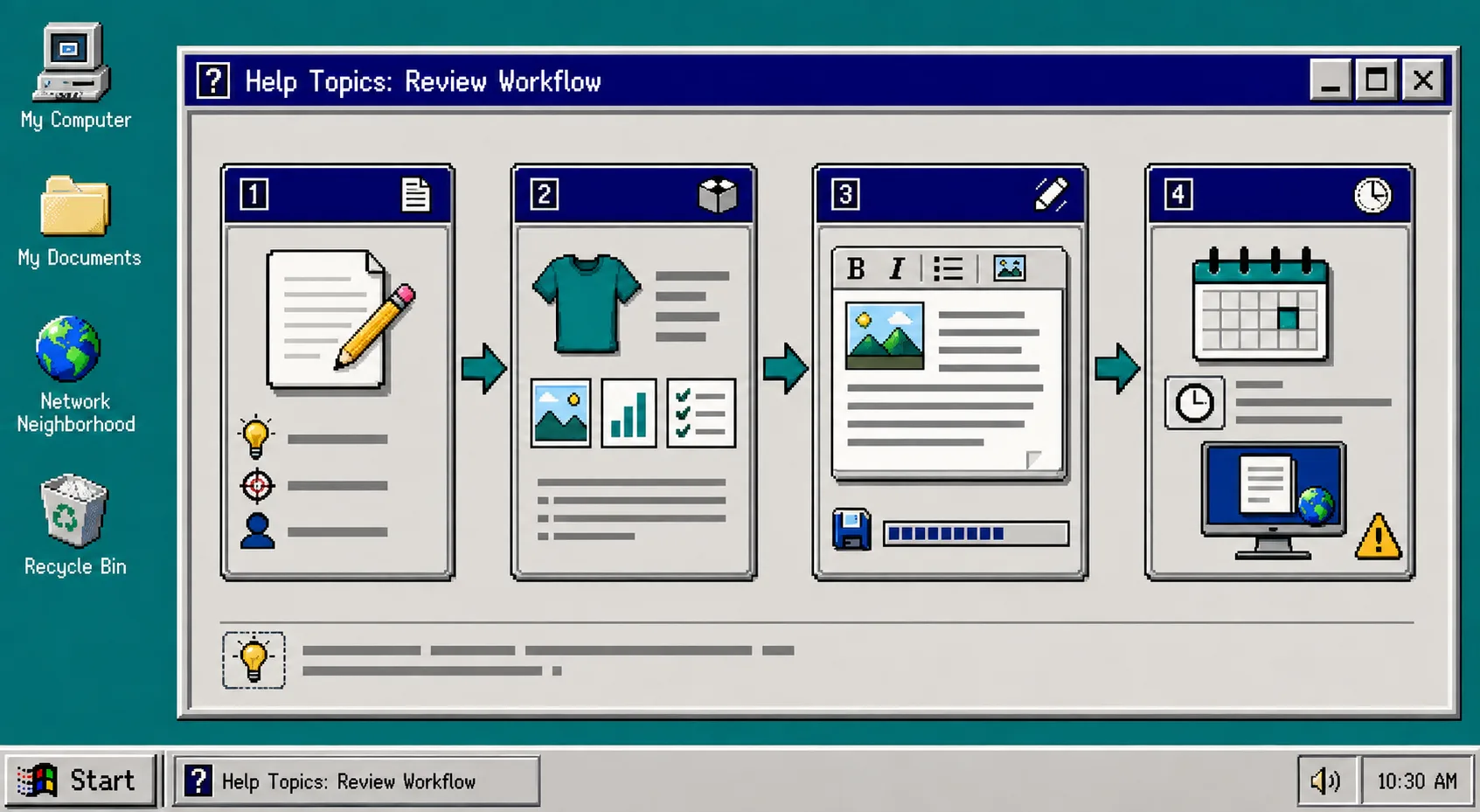
A Shopify blog does not need to choose between a pile of unreviewed AI drafts and a calendar that never ships. You can build a small review queue: automation prepares the routine work, a person checks the few things that deserve judgment, and approved posts keep moving toward their scheduled date.
You need a Shopify store, a short list of product or collection priorities, and a publishing cadence you can realistically maintain. Supra Blog Automation can generate a post on demand or on a recurring schedule, add SEO structure and internal links, and either save the result as a draft or publish it. For this setup, start with drafts.
1. Pick One Repeating Reader Problem
Open your content calendar and write one problem your customers repeatedly need solved. Make it narrow enough to become a useful guide, such as choosing a product type, preparing for a seasonal launch, or comparing two materials. Do not begin with a keyword list alone; connect the topic to a real collection or product you can stand behind.
If you are building a larger calendar, use the same discipline as a reviewable blog queue built from a Shopify collection brief: give each proposed post a job, a product context, and an intended reader. You should see a small list of topics that are specific enough to review quickly.
2. Create the Post as a Draft
In Supra Blog Automation, choose a single post or recurring automation. Enter the topic, the reader goal, the tone, and the product or collection that belongs in the article. Set the publishing control to save as draft while you are establishing the workflow.
This is the useful middle ground in Shopify blog automation. The tool can prepare Shopify SEO blog posts, visuals, metadata, internal links, and a product mention, but it does not have to make the final call. A draft gives you a stable item in the queue instead of an email reminder to write from scratch.
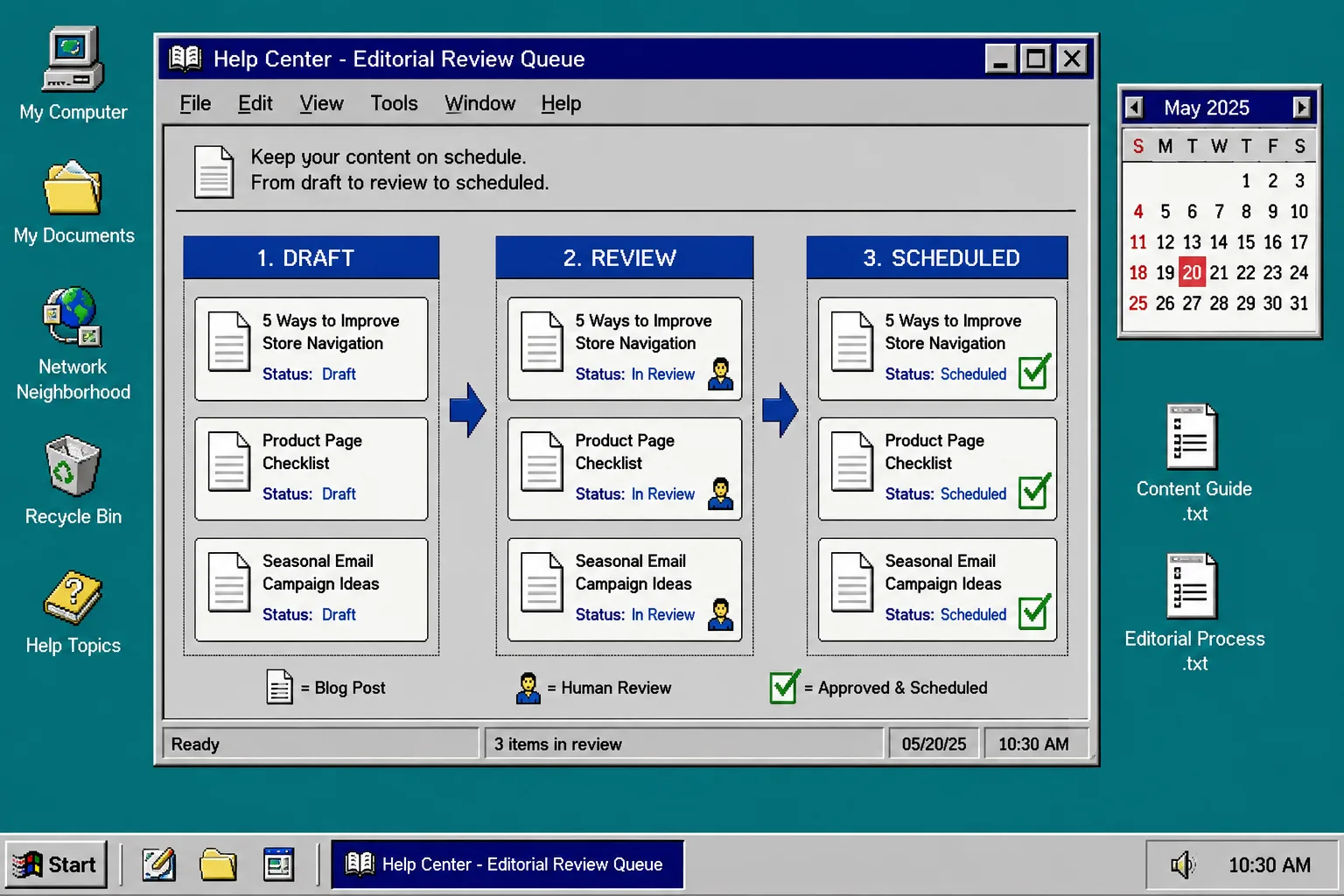
For a schedule-first setup, borrow the guardrails from how to schedule Shopify blog posts without skipping review: leave enough lead time between generation and publication for someone to check the result. A weekly post might be generated on Monday, reviewed on Tuesday, and scheduled for Thursday.
3. Review the Four Things Automation Cannot Know
Open the Shopify draft and check four items before you approve it. First, confirm the product facts, availability, pricing language, and any policy-sensitive claim. Second, confirm the article sounds like your store rather than a generic ecommerce template. Third, open each internal and product link. Fourth, check the image source, alt text, and relevance to the section.
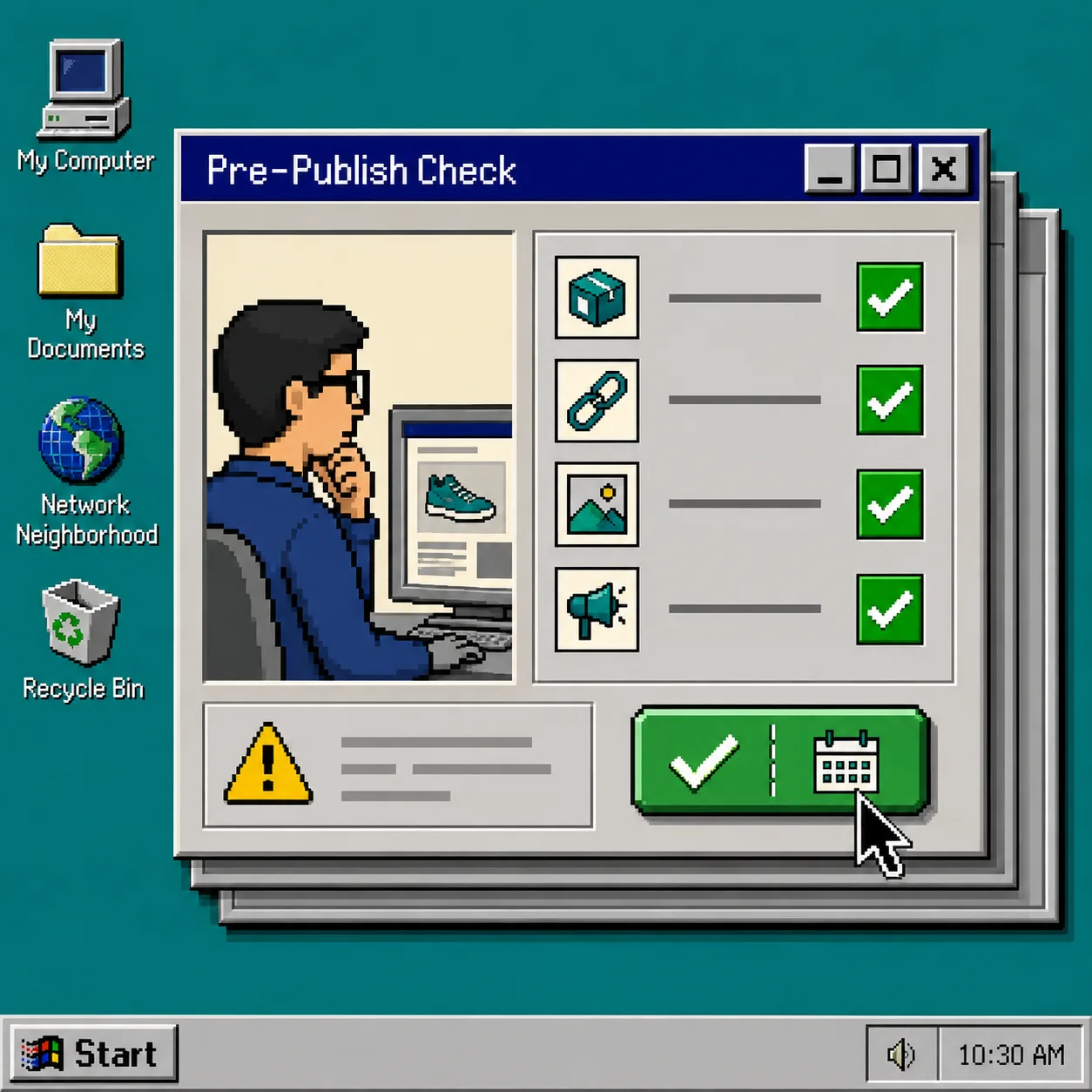
Keep this pass short. A good review queue is not a second writing project; it is a repeatable safety check. If a draft needs major edits, return it to the queue with one clear note: wrong product context, weak example, outdated claim, or missing link.
The same rule applies to other automated creative work. Before a campaign, test Shopify UGC ad hooks before committing to a shoot. Before publishing a blog post, test the promise, the proof, and the page it sends readers to.
4. Give Approved Drafts a Real Date
Once the checks pass, assign the next sensible publication date instead of publishing everything at once. Space related posts apart so each one has time to be indexed, shared, and linked from later articles. Use a recurring blog publishing schedule only for topics you can continue to review.
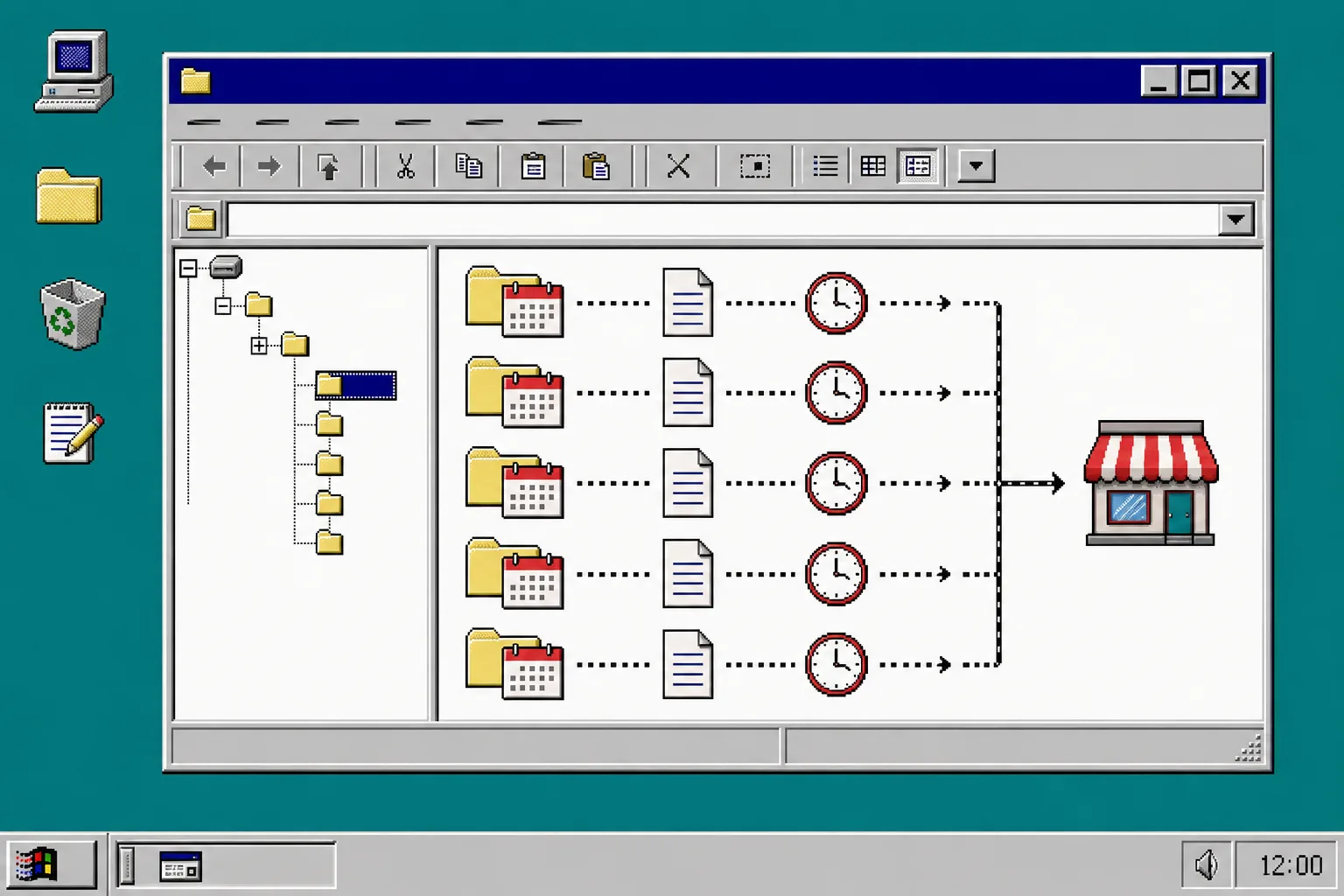
A simple pattern works well: keep one post in review, one approved post scheduled, and one future topic waiting for context. This makes a missed review visible before it becomes a missed month of Shopify content marketing. If product data already feeds another production queue, the approach is familiar: build a reviewable product video queue from catalog data and use the same owner, due date, and approval habit for blog drafts.
5. Improve the Queue After Each Publish
After a post goes live, record the title, topic, featured collection, and any change you made during review. This becomes your practical prompt library. If readers reach a product page from an article, keep that path in future posts. If a generated image feels too broad or a link is stale, add the correction to your checklist.
Use automation for repetition: creating a first draft, structuring headings, proposing internal links, preparing visuals, and placing content on the calendar. Keep human review for accuracy, store voice, product fit, and the decision to publish. That division lets ecommerce blog automation save time without turning your Shopify blog into unattended output.
Troubleshooting
The drafts sound generic. Add the collection, the customer problem, and one real product benefit to the post request. Product-aware context is more useful than asking for a broader topic.
Reviews keep delaying publication. Reduce the checklist to the four checks above and generate drafts earlier. A queue should reveal work, not create a bottleneck.
The calendar has too many similar posts. Alternate product education, buying guidance, seasonal planning, and problem-solving topics. Link related posts when they genuinely help the reader.
You are tempted to auto-publish everything. Start with a small approved set and measure the review time first. For important product, legal, or availability claims, keep drafts enabled.
A review queue gives you a calmer way to generate Shopify blog posts: useful draft first, fast human check second, scheduled publish last. Create one draft for a current collection in Supra Blog Automation on Shopify, review it with the checklist, and schedule it before planning the next one.